
Using Codex to Create a Better SLS Drag-and-Drop Activity shares how a teacher idea became a polished offline HTML5 sorting activity for SLS.
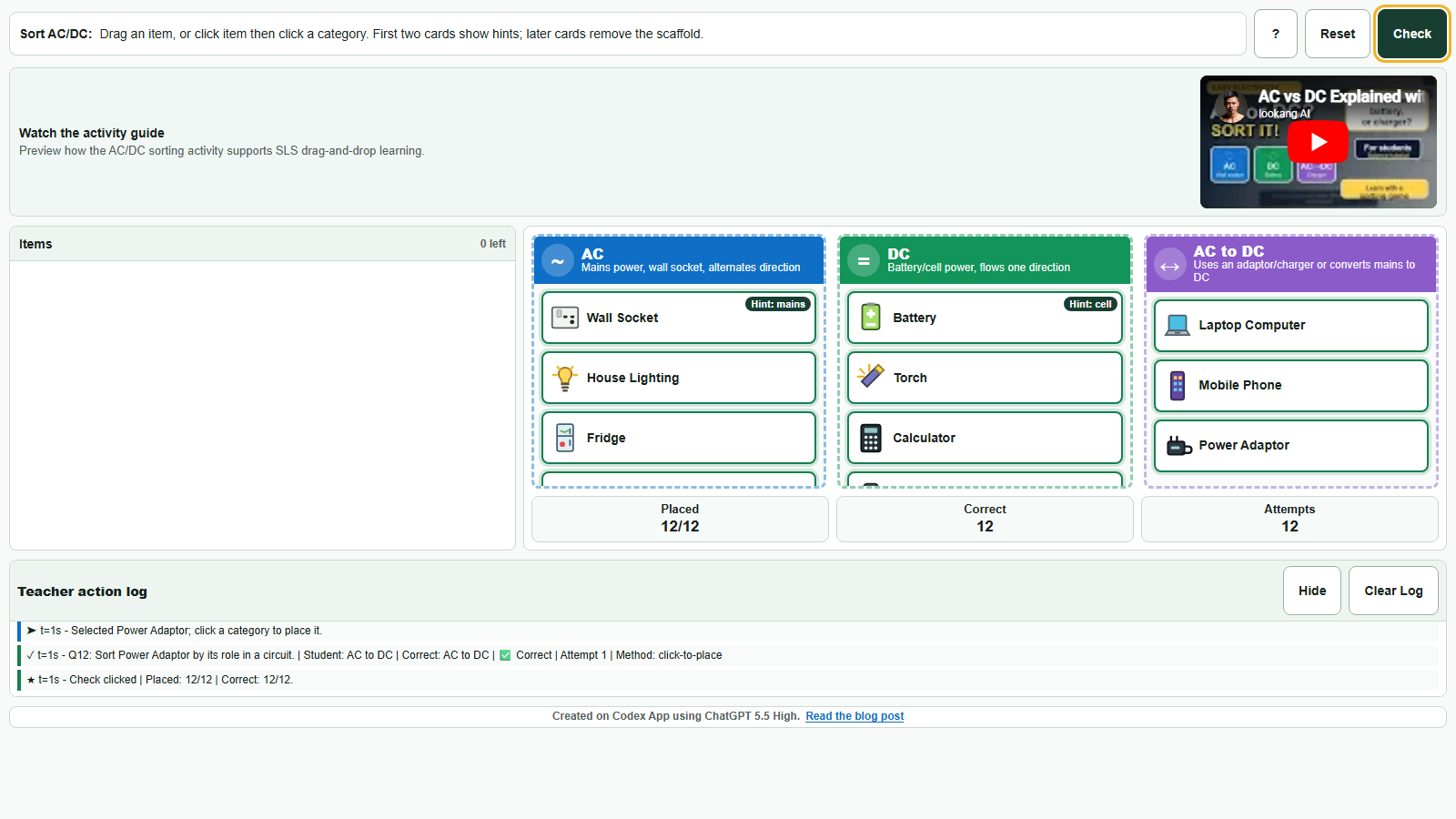
Students sort everyday objects into AC, DC, or AC-to-DC categories using drag-and-drop, tap-to-place, mouse, touch, keyboard, or smartboard input, while receiving immediate feedback and producing useful teacher analytics.
Event / workshop note: 2026TFL example of using Codex App to build an SLS-ready interactive learning activity.
Resource type: Self-contained HTML5 interactive, SLS drag-and-drop sorting task, AC/DC misconception feedback, teacher action log.
Read the full article Try the activity View Markdown source
Why this improves on a standard SLS click question
A standard SLS click question is useful for quick checks, but it mostly captures a final choice. A sorting activity lets students compare examples, revise placements, see feedback immediately, and make misconceptions visible.
In this AC/DC example, students can place objects under AC, DC, or AC-to-DC. This helps address the common misconception that anything plugged into a wall socket must simply be AC. Devices such as phones and laptops may charge from AC mains but use DC after conversion by an adaptor or charger.
What Codex helped produce
- A complete single-file
index.htmlactivity with no external libraries. - Responsive layout suitable for a compact SLS iframe.
- Mouse, touch, keyboard, and click-to-place interaction support.
- Post-drop feedback for misconceptions.
- A teacher action log showing attempts, selected items, chosen categories, and outcomes.
Classroom value
The activity turns a short concept check into a more diagnostic learning experience. Instead of seeing only whether a learner selected the correct option, a teacher can discuss the sequence of attempts and ask why students placed certain devices in particular categories.
This makes the activity useful for classroom discussion, SLS independent learning, and professional sharing about how AI-assisted authoring can help teachers create richer interactives within realistic time constraints.