{source}
<?php  require_once JPATH_SITE.'/TTcustom/TT_contentparser.php';\(parameters = array("topicname" => "math", "modelname" => "ejss_model_multiplyfractions");echo generateSimHTML(\)parameters, "EJSS");
?>
{/source}
Summary:
This document reviews the "Multiply Fractions JavaScript Simulation Applet HTML5," an interactive online tool designed for mathematics education, specifically focusing on the multiplication of fractions. The applet is designed to be embedded in webpages and is intended to help students visualize and understand the process of multiplying fractions. The resource also exists as part of a larger collection of Open Educational Resources (OER) and Open Source Physics (OSP) materials developed in Singapore.
{source}<iframe style="border-radius:12px" src="https://open.spotify.com/embed/episode/5bXIcYeeICaHq6q8Mpao8S?utm_source=generator" width="100%" height="352" frameBorder="0" allowfullscreen="" allow="autoplay; clipboard-write; encrypted-media; fullscreen; picture-in-picture" loading="lazy"></iframe>{/source}
Key Themes and Ideas:
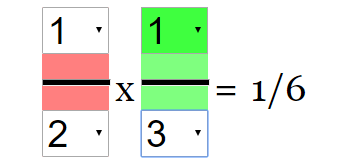
- Interactive Learning: The core function is to provide an interactive environment for learning about fraction multiplication. Students can manipulate numerators and denominators using combo boxes and observe the resulting changes in the equation and visual representation.
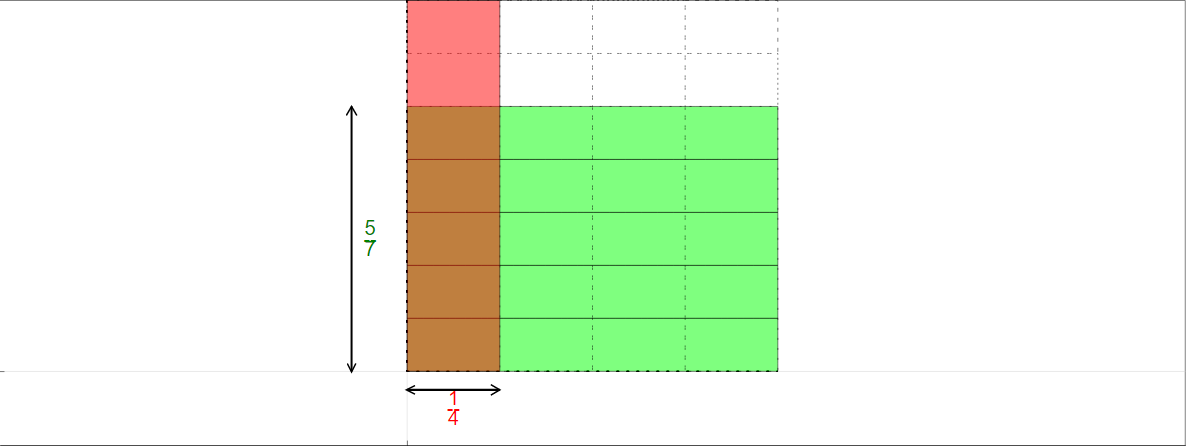
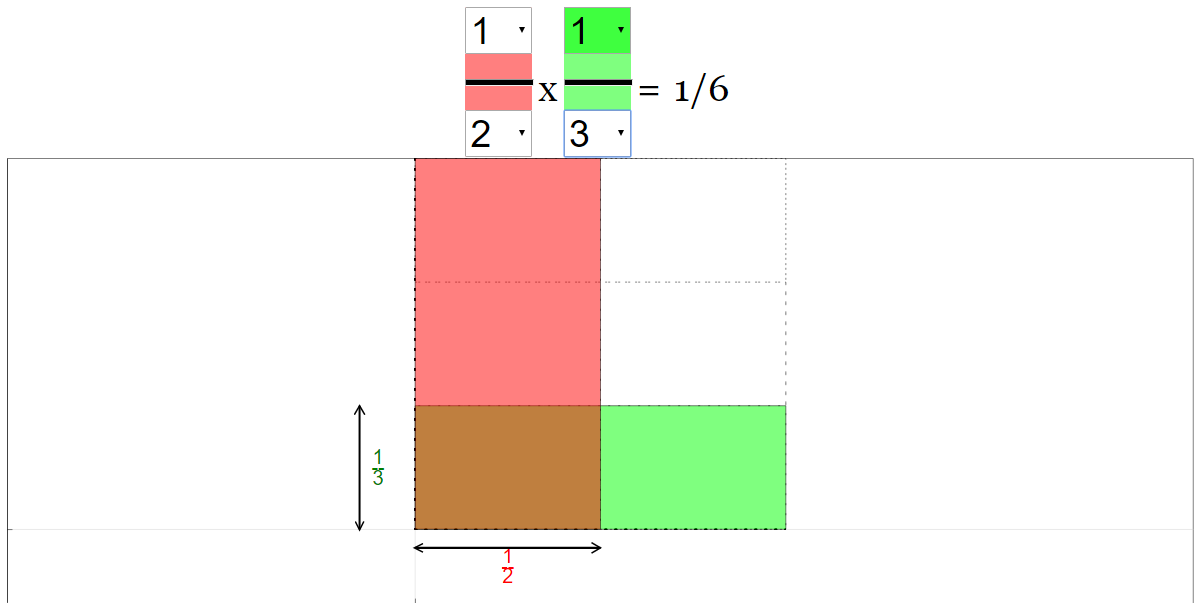
- Visualization: A key feature of the applet is its emphasis on visual representation. The "total numerator is shown as the brown area, while the new denominator as the whole thing." This helps students connect the abstract mathematical concept to a concrete image.
- Editable Equation: The applet includes an editable equation, meaning students can directly interact with the numbers, reinforcing the link between numerical representation and visual change. "To edit the numerator/denominator, click on the combo boxes."
- Teacher Resources: The resource provides information "For Teachers" including instructions and sample learning goals. This suggests the simulation is designed with classroom integration in mind.
- Embeddable and Accessible: The applet can be easily embedded into webpages via an iframe, making it accessible for online learning environments. The link to embed is provided in the document: <iframe width="100%" height="100%" src="https://iwant2study.org/lookangejss/math/ejss_model_multiplyfractions/multiplyfractions_Simulation.xhtml " frameborder="0"></iframe>
- Open Educational Resource (OER): The resource is part of a broader initiative focused on providing freely accessible educational materials.
- JavaScript/HTML5 based: This indicates the simulation is built using modern web technologies, making it compatible with a wide range of devices and browsers.
- Credits: The document gives credit to Francisco Esquembre and Felix_J_Garcia_Clemente. "This email address is being protected from spambots. You need JavaScript enabled to view it. ; Francisco Esquembre; Felix_J_Garcia_Clemente"
- Reset Functionality The document explains how to reset the simulation: "Simply click the refresh button in your browser."
Important Facts/Details:
- Functionality: The applet allows users to change the numerator/denominator by clicking the combo boxes. When the denominators are changed, the equation and solution changes.
- Visual Representation: Denominators and numerators are represented visually via brown areas for the numerator and the whole area for the denominator.
- Target Audience: The resource is suitable for students learning about fraction multiplication. The presence of a "For Teachers" section suggests it is intended for classroom use.
- Related Resources: A link to a Geogebra resource about fraction multiplication is also given: "https://www.geogebra.org/m/T8ZUpxVv"
Potential Uses:
- Classroom instruction on fraction multiplication.
- Interactive homework assignments.
- Self-paced learning for students struggling with fractions.
- Supplement to traditional textbook learning.
Additional Notes:
The provided document is relatively brief but offers a clear overview of the applet's purpose and functionality. The other linked simulations show other examples of the types of simulations offered by this website, most geared towards physics.
Mastering Fraction Multiplication: A Comprehensive Study Guide
I. Quiz
Answer the following questions in 2-3 sentences each.
- What is the primary function of the "Multiply Fractions JavaScript Simulation Applet HTML5"?
- How does the simulation allow users to edit the fractions being multiplied?
- Describe how the "brown area" in the simulation visualizes the result of the multiplication.
- What happens when the refresh button is clicked in the browser while using the applet?
- Besides fraction multiplication, what other subjects are offered on the Open Educational Resources/Open Source Physics website? Give at least three examples.
- What is the license under which the content of the website is shared?
- Name two individuals credited with the creation of the simulation.
- What is the purpose of the combo boxes within the simulation?
- Where can users find other resources related to this simulation?
- What other simulation applets are related to mathematics?
II. Quiz Answer Key
- The primary function of the applet is to provide an interactive visualization of fraction multiplication. The applet allows users to see how the numerator and denominator change when multiplying fractions.
- Users can edit the fractions by clicking on the combo boxes associated with the numerator and denominator of each fraction in the equation. This allows for interactive exploration of different fraction combinations.
- The "brown area" visually represents the total numerator of the resulting fraction. It shows the reduced size of the numerator after the multiplication, compared to the original sizes of the numerators.
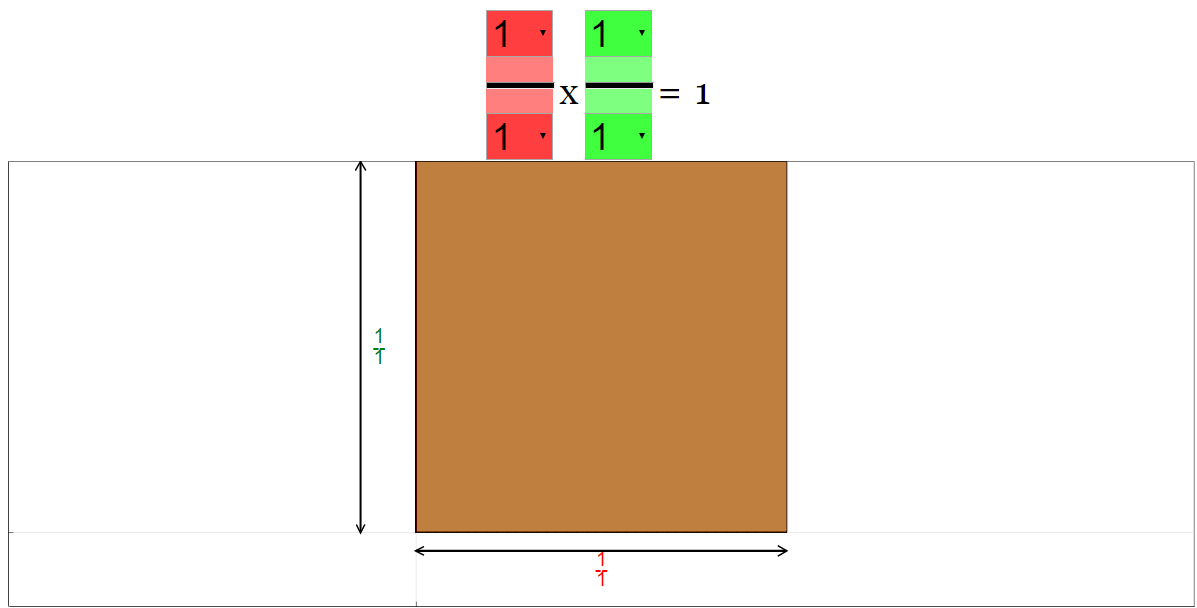
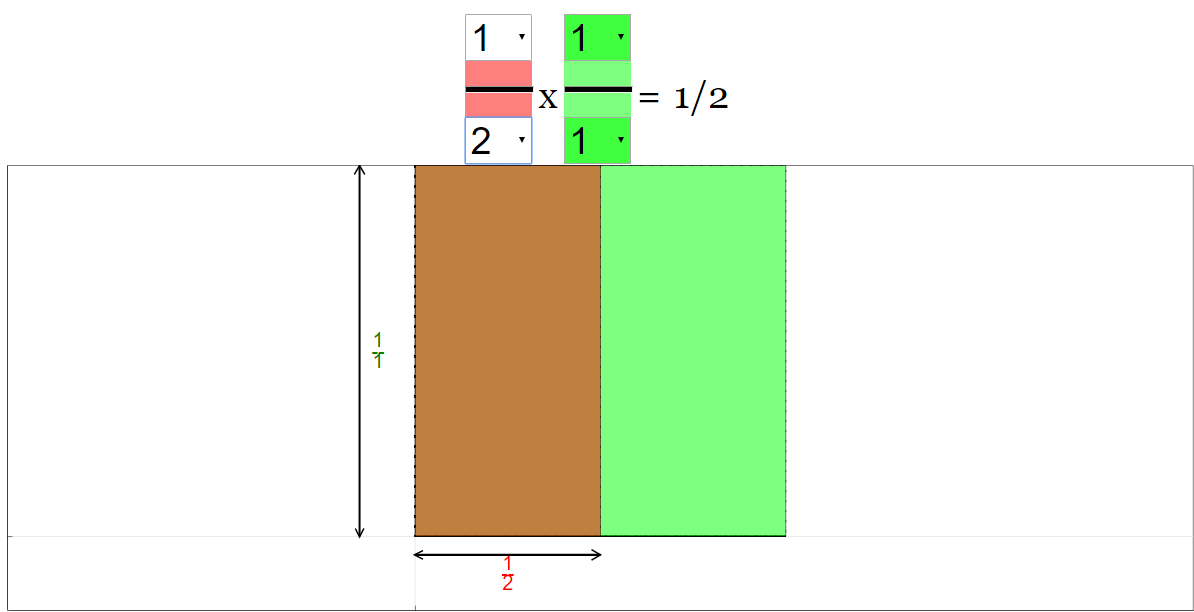
- Clicking the refresh button resets the equation in the simulation to its default state. This is useful for starting with a clean slate or undoing multiple changes.
- Examples of other subjects offered on the website include Physics, Biology, and Mathematics. Within Physics, there are simulations related to Mechanics, Electromagnetism, and Optics, and thermodynamics.
- The content is licensed under the Creative Commons Attribution-Share Alike 4.0 Singapore License. This license allows for sharing and adaptation of the work, provided that attribution is given and any derivative works are shared under a similar license.
- Francisco Esquembre and Felix_J_Garcia_Clemente are credited with the creation of the simulation. The website also lists lookang as a user.
- The combo boxes allow the user to select different values for the numerators and denominators of the fractions. By changing these values, the user can explore different multiplication scenarios and observe the resulting changes in the simulation.
- The website lists one other online resource: https://www.geogebra.org/m/T8ZUpxVv. This could lead to additional tools or explanations related to fraction multiplication.
- Other mathematics applets include Pythagoras' Theorem, Comparing Fractions, Add and Subtract Fractions, Graphing Lines, Volume of Pyramid in 3D WebGL, More than Less than Question Generator, Model Comparison Question Generator, Graphs of Quadratic Functions of the form +/- (x -a)(x-b) : Self Assessment HTML5 JavaScript Simulation Model and Target Math (Race to 20) with new Starting NumberAddition Game JavaScript HTML5 Applet Simulation Model, based on Card Game from Theresa Heng.
III. Essay Questions
Consider these questions and formulate well-supported arguments.
- Discuss the benefits of using interactive simulations like the "Multiply Fractions JavaScript Simulation Applet HTML5" in mathematics education. How do they enhance understanding compared to traditional methods?
- Analyze the design of the simulation from a pedagogical perspective. What specific features contribute to effective learning?
- How could the "Multiply Fractions JavaScript Simulation Applet HTML5" be integrated into a lesson plan for teaching fraction multiplication to different age groups?
- Compare and contrast the Open Educational Resources / Open Source Physics @ Singapore website with other online educational resources for mathematics and science. What are its strengths and weaknesses?
- Explore the potential of AI in creating educational simulations, drawing on examples mentioned in the source material. What are the ethical considerations of using AI-generated educational content?
IV. Glossary of Key Terms
- Applet: A small application, often written in Java or JavaScript, that runs within another application, typically a web browser.
- Numerator: The top number in a fraction, representing the number of parts being considered.
- Denominator: The bottom number in a fraction, representing the total number of equal parts into which something is divided.
- Simulation: A computer-based model that mimics real-world processes or systems, used for education, training, or analysis.
- Open Educational Resources (OER): Teaching, learning, and research materials that are freely available for anyone to use, adapt, and share.
- JavaScript: A programming language commonly used to create interactive effects within web browsers.
- HTML5: The latest version of Hypertext Markup Language, the standard markup language for creating web pages.
- Creative Commons License: A type of copyright license that allows creators to grant certain permissions for others to use, share, and adapt their work.
- Interactive Visualization: A visual representation of data or concepts that allows users to manipulate and explore the information in real-time.
- Pedagogical Perspective: An approach that considers the principles and methods of teaching and learning.
Sample Learning Goals
[text]
For Teachers
Multiply Fractions JavaScript Simulation Applet HTML5
Instructions
Combo Boxes and Equation
Resetting the Equation
Research
[text]
Video
[text]
Version:
Other Resources
Multiply Fractions Simulation FAQ
- What is the purpose of the Multiply Fractions JavaScript Simulation Applet HTML5?
- The applet is designed to help students visualize and understand the process of multiplying fractions. It allows users to manipulate the numerators and denominators of two fractions and observe how the product changes visually, with a brown area representing the total numerator and the whole area representing the new denominator.
- How can I interact with the simulation?
- The equation displayed in the applet is editable. You can change the numerators and denominators of the fractions by clicking on the combo boxes associated with each. Changing these values will update the equation and solution, allowing you to explore different fraction multiplications.
- What visual cues does the simulation provide?
- The simulation visually represents the multiplication of fractions by showing the total numerator as a "brown area" and the new denominator as the "whole thing". This helps users connect the abstract concept of fraction multiplication with a concrete visual representation.
- How does changing the denominators affect the visual representation?
- Changing the left denominator modifies the initial equation and solution. Changing the green denominator further affects the results, reducing the "brown area" representing the numerator proportionally. This illustrates how multiplying fractions results in a new fraction with potentially smaller numerator and denominator values.
- Where can I find other related resources?
- The resource mentions a GeoGebra applet at https://www.geogebra.org/m/T8ZUpxVv , which provides another interactive way to explore fraction multiplication.
- How can I embed this simulation on my own webpage?
- The page provides an <iframe> code snippet that you can copy and paste into your webpage's HTML to embed the simulation. The provided code <iframe width="100%" height="100%" src="https://iwant2study.org/lookangejss/math/ejss_model_multiplyfractions/multiplyfractions_Simulation.xhtml " frameborder="0"></iframe> will embed the simulation.
- Who created this simulation and where can I find more like it?
- The simulation was created by Francisco Esquembre and Felix_J_Garcia_Clemente. The broader Open Educational Resources / Open Source Physics @ Singapore project hosts this and many other interactive simulations across various science and math topics.
- What other kinds of interactive simulations are offered by Open Source Physics @ Singapore?
- The website offers a wide variety of interactive simulations and applets covering topics from physics (mechanics, electromagnetism, waves, optics) to mathematics (fractions, geometry) and even simulations related to chemistry and biology. Examples include simulations of projectile motion, collisions, electric circuits, wave phenomena, genetics, and more.