{source}
<?php  require_once JPATH_SITE.'/TTcustom/TT_contentparser.php';\(parameters = array("topicname" => "01_measurement", "modelname" => "ejss_model_Micrometer02");echo generateSimHTML(\)parameters, "EJSS");
?>
{/source}
Podcast: https://open.spotify.com/episode/2R4wctLLaXbdIyirKUuAsI?si=wVZw-GsYSEmVTJ_it5G9jQ
{source}<iframe style="border-radius:12px" src="https://open.spotify.com/embed/episode/2R4wctLLaXbdIyirKUuAsI?utm_source=generator" width="100%" height="352" frameBorder="0" allowfullscreen="" allow="autoplay; clipboard-write; encrypted-media; fullscreen; picture-in-picture" loading="lazy"></iframe>{/source}
{source}<iframe style="border-radius:12px" src="https://open.spotify.com/embed/episode/2R4wctLLaXbdIyirKUuAsI?utm_source=generator" width="100%" height="352" frameBorder="0" allowfullscreen="" allow="autoplay; clipboard-write; encrypted-media; fullscreen; picture-in-picture" loading="lazy"></iframe>{/source}
Check out Digital Micrometer 0-25mm Electronic Digital Outside Micrometer 0.001mm High Precision Depth Micrometer Micro Caliper. Get it on Shopee now! https://shope.ee/2L8dZ2WXCY?share_channel_code=1
20231003 Update on WEBEJS: https://macmath.inf.um.es/
- more worksheets:
 Physics_lab_Sharjah_
University_Tahani_Alsarayreh - Worksheet 📖 ejss_model_Micrometer02 Tahani Ibrahim Ragheb AL Sarayreh physics department :Sharjah University : UAE measurment of density.docx 06 June 2020
- Worksheet 📖 ejss_model_Micrometer02 Tahani Ibrahim Ragheb AL Sarayreh physics department :Sharjah University : UAE measurment of density.pdf 06 June 2020
- Worksheet 📖 :ejss_model_Micrometer02_measurments of density 1 Nawal Nayfeh, Physics instructor at university of sharjah, UAE.pdf 25 May 2020
- Worksheet 📖 :ejss_model_Micrometer02_measurments of density 1 Nawal Nayfeh, Physics instructor at university of sharjah, UAE.docx 20 May 2020
Learnng Objectives https://sites.google.com/moe.edu.sg/a-level-physics-tlg/foundations-of-physics
Errors, uncertainties, precision and accuracy through practical work
Learning Outcomes:
-
H2: 1(f), 1(g)
Curriculum Emphasis:
-
Ways of Thinking and Doing
Can uncertainty be reduced or even eliminated? How do measurement uncertainties propagate to derived quantities?
Identify and discuss how errors and uncertainties arise in specific measurements and experiments that students carry out, and discuss ways to reduce the errors and uncertainties. It is also possible to discuss the concepts of precision and accuracy using the data collected.
This is a way of building on existing practical work throughout the year to reinforce students' understanding of error and uncertainty through experiential learning.
Resources:
Micrometer Measurement Study Guide
Key Terms Glossary
- Micrometer: A precision measuring instrument used to measure small distances and thicknesses with high accuracy.
- Anvil: The fixed jaw of the micrometer, against which the object being measured is placed.
- Spindle: The movable jaw of the micrometer that advances toward the anvil.
- Sleeve (Barrel/Stock): The stationary cylindrical part of the micrometer that houses the linear scale.
- Thimble: The rotating part of the micrometer that advances the spindle and contains the circular scale.
- Ratchet: A mechanism at the end of the thimble that prevents excessive tightening and ensures consistent pressure.
- Lead: The distance the spindle moves axially with one complete rotation of the thimble.
- Zero Error: A discrepancy in the micrometer's reading when the spindle and anvil are fully closed.
- Datum Line: The horizontal reference line on the sleeve against which the thimble scale is read.
Short Answer Quiz
- What is the basic principle behind the operation of a micrometer?
- Explain the significance of the screw's lead in a micrometer's functioning.
- Describe the function of the ratchet in a micrometer.
- How do you read the measurement from a micrometer? Explain the contributions of the sleeve and thimble scales.
- What is zero error in a micrometer, and how does it affect measurements?
- How do you determine if a micrometer has a positive or negative zero error?
- How do you correct for zero error when taking a measurement?
- What are the typical units of measurement used in a micrometer?
- Besides length, what other physical quantities can be indirectly measured using a micrometer?
- What are some potential sources of error when using a micrometer, besides zero error?
Short Answer Quiz Answer Key
- A micrometer operates on the principle of a screw to amplify small distances that are too small to measure directly into larger rotations readable on a scale. The accuracy hinges on the precision of the screw's thread.
- The screw's lead determines the linear distance the spindle moves for each full rotation of the thimble. This constant is crucial for accurately correlating the rotational movement with the axial movement of the spindle.
- The ratchet is a safety feature that limits the applied pressure by slipping at a calibrated torque. It prevents the user from overtightening the micrometer and potentially damaging the instrument or the object being measured.
- A micrometer reading consists of two parts: the main scale reading on the sleeve and the vernier scale reading on the thimble. The sleeve provides the whole millimeter reading, while the thimble gives the decimal reading (usually to the nearest hundredth of a millimeter).
- Zero error occurs when the micrometer does not read zero when the spindle and anvil are fully closed. This systematic error can lead to inaccurate measurements if not accounted for.
- If the zero mark on the thimble lies below the datum line on the sleeve, the zero error is positive. If the zero mark lies above the datum line, the zero error is negative.
- To correct for zero error, you either add (for negative zero error) or subtract (for positive zero error) the zero error value from the measured reading.
- Micrometers typically measure in millimeters (mm). The sleeve scale displays millimeters, and the thimble scale allows readings to the hundredth of a millimeter (0.01 mm).
- While directly measuring length, a micrometer can indirectly measure other quantities like diameter, thickness, and even depth using appropriate attachments.
- Besides zero error, other sources of error include parallax error (reading the scale at an angle), temperature fluctuations affecting the instrument and the object, and wear and tear of the micrometer parts.
Essay Questions
- Describe the detailed anatomy of a micrometer, explaining the function of each component and its role in achieving precise measurements.
- Discuss the advantages and limitations of using a micrometer for measurement compared to other length measuring instruments like rulers or calipers.
- Explain in detail the process of taking a measurement with a micrometer, including how to handle the instrument, read the scales, and account for zero error.
- Analyze the potential sources of error in micrometer measurements, focusing on both instrumental errors and user-related errors. Discuss strategies to minimize these errors and improve measurement accuracy.
- Explore the diverse applications of micrometers across various fields like engineering, manufacturing, and scientific research. Provide specific examples and discuss the importance of precise measurement in these contexts.
Briefing Doc: Micrometer App and Resources
Main Themes:
This document provides a comprehensive overview of an interactive micrometer simulation app and related resources designed for secondary and junior college physics education. The main themes are:
- Micrometer Operation and Measurement: The resources delve into the detailed mechanics of a micrometer, explaining how it uses the principle of a screw to amplify small distances into measurable rotations. This includes the function of each part, how to read the scales, and how to account for zero error.
- Interactive Simulation and Learning: The Easy Java Simulation (EJS) based micrometer app provides a hands-on learning experience, allowing students to manipulate the micrometer virtually, practice taking measurements, and receive immediate feedback. The app includes features like zero error control, hints, answer checking, and fine control for realistic simulation.
- Integration with Curriculum and Pedagogy: The resources highlight the alignment with specific learning goals, such as the ability to "describe how to measure a variety of lengths with appropriate accuracy" and discuss errors and uncertainties in measurements. The app is also accompanied by worksheets and learning materials for teachers to integrate it into their lessons effectively.
- Accessibility and Open Educational Resources (OER): The app is accessible on various platforms including web browsers, Android, iOS, and Chromebooks, promoting wider accessibility for students and teachers. The app and its associated resources are presented as open educational resources, encouraging sharing and adaptation within the educational community.
Most Important Ideas and Facts:
- Micrometer principle: "Micrometers use the principle of a screw to amplify small distances that are too small to measure directly into large rotations of the screw that are big enough to read from a scale."
- Accuracy: "The accuracy of a micrometer derives from the accuracy of the thread form that is at its heart."
- Reading the Micrometer: A micrometer reading is obtained by adding the measurement from the main scale on the sleeve and the measurement from the rotating vernier scale on the thimble.
- Zero error: "Now, we shall try with zero error... Find the actual measurement. (Meaning: get rid of the zero error in the measurement or take into account the zero error)."
- Learning Objectives: One sample learning goal is for students to "(g) describe how to measure a variety of lengths with appropriate accuracy by means of tapes, rules, micrometers and calipers, using a vernier scale as necessary."
- Interactive App Features: The app includes features like object size and position control, zero error control, hints, answer display, lock function, fine control buttons, and a reset button.
- Availability: The app and resources are available through various channels, including a dedicated website, blog posts, app stores, and digital libraries.
Quotes:
- Importance of Screw's Lead: "The amount of rotation of an accurately made screw can be directly and precisely correlated to a certain amount of axial movement (and vice-versa), through the constant known as the screw's lead."
- Thermal Mass of the Frame: "The frame is heavy and consequently has a high thermal mass, to prevent substantial heating up by the holding hand/fingers."
Overall, the document presents a valuable collection of resources for teaching and learning about micrometers. The interactive app, in conjunction with the supporting materials, offers a highly engaging and effective way to understand the instrument's mechanics, practice measurement techniques, and develop an awareness of measurement errors and uncertainties.
Apps
{source}
<a href='https://play.google.com/store/apps/details?id=com.ionicframework.micrometerapp268865&utm_source=global_co&utm_medium=prtnr&utm_content=Mar2515&utm_campaign=PartBadge&pcampaignid=MKT-Other-global-all-co-prtnr-py-PartBadge-Mar2515-1'><img alt='Get it on Google Play' src='https://play.google.com/intl/en_us/badges/images/generic/en_badge_web_generic.png'/></a>
{/source}
{source}
<a href="https://itunes.apple.com/us/app/micrometer-simulator/id1164367611?mt=8" style="display:inline-block;overflow:hidden;background:url(https://linkmaker.itunes.apple.com/images/badges/en-us/badge_appstore-lrg.svg) no-repeat;width:165px;height:40px;"></a>
{/source} https://itunes.apple.com/us/app/micrometer-simulator/id1164367611?mt=8
Topics
Measurement of length and time
Description
Play with the Micrometer Model. Test what you've learned by trying the input field.
Micrometers use the principle of a screw to amplify small distances that are too small to measure directly into large rotations of the screw that are big enough to read from a scale. The accuracy of a micrometer derives from the accuracy of the thread form that is at its heart. The basic operating principles of a micrometer are as follows:
The amount of rotation of an accurately made screw can be directly and precisely correlated to a certain amount of axial movement (and vice-versa), through the constant known as the screw's lead. A screw's lead is the distance it moves forward axially with one complete turn (360°). (In most threads [that is, in all single-start threads], lead and pitch refer to essentially the same concept.)
With an appropriate lead and major diameter of the screw, a given amount of axial movement will be amplified in the resulting circumferential movement.
The micrometer has most functional physical parts of a real micrometer.
Frame (Orange)
The C-shaped body that holds the anvil and barrel in constant relation to each other. It is thick because it needs to minimize expansion, and contraction, which would distort the measurement. The frame is heavy and consequently has a high thermal mass, to prevent substantial heating up by the holding hand/fingers. has a text 0.01 mm for smallest division of instrument has a text 2 rounds = 100 = 1.00 mm to allow association to actual micrometer
Anvil (Gray)
The shiny part that the spindle moves toward, and that the sample rests against.
Sleeve / barrel / stock (Yellow)
The stationary round part with the linear scale on it. Sometimes vernier markings.
Lock nut / lock-ring / thimble lock (Blue)
The knurled part (or lever) that one can tighten to hold the spindle stationary, such as when momentarily holding a measurement.
Screw
(not seen) The heart of the micrometer It is inside the barrel.
Spindle (Dark Green)
The shiny cylindrical part that the thimble causes to move toward the anvil.
Thimble (Green)
The part that one's thumb turns. Graduated markings.
Ratchet (Teal)
(not shown ) Device on end of handle that limits applied pressure by slipping at a calibrated torque.
This applet has an object (Black)
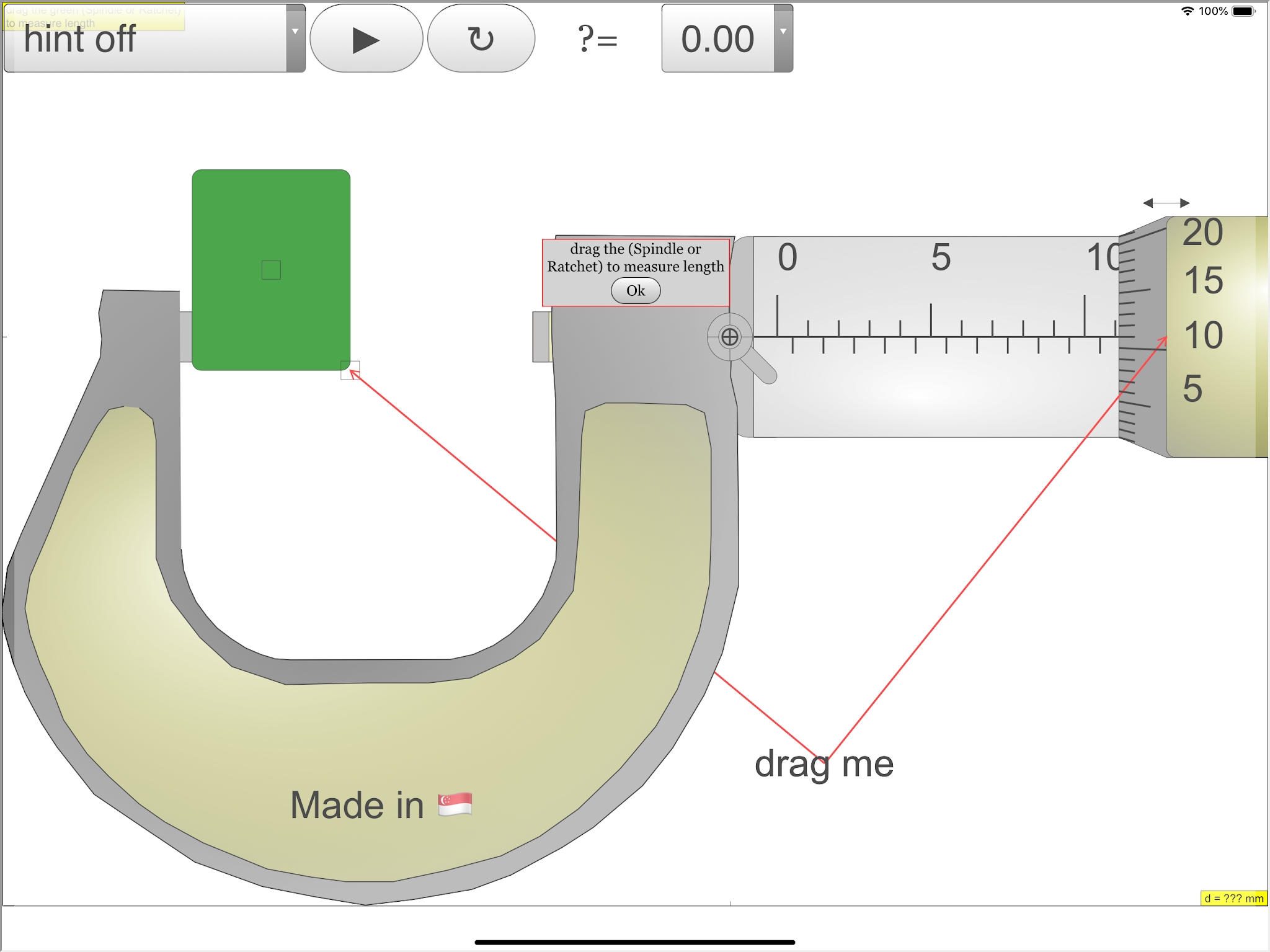
with slider on left top to control the y-motion of the object into the anvil and spindle (jaws), the graphics also allows drag action.
with slider on left bottom to control the x-size of the object into the anvil and spindle (jaws).
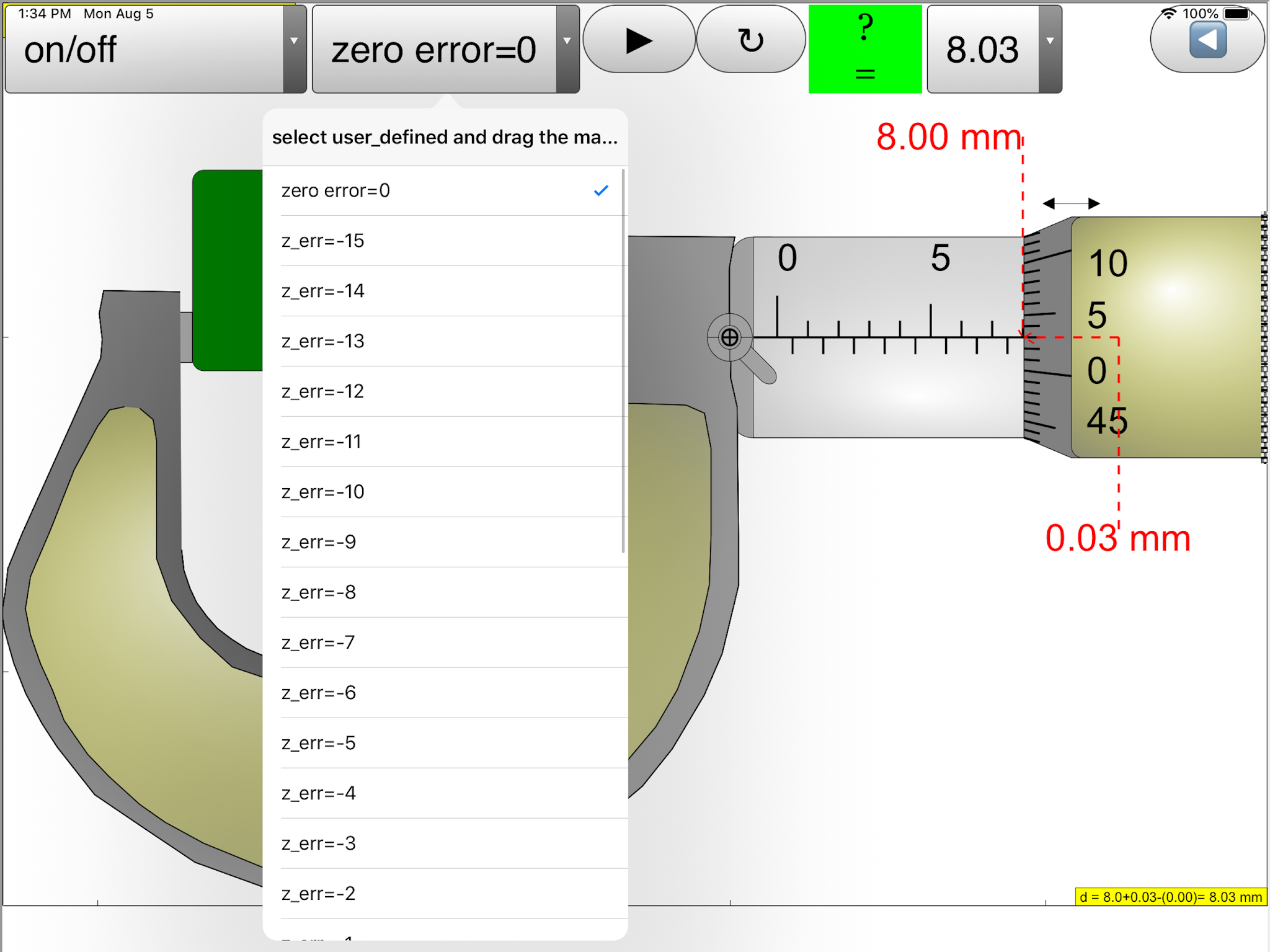
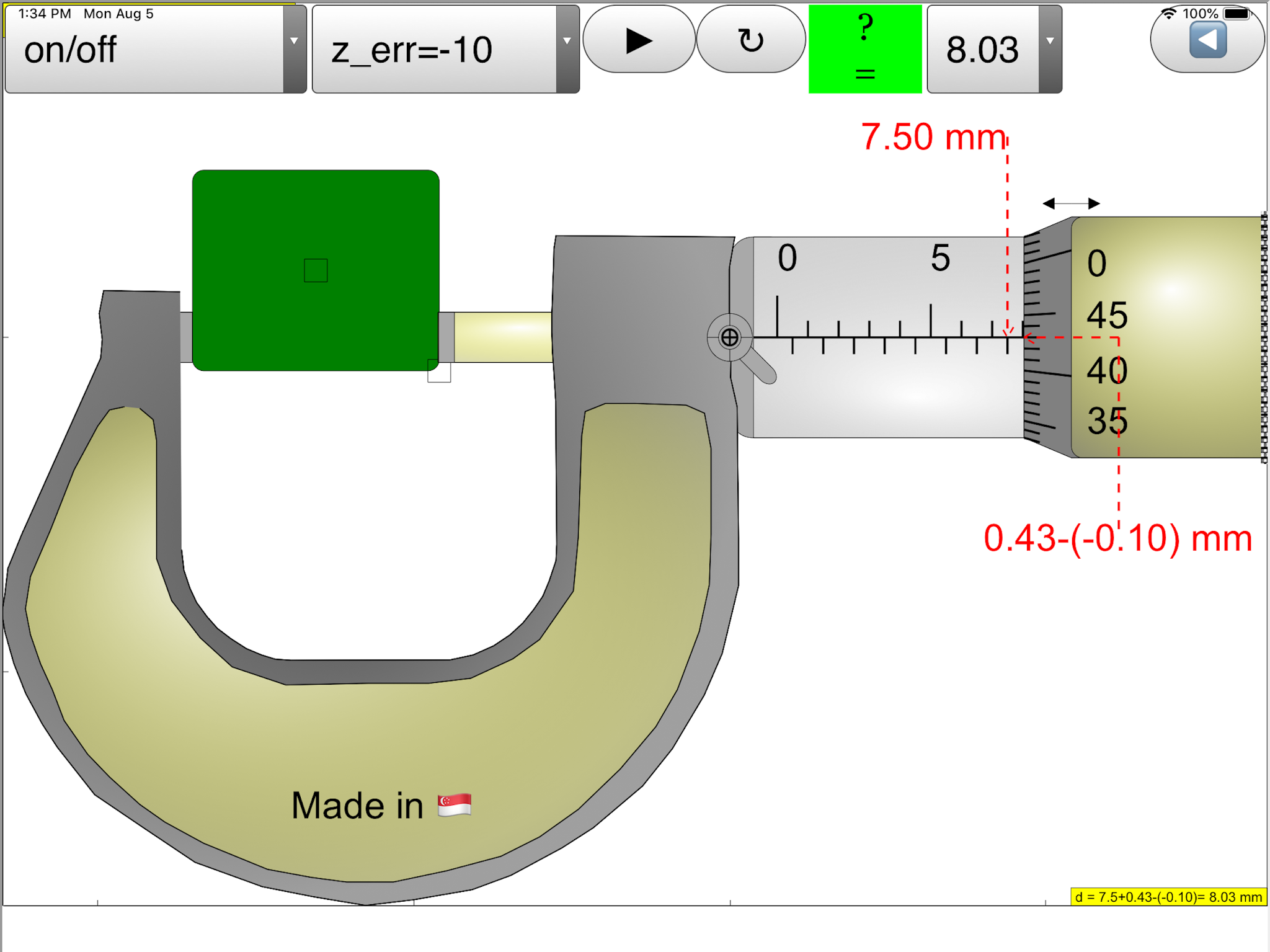
On the left bottom slider is the zero error control to allow of exploring with if the micrometer has either +0.15 mm (max) or -0.15mm (min) zero error. The are check boxes:
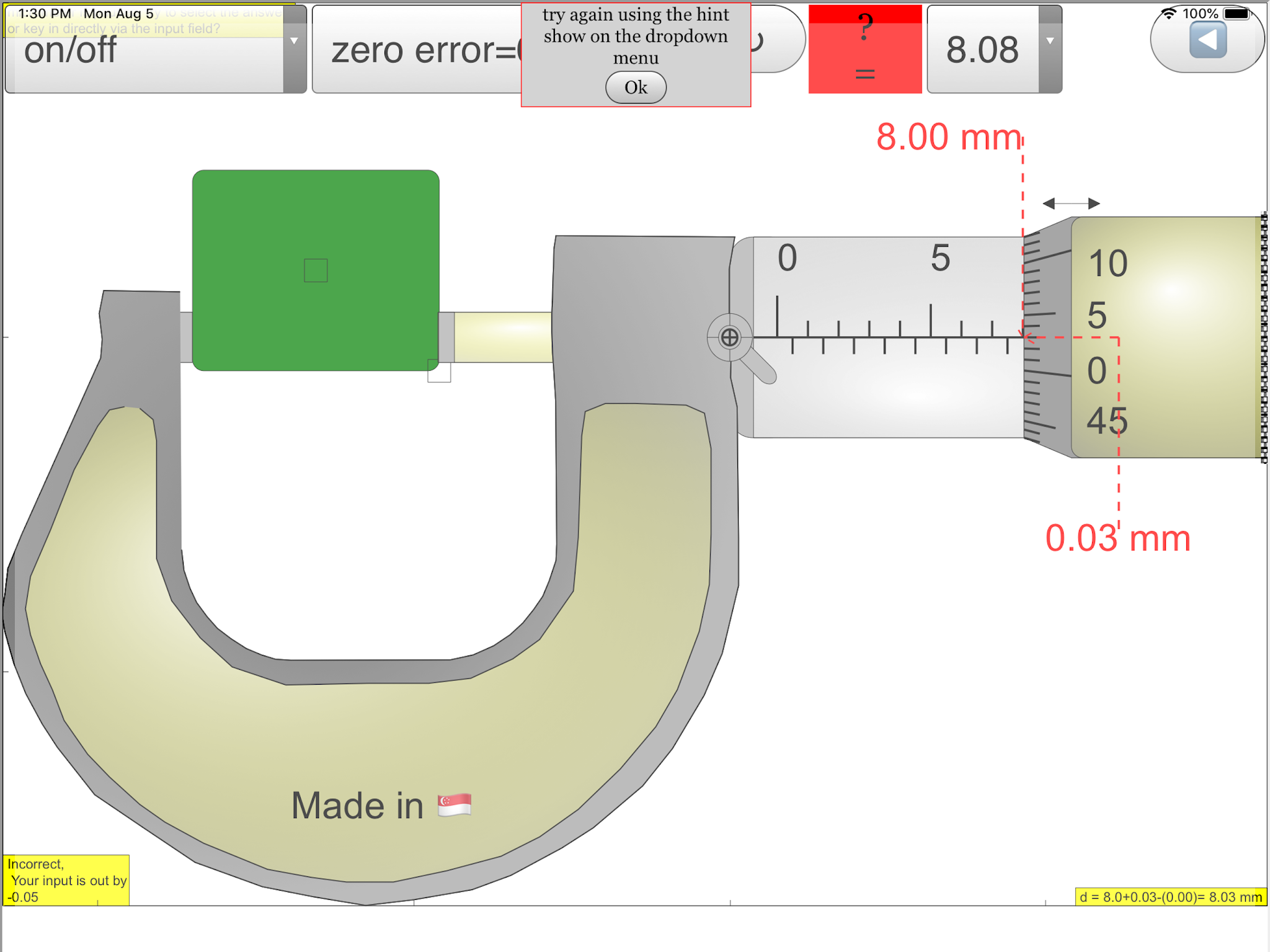
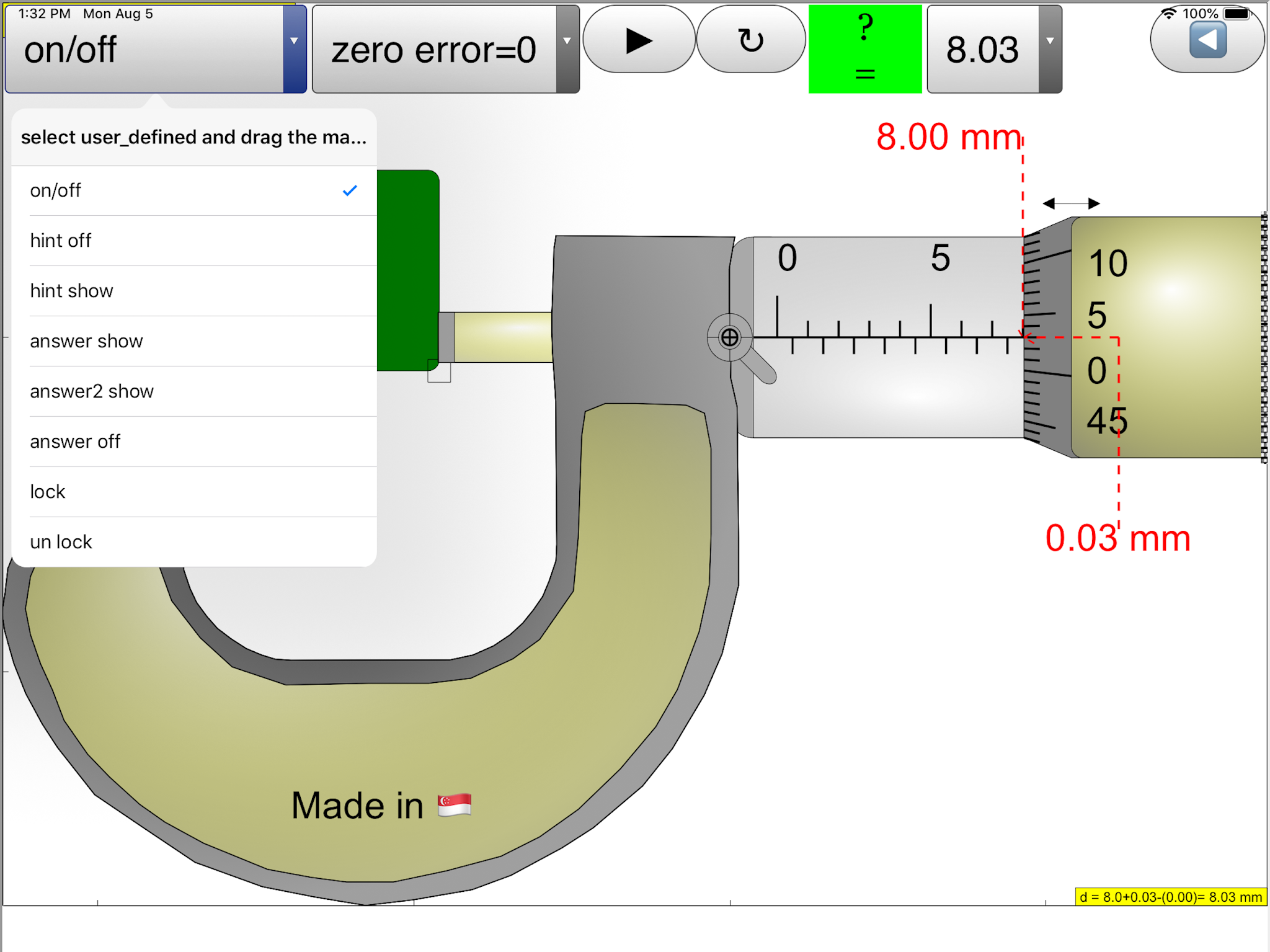
hint: guide lines and arrows to indicate the region of interest plus the accompanying rationale for the answer.
answer: shows the measurement d = ??? mm
lock: allows simulating of the lock function in real micrometer which disable changes to the position of the spindle then by the measurement is unchangeable.
On the bottom there is a green slider to control the position of the spindle, drag on any part of the view also drags the spindle.
There is 2 buttons left and right fine control to allow for single incremental change of the measurement, to allow learners to sense the rotation simulation of the spindle with the many lines to simulate the coarse pattern to increase friction between fingers and on the thimble and ratchet.
The reset button restores learning environment to default setting
For Teachers
- http://weelookang.blogspot.sg/2012/01/mirror-here-httpssites.html
- https://sites.google.com/site/lookang/002-micrometer?pli=1
For Students
- the first part is contributed by the main scale on the sleeve
- the second part is contributed by the rotating vernier scale on the thimble
The 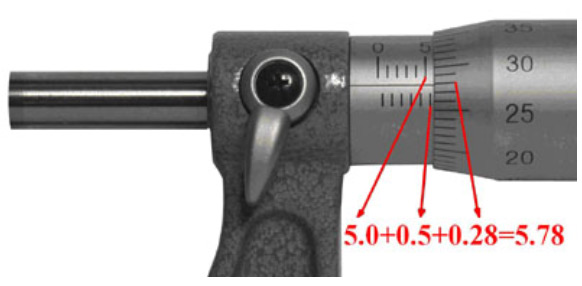
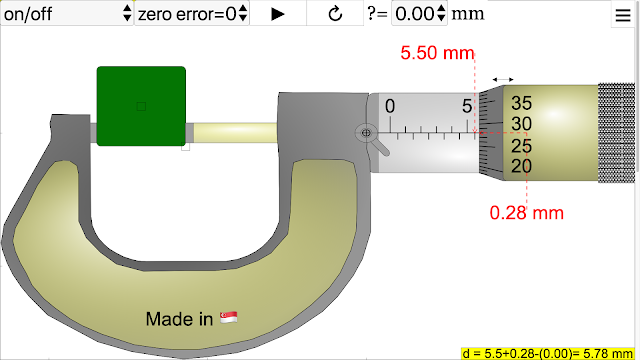 image shows a typical micrometer screw gauge and how to read it. Steps:
- To obtain the first part of the measurement: Look at the image above, you will see a number 5 to the immediate left of the thimble. This means 5.0 mm. Notice that there is an extra line below the datum line, this represents an additional 0.5 mm. So the first part of the measurement is 5.0+0.5=5.5 mm.
- To obtain the second part of the measurement: Look at the image above, the number 28 on the rotating vernier scale coincides with the datum line on the sleeve. Hence, 0.28 mm is the second part of the measurement.
You just have to add the first part and second part of the measurement to obtain the micrometer reading: 5.5+0.28=5.78 mm.
To ensure that you understand the steps above,
here’s one more example: 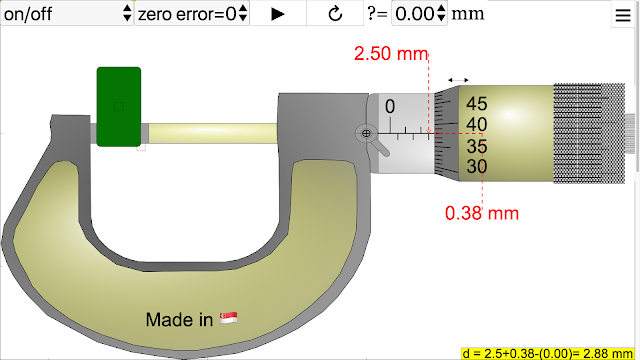
First part of the measurement: 2.5 mm
Second part of the measurement: 0.38 mm
Final measurement: 2.88 mm
Now, we shall try with zero error. 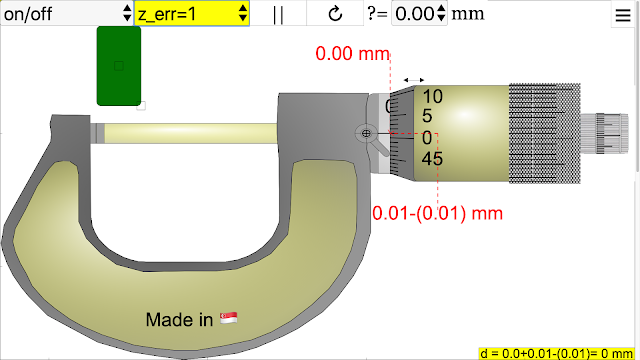
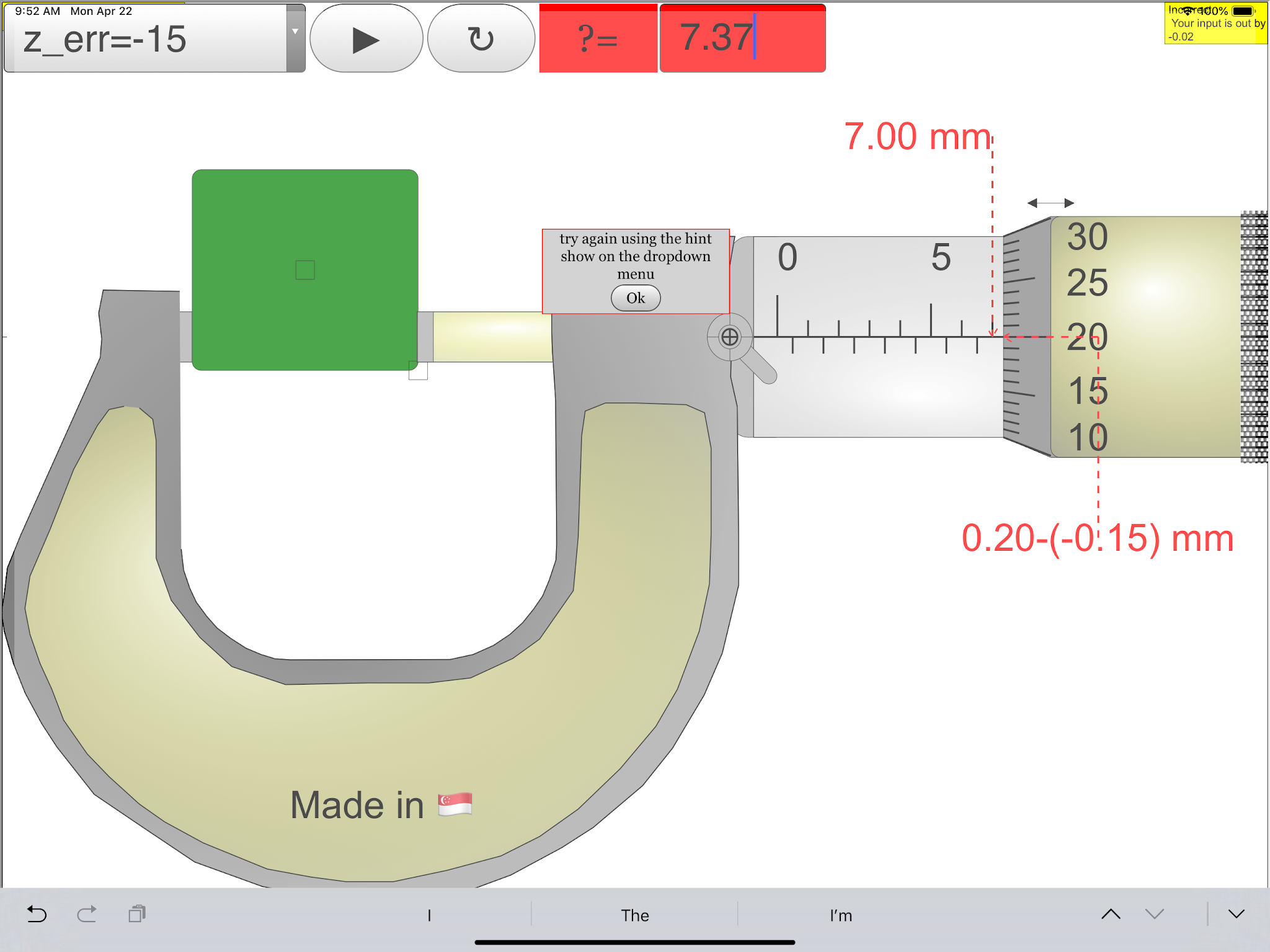
The reading on the bottom is the measurement obtained and the reading at the top is the zero error. Find the actual measurement. (Meaning: get rid of the zero error in the measurement or take into account the zero error)
Measurement with zero error: 1.76 mm 
Zero error: + 0.01 mm (positive because the zero marking on the thimble is below the datum line)
Measurement without zero error: 1.76–(+0.01)=1.75 mm
iCTLT2016 ePosterGuide Example
{source}
<iframe src="https://docs.google.com/presentation/d/15mQWE2E1-WOoghH1Lnw9f3TK9w3JWbbZ_aSkgUn-hoM/embed?start=false&loop=false&delayms=3000" frameborder="0" width="960" height="749" allowfullscreen="true" mozallowfullscreen="true" webkitallowfullscreen="true"></iframe>
{/source}
Video {source}
<iframe width="420" height="315" src="https://www.youtube.com/embed/IHdKA__po0U" frameborder="0" allowfullscreen></iframe>
{/source} iCTLT2016 Sample of ePoster by lookang lawrence wee
Research
arXiv:1408.3803 [pdf]
Vernier caliper and micrometer computer models using Easy Java Simulation and its pedagogical design feature-ideas to augment learning with real instruments
Loo Kang Wee, Hwee Tiang Ning
Comments: 8 pages, 8 figures, Physics Education journal
Subjects: Physics Education (physics.ed-ph); Instrumentation and Detectors (physics.ins-det)
https://youtu.be/jHoA5M-_1R4
Worksheet
- more worksheets: Physics_lab_Sharjah_
University_Tahani_Alsarayreh - Worksheet 📖 ejss_model_Micrometer02 Tahani Ibrahim Ragheb AL Sarayreh physics department :Sharjah University : UAE measurment of density.docx 06 June 2020
- Worksheet 📖 ejss_model_Micrometer02 Tahani Ibrahim Ragheb AL Sarayreh physics department :Sharjah University : UAE measurment of density.pdf 06 June 2020
- Worksheet 📖 :ejss_model_Micrometer02_measurments of density 1 Nawal Nayfeh, Physics instructor at university of sharjah, UAE.pdf 25 May 2020
- Worksheet 📖 :ejss_model_Micrometer02_measurments of density 1 Nawal Nayfeh, Physics instructor at university of sharjah, UAE.docx 20 May 2020
Video
https://www.youtube.com/shorts/jfEb8XvtJBY AI song by ChatGPT and Suno
https://www.youtube.com/watch?v=WeYW5C1yXZ0 AI song by Suno {source}<iframe width="560" height="315" src="https://www.youtube.com/embed/WeYW5C1yXZ0?si=kk7nbiTlGl3UEDmm" title="YouTube video player" frameborder="0" allow="accelerometer; autoplay; clipboard-write; encrypted-media; gyroscope; picture-in-picture; web-share" referrerpolicy="strict-origin-when-cross-origin" allowfullscreen></iframe>{/source}
https://youtu.be/j7N07tCcKyo AI song by ChatGPT and Suno v2
{source}
<iframe width="560" height="315" src="https://www.youtube.com/embed/YAmn-xksu2s" frameborder="0" allowfullscreen></iframe>
{/source}
<iframe width="560" height="315" src="https://www.youtube.com/embed/I-RZxhyZVio" frameborder="0" allowfullscreen></iframe>
{/source}
{source}
<iframe width="560" height="315" src="https://www.youtube.com/embed/Jx2w2HMpDnM" frameborder="0" allowfullscreen></iframe>
{/source} Youtube by Kim Kia Tan
{source}
<iframe width="560" height="315" src="https://www.youtube.com/embed/b_T4sKKWk7w" frameborder="0" allowfullscreen></iframe>
{/source} Youtube by Kim Kia Tan
https://notebooklm.google.com/notebook/666c4bbb-a91a-4b0c-90ba-2ed178e07c7c/audio
Screenshots
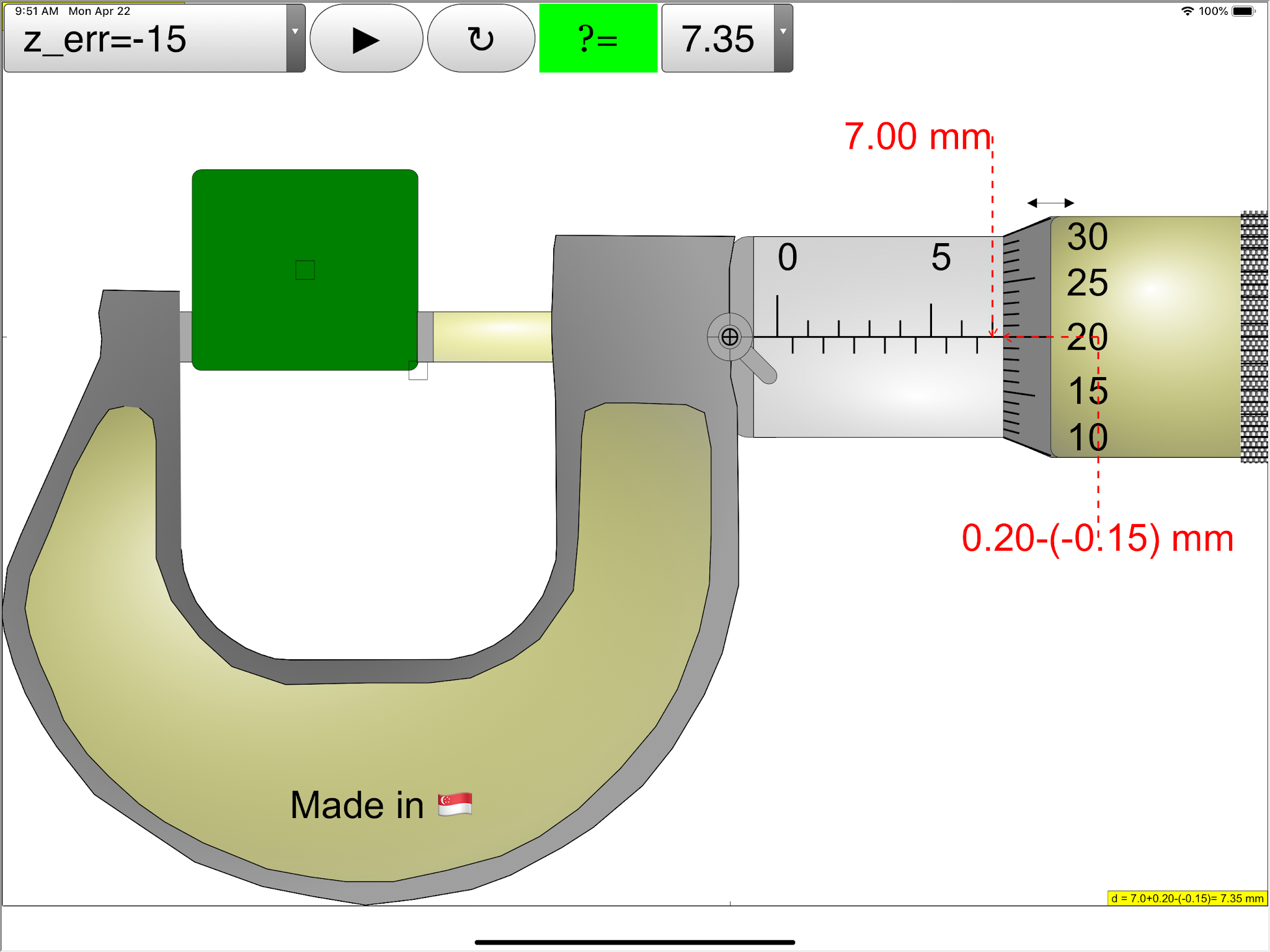
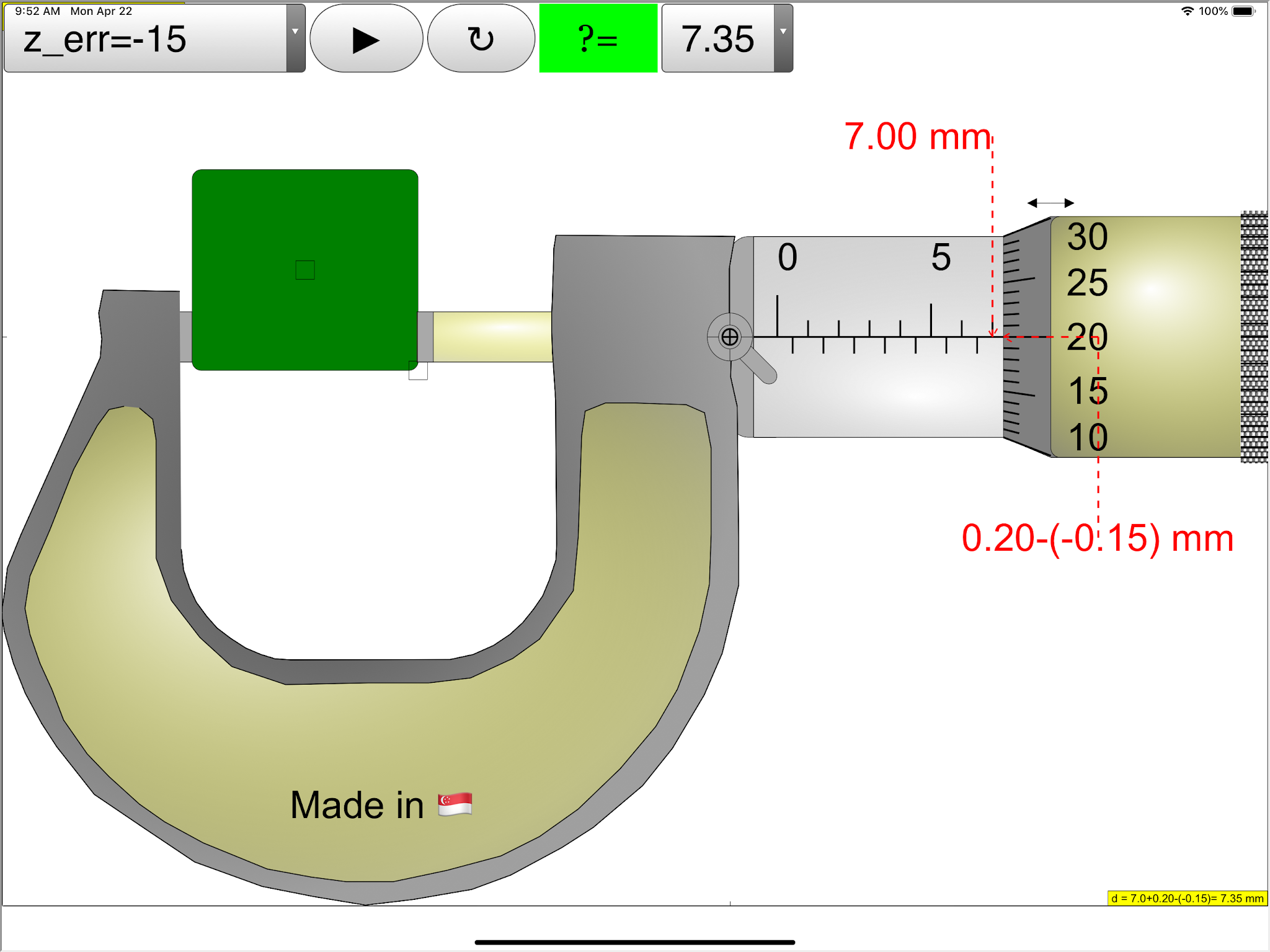
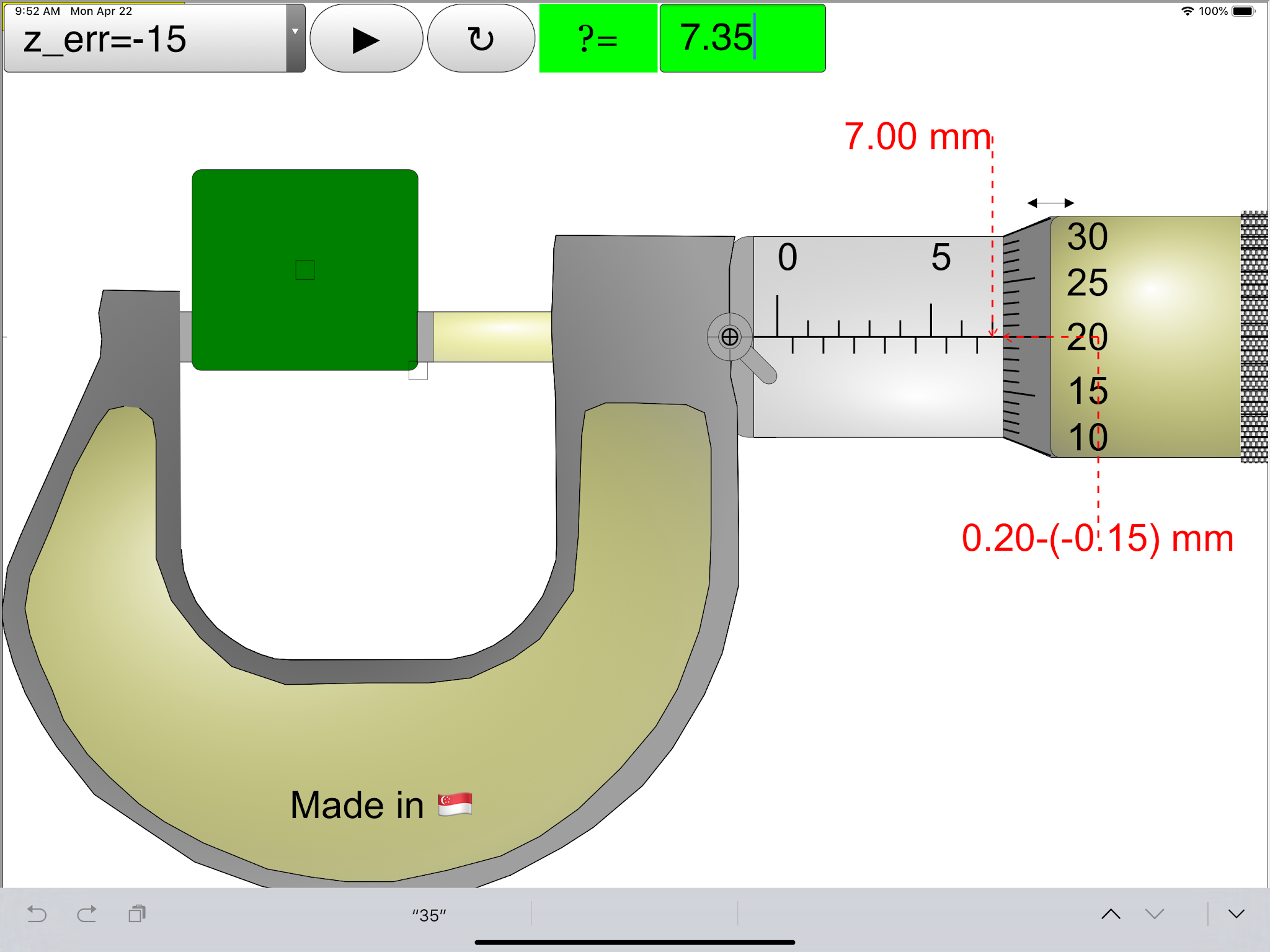
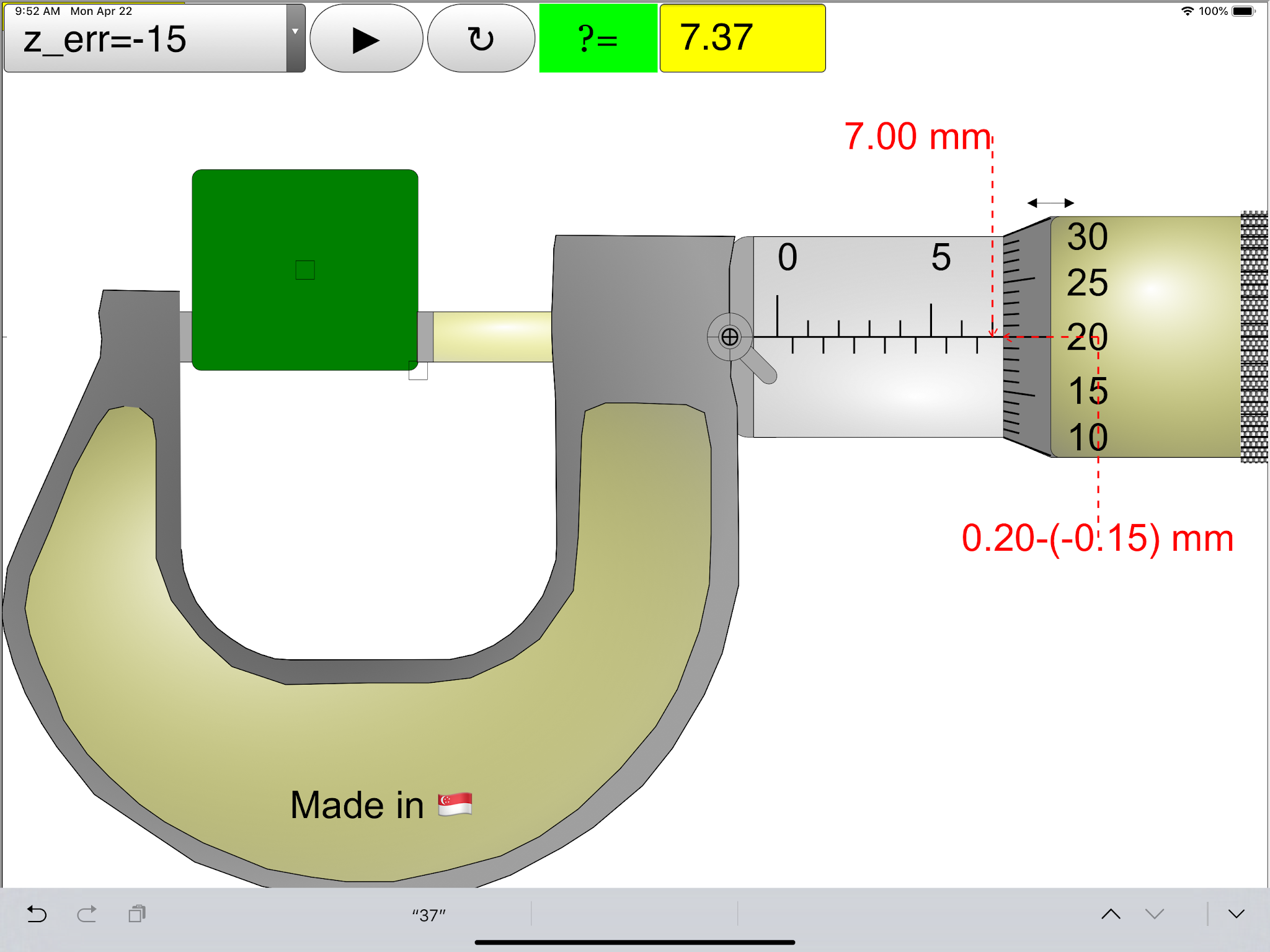
Micrometer iOS App 6.5 inch, probably the world's best!
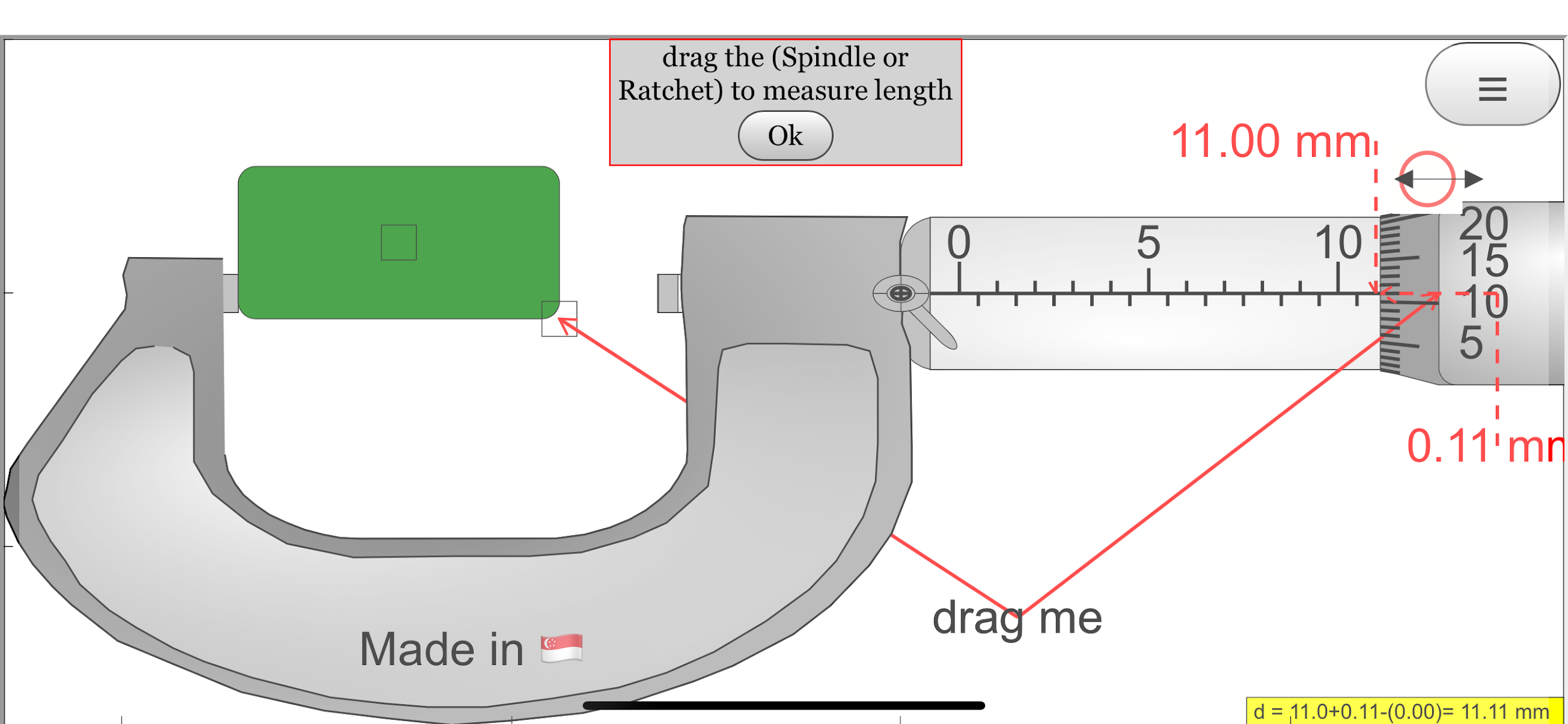 |
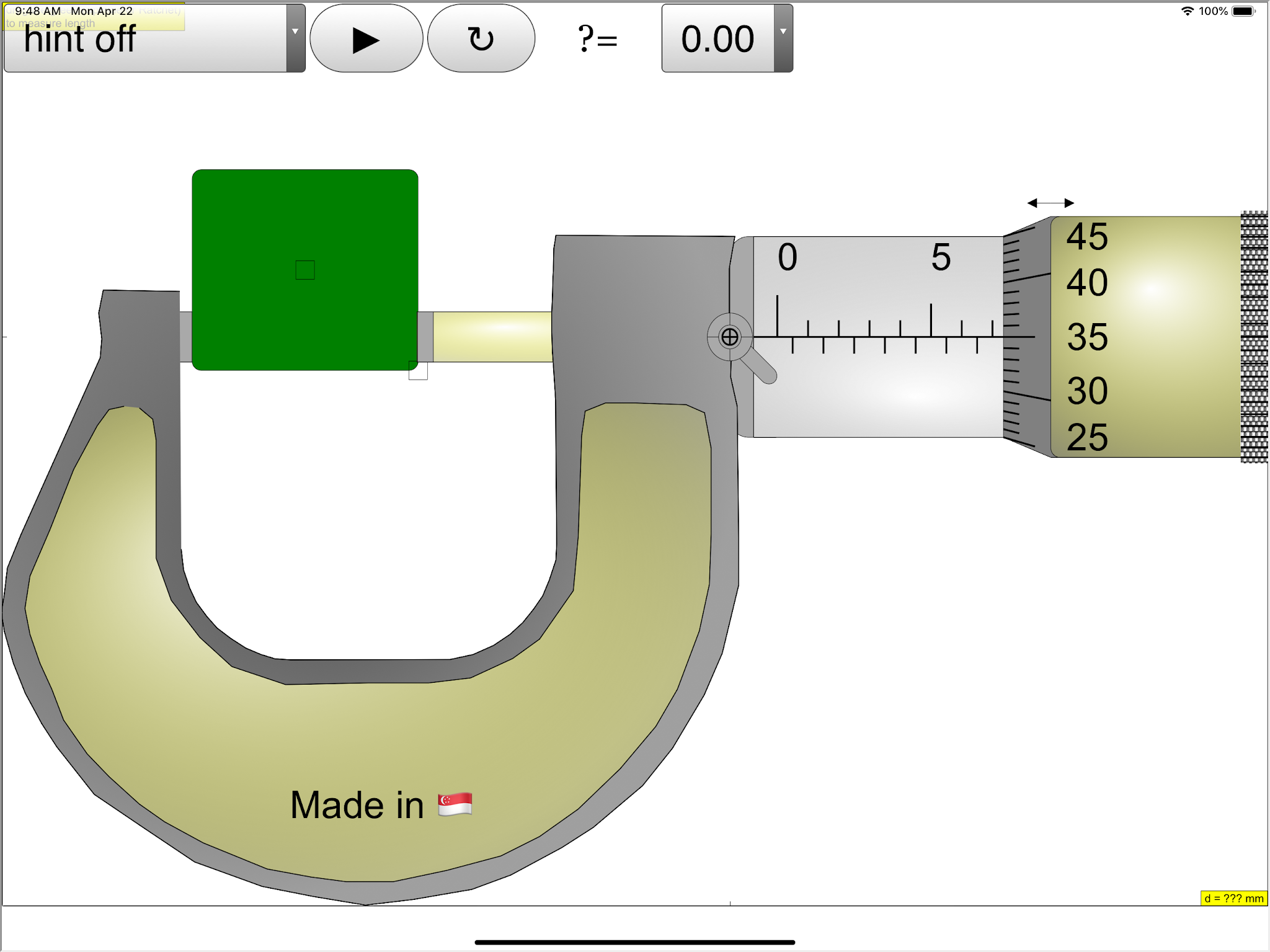
| First default screen after clicking the expand menu button https://sg.iwant2study.org/ospsgx/index.php/6-micrometer02 Fullscreen App version Direct link https://sg.iwant2study.org/ospsgx/index.php/1005-micrometer02manualversion Manual version Direct link |
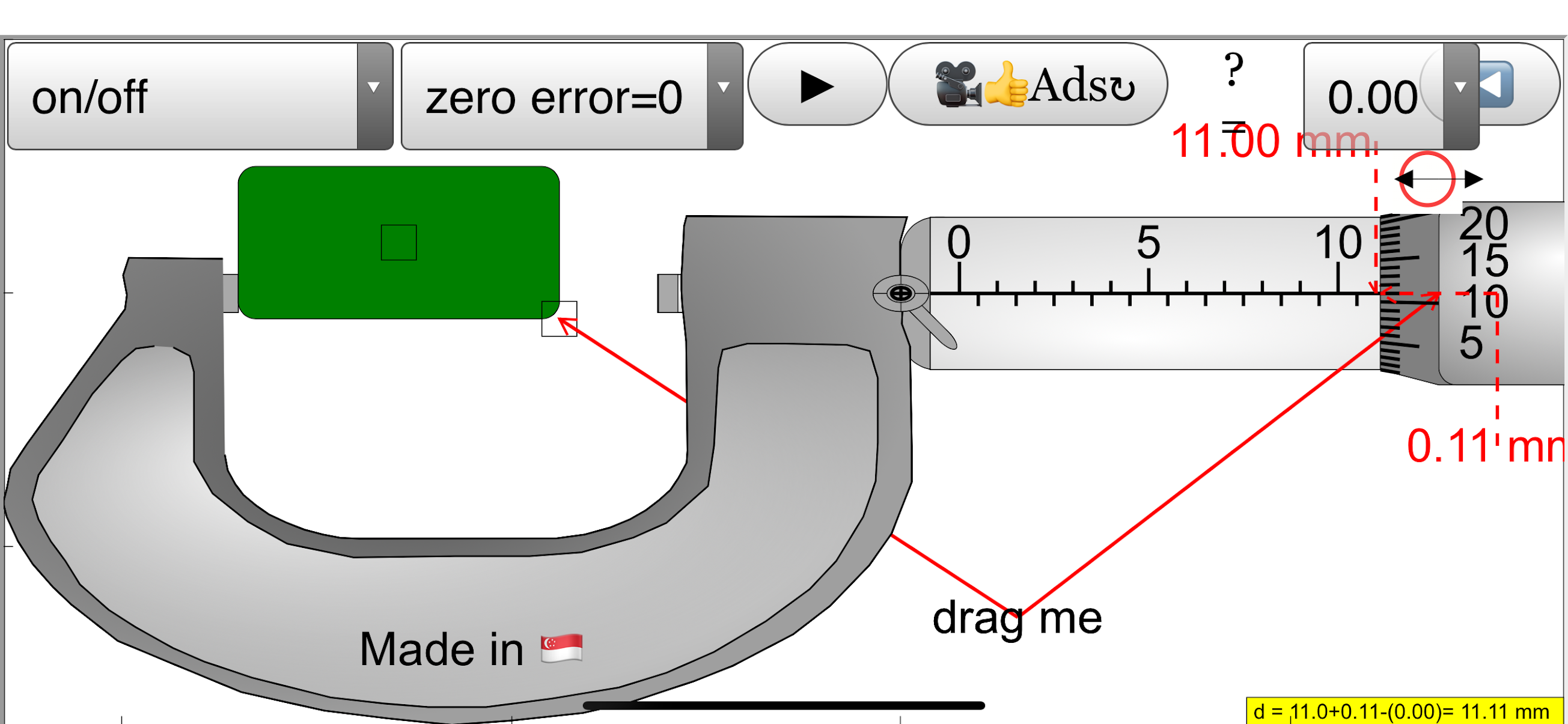 |
| default screen after clicking the expand menu button https://sg.iwant2study.org/ospsgx/index.php/6-micrometer02 Fullscreen App version Direct link https://sg.iwant2study.org/ospsgx/index.php/1005-micrometer02manualversion Manual version Direct link |
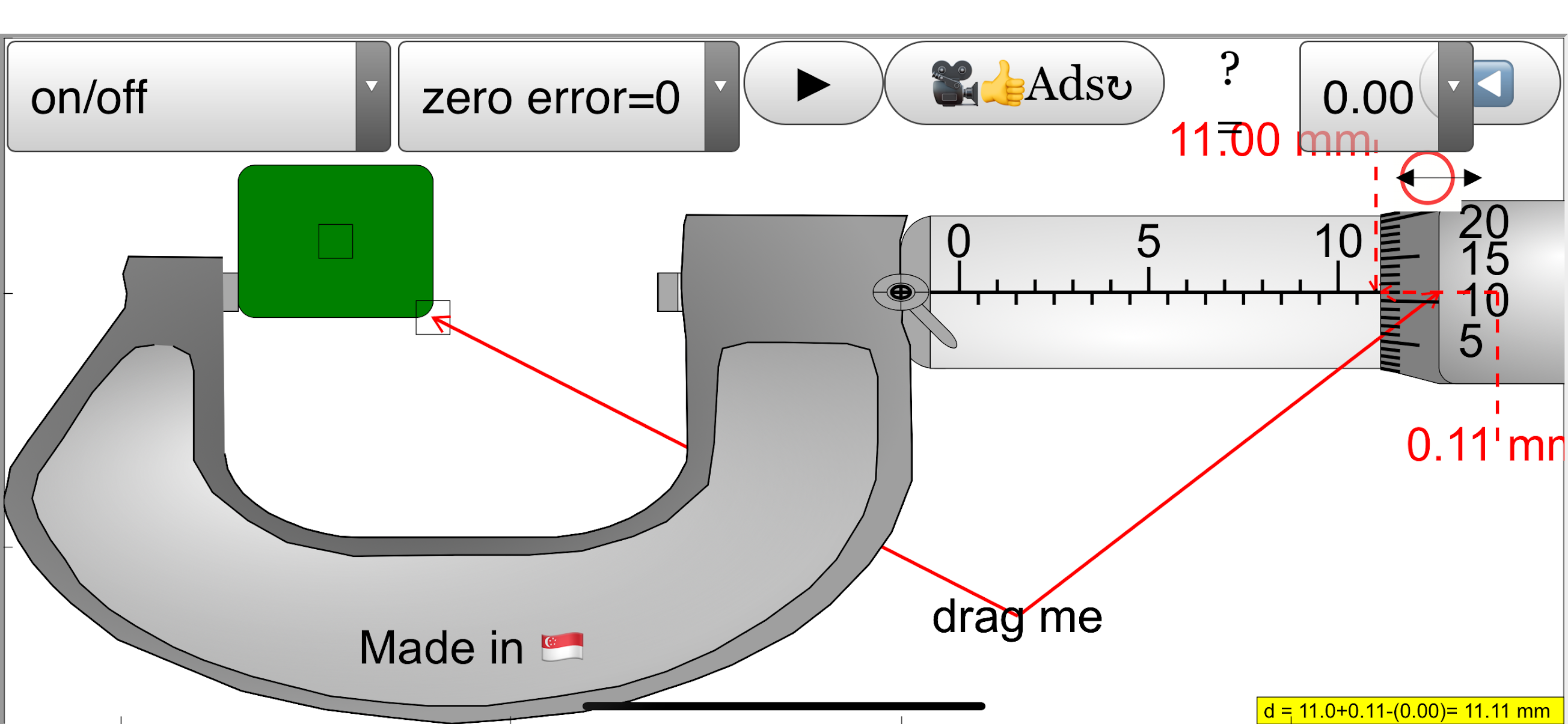 |
| default screen after clicking the expand menu button https://sg.iwant2study.org/ospsgx/index.php/6-micrometer02 Fullscreen App version Direct link https://sg.iwant2study.org/ospsgx/index.php/1005-micrometer02manualversion Manual version Direct link |
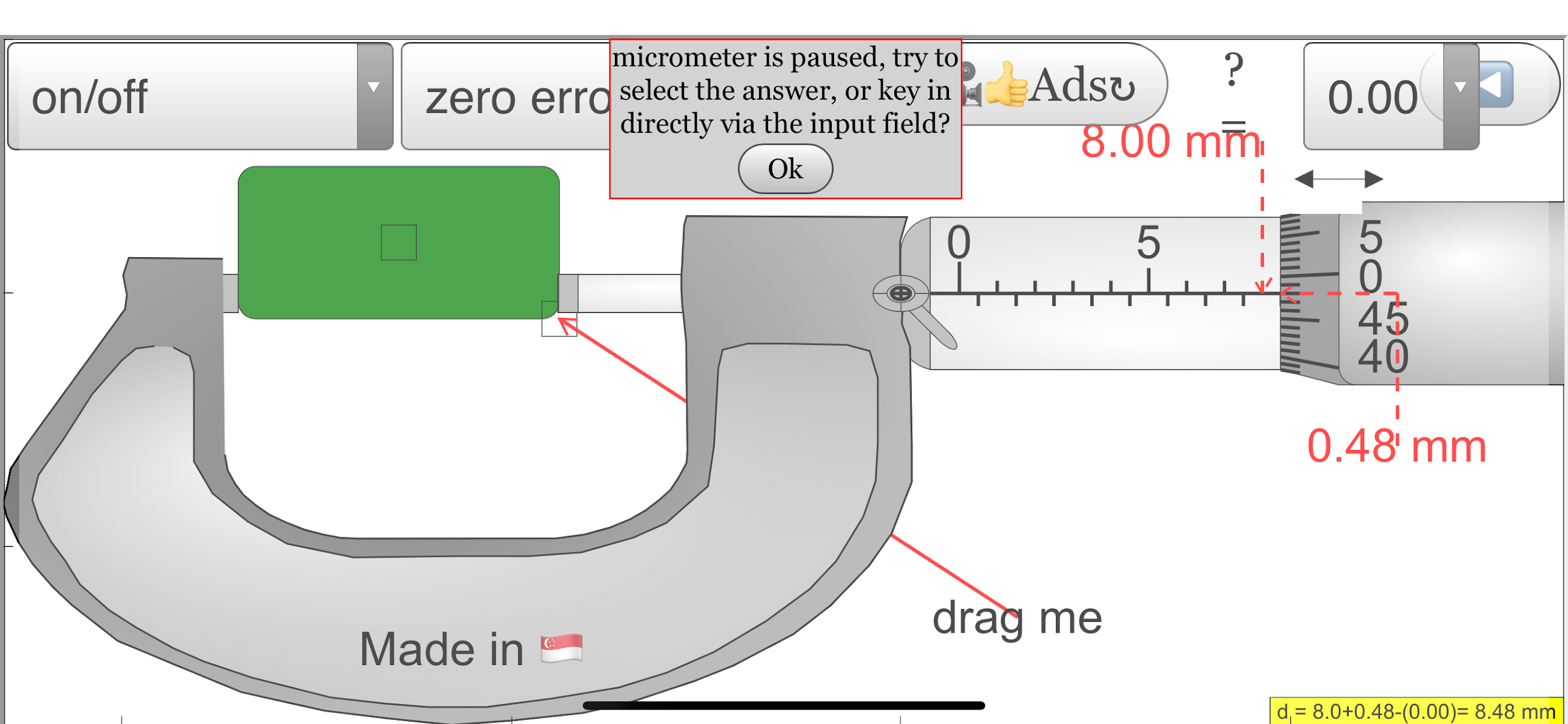 |
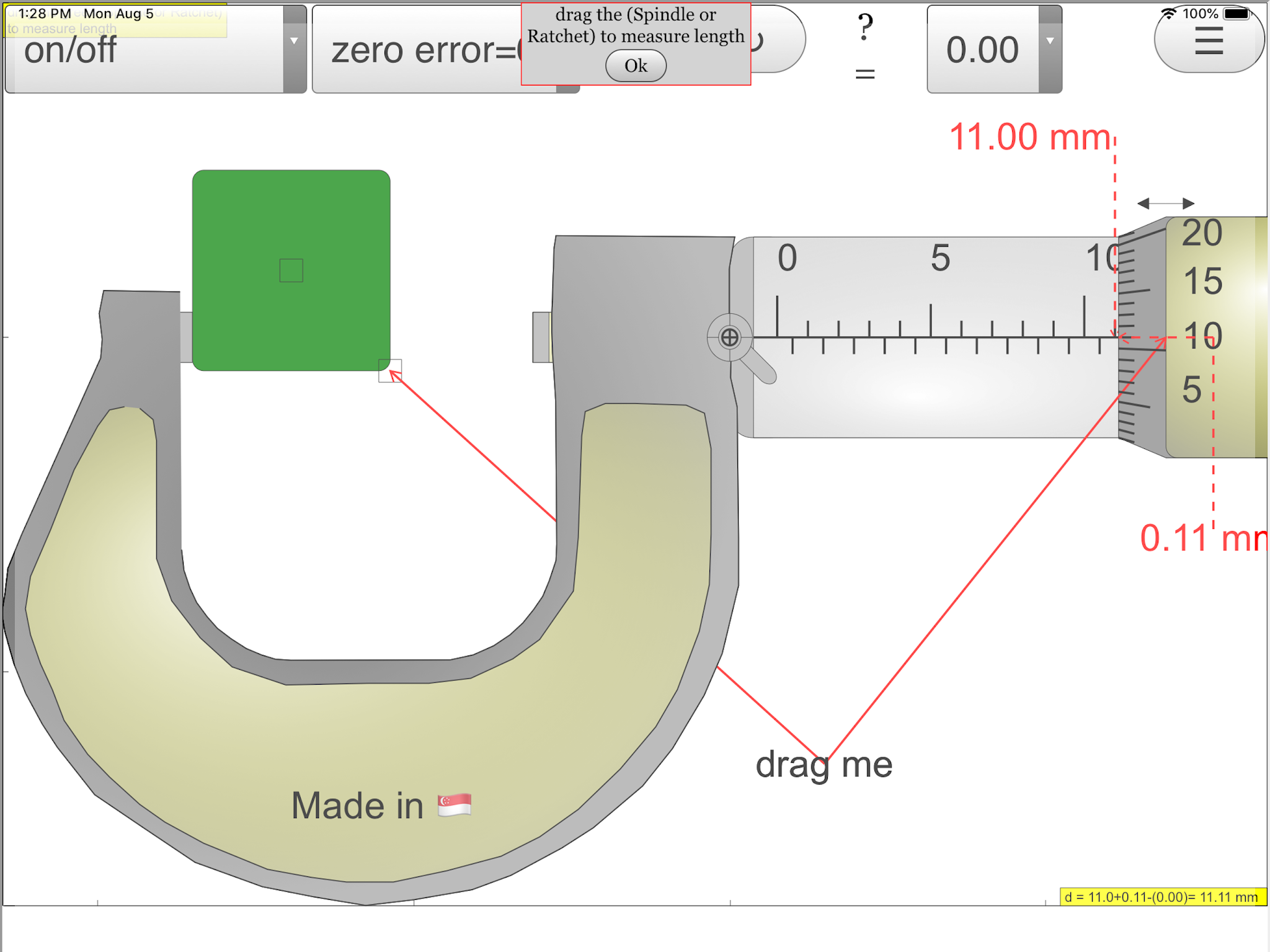
| When ratchet touch object, new pop up message appears to guide next step https://sg.iwant2study.org/ospsgx/index.php/6-micrometer02 Fullscreen App version Direct link https://sg.iwant2study.org/ospsgx/index.php/1005-micrometer02manualversion Manual version Direct link |
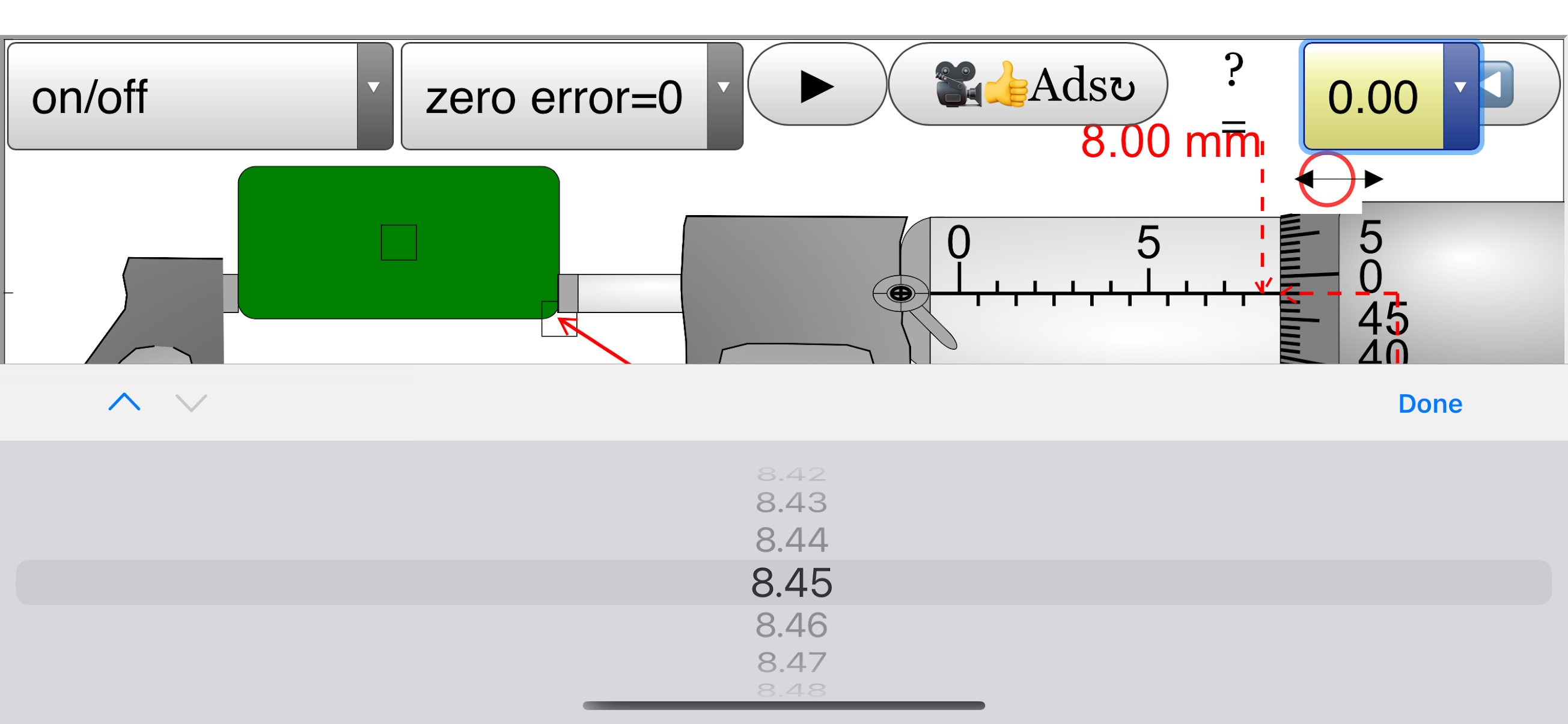 |
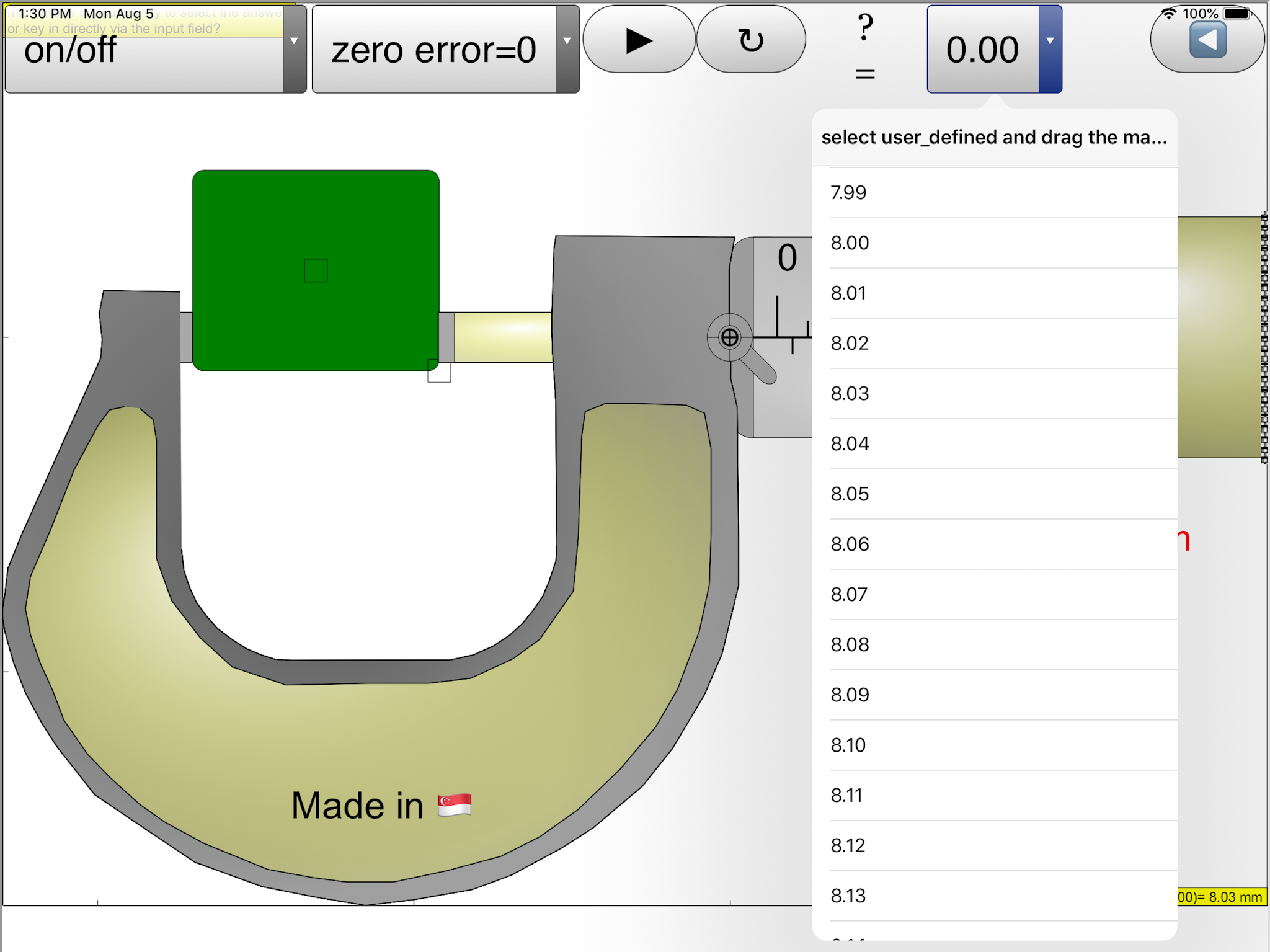
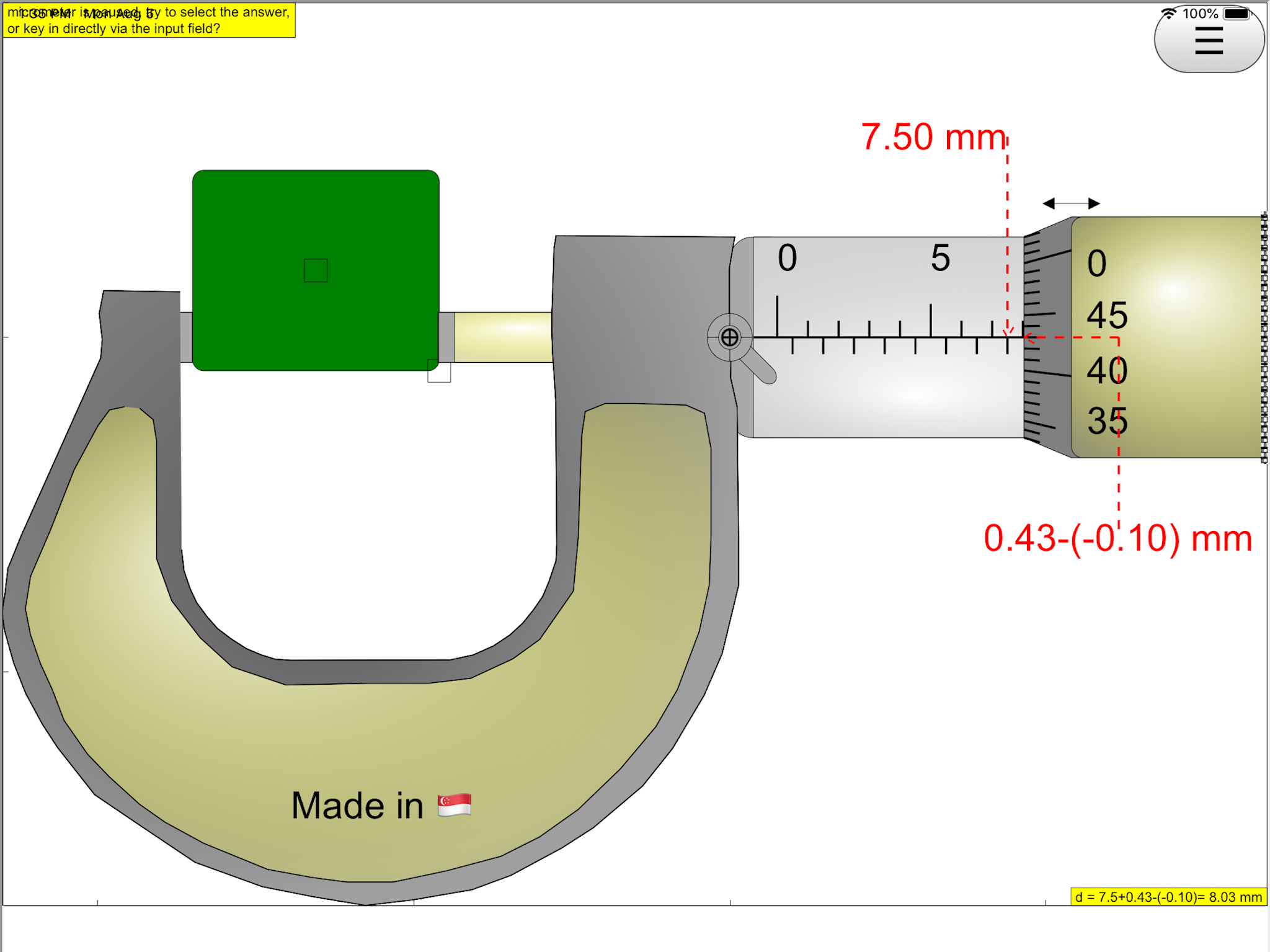
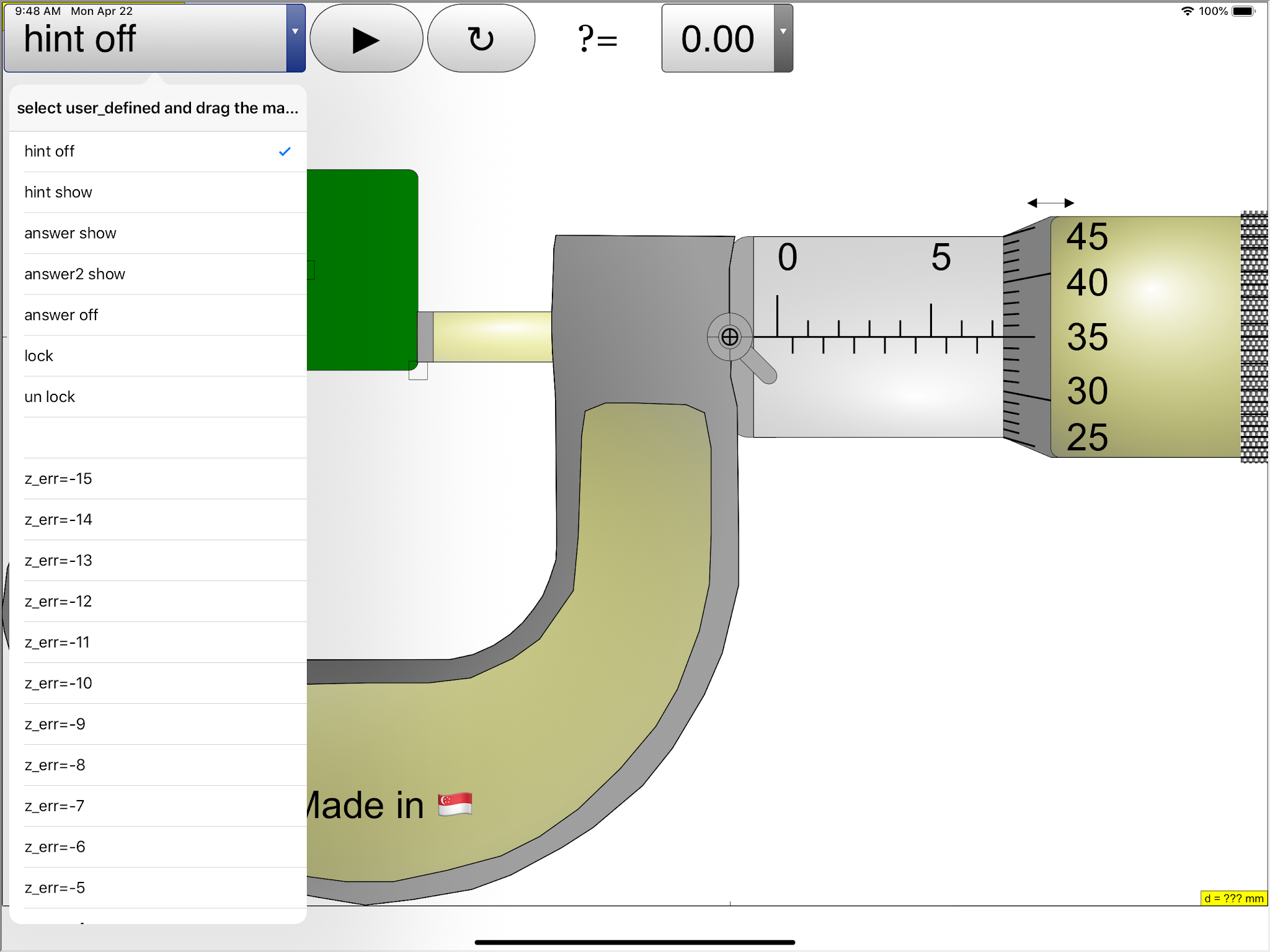
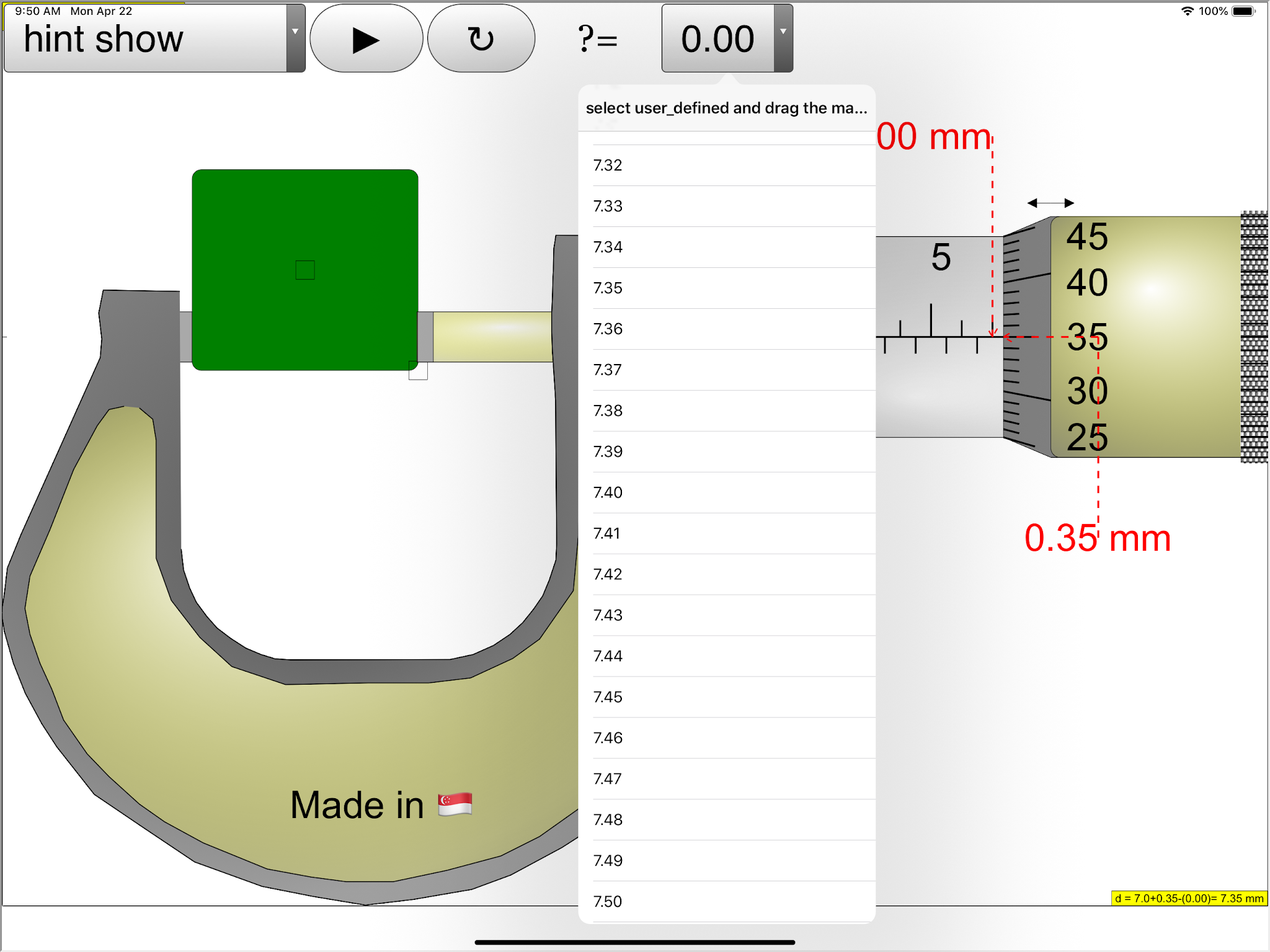
| scroll on answer combo box to correct attempted answer https://sg.iwant2study.org/ospsgx/index.php/6-micrometer02 Fullscreen App version Direct link https://sg.iwant2study.org/ospsgx/index.php/1005-micrometer02manualversion Manual version Direct link |
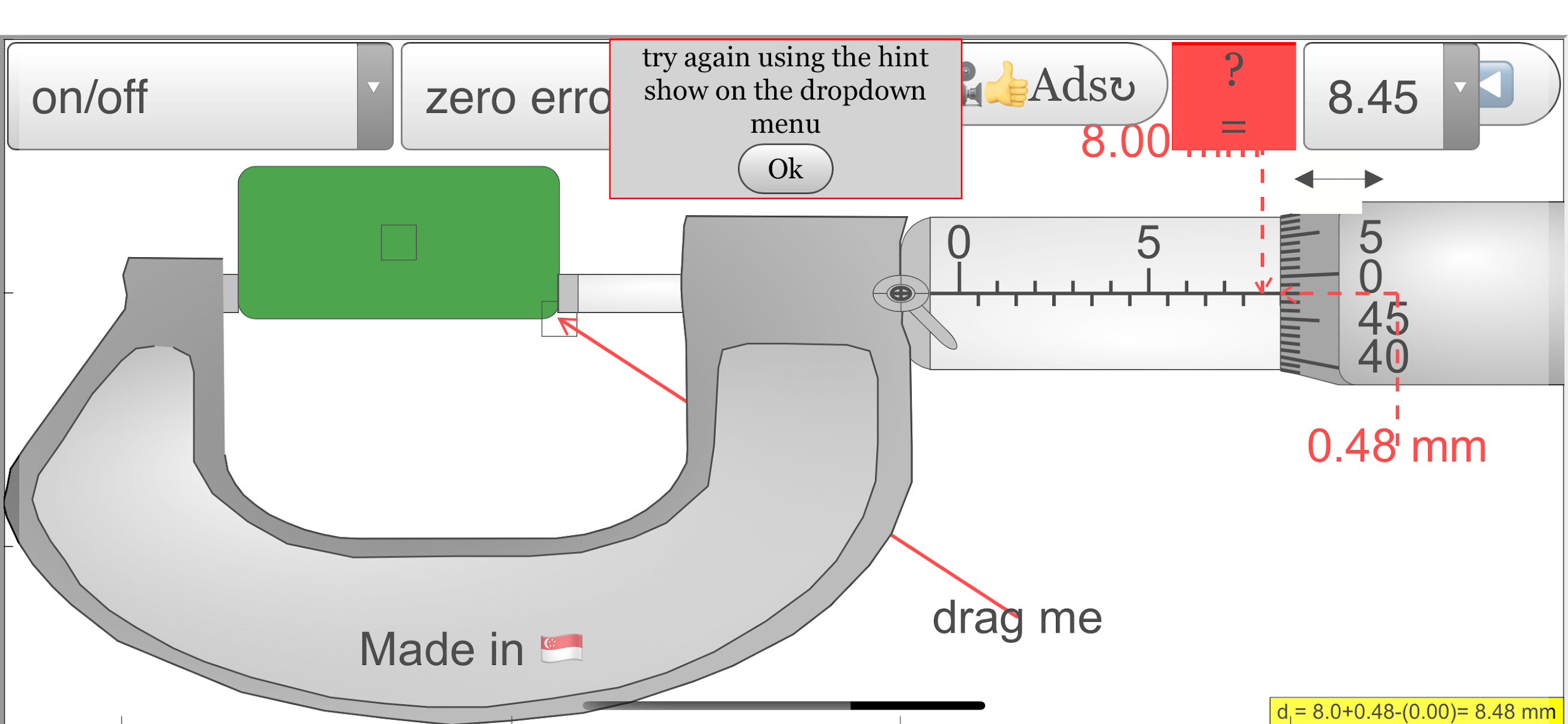 |
| when answer is wrong, gives hint to try to show the hint on option on the first combo box https://sg.iwant2study.org/ospsgx/index.php/6-micrometer02 Fullscreen App version Direct link https://sg.iwant2study.org/ospsgx/index.php/1005-micrometer02manualversion Manual version Direct link |
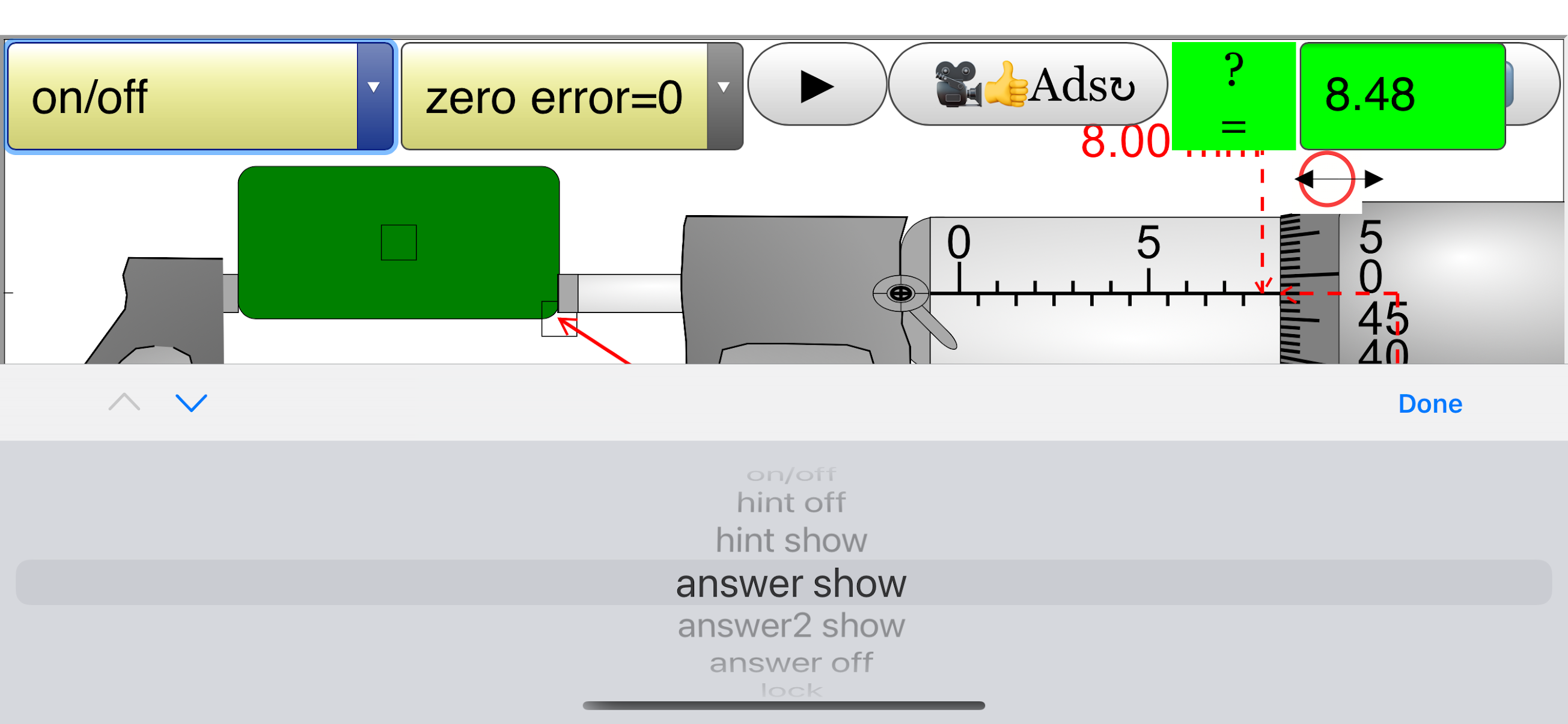 |
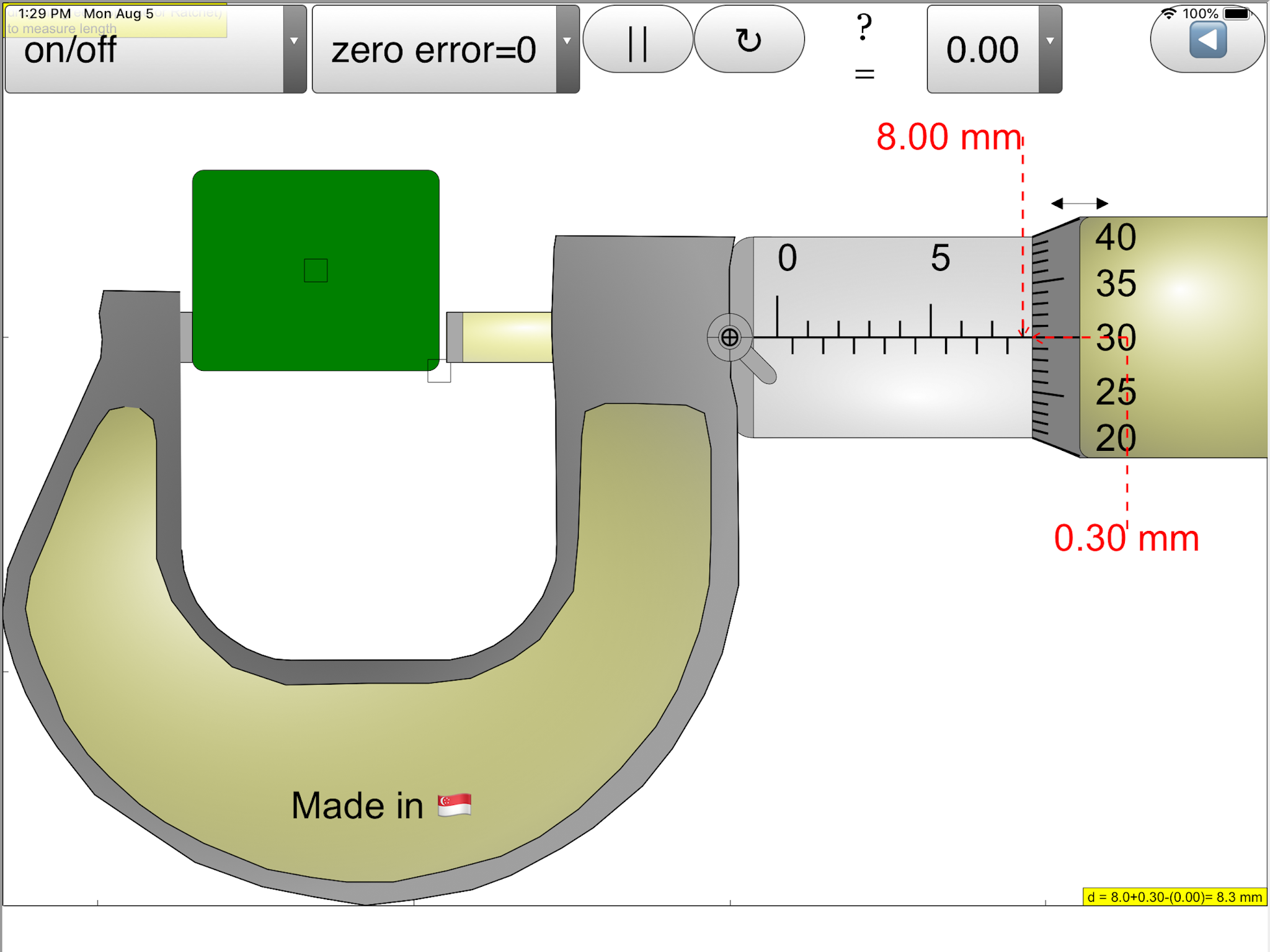
| able to show answer or hide https://sg.iwant2study.org/ospsgx/index.php/6-micrometer02 Fullscreen App version Direct link https://sg.iwant2study.org/ospsgx/index.php/1005-micrometer02manualversion Manual version Direct link |
 |
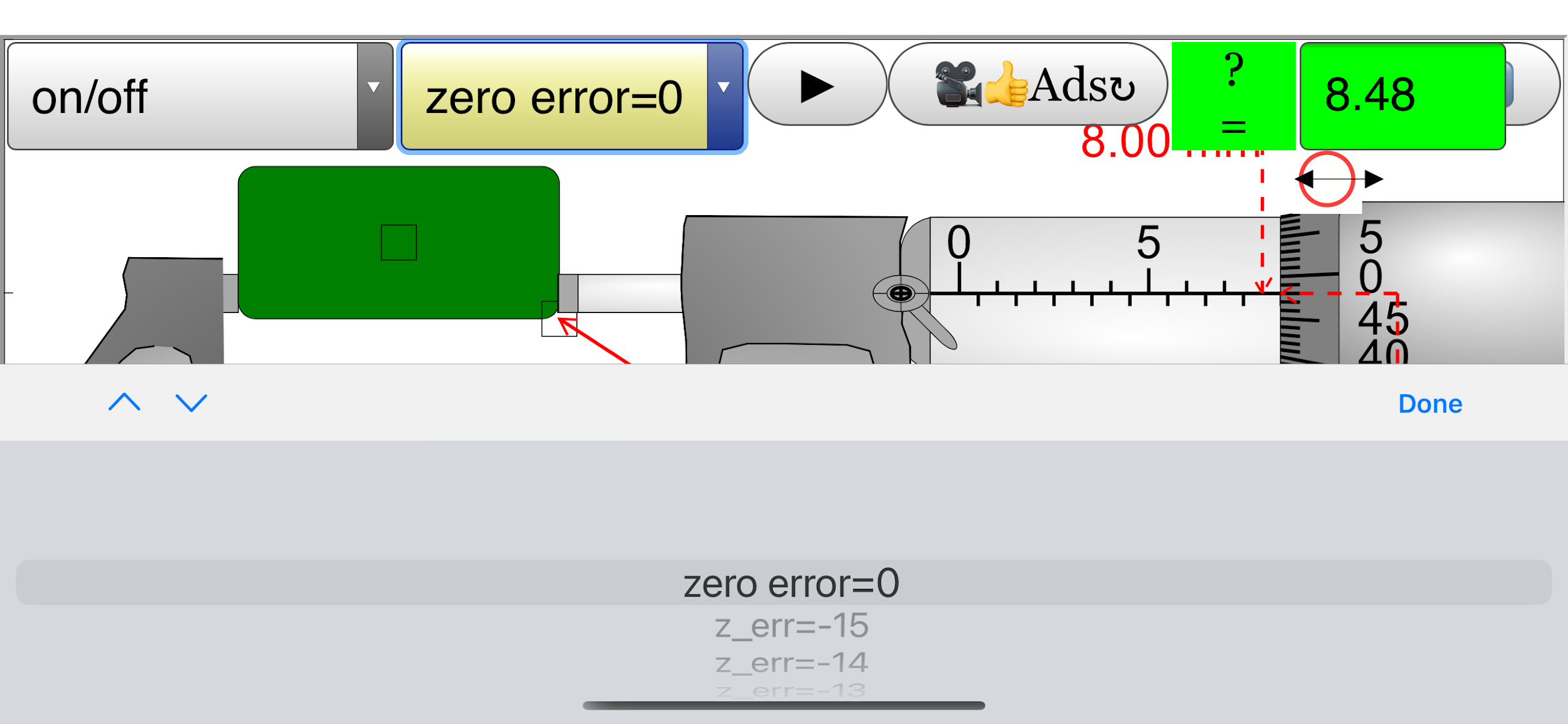
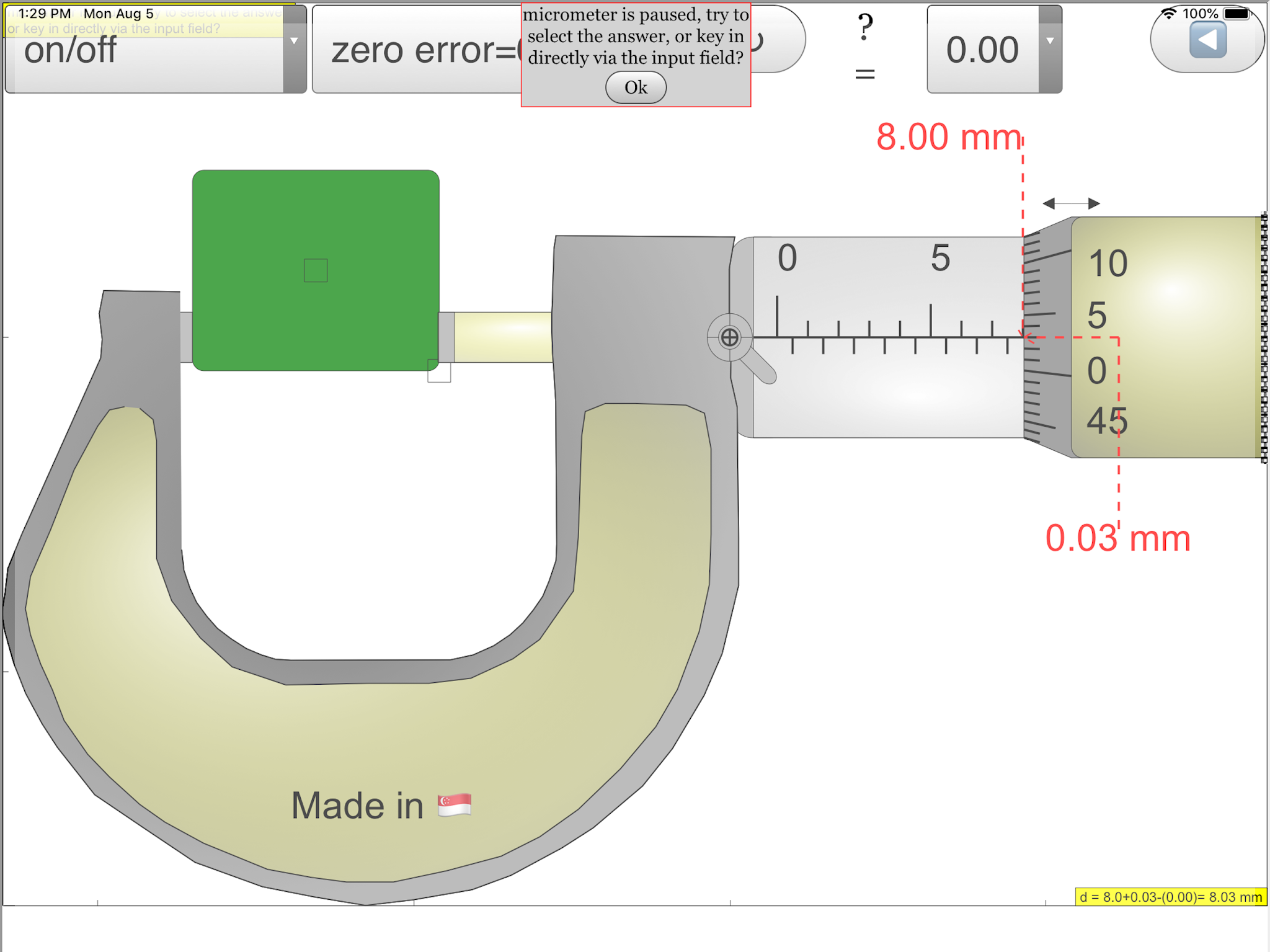
| click on the ?= to toggle between combo box (quick answers method) and input field (keyboard method) https://sg.iwant2study.org/ospsgx/index.php/6-micrometer02 Fullscreen App version Direct link https://sg.iwant2study.org/ospsgx/index.php/1005-micrometer02manualversion Manual version Direct link |
 |
| second combo box allows zero error introduction https://sg.iwant2study.org/ospsgx/index.php/6-micrometer02 Fullscreen App version Direct link https://sg.iwant2study.org/ospsgx/index.php/1005-micrometer02manualversion Manual version Direct link |
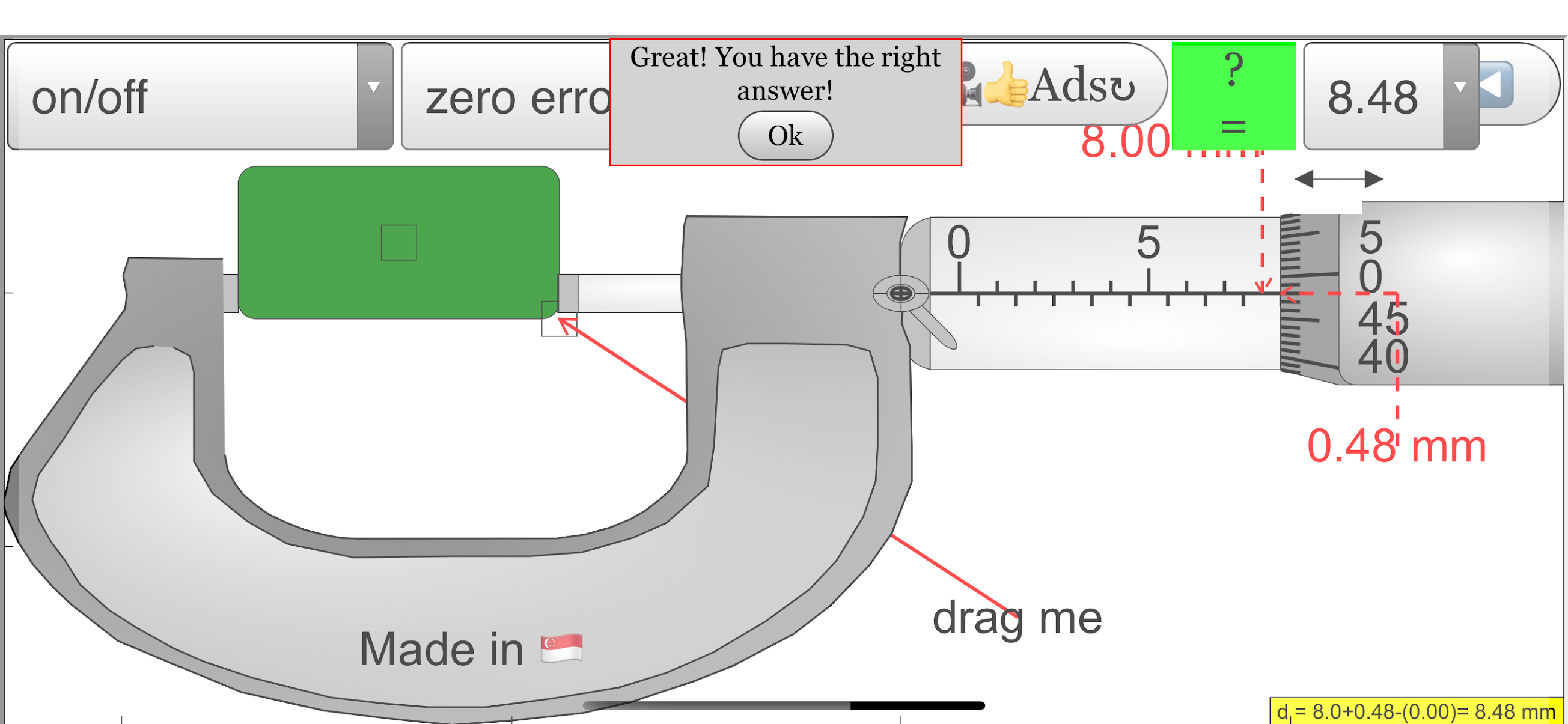 |
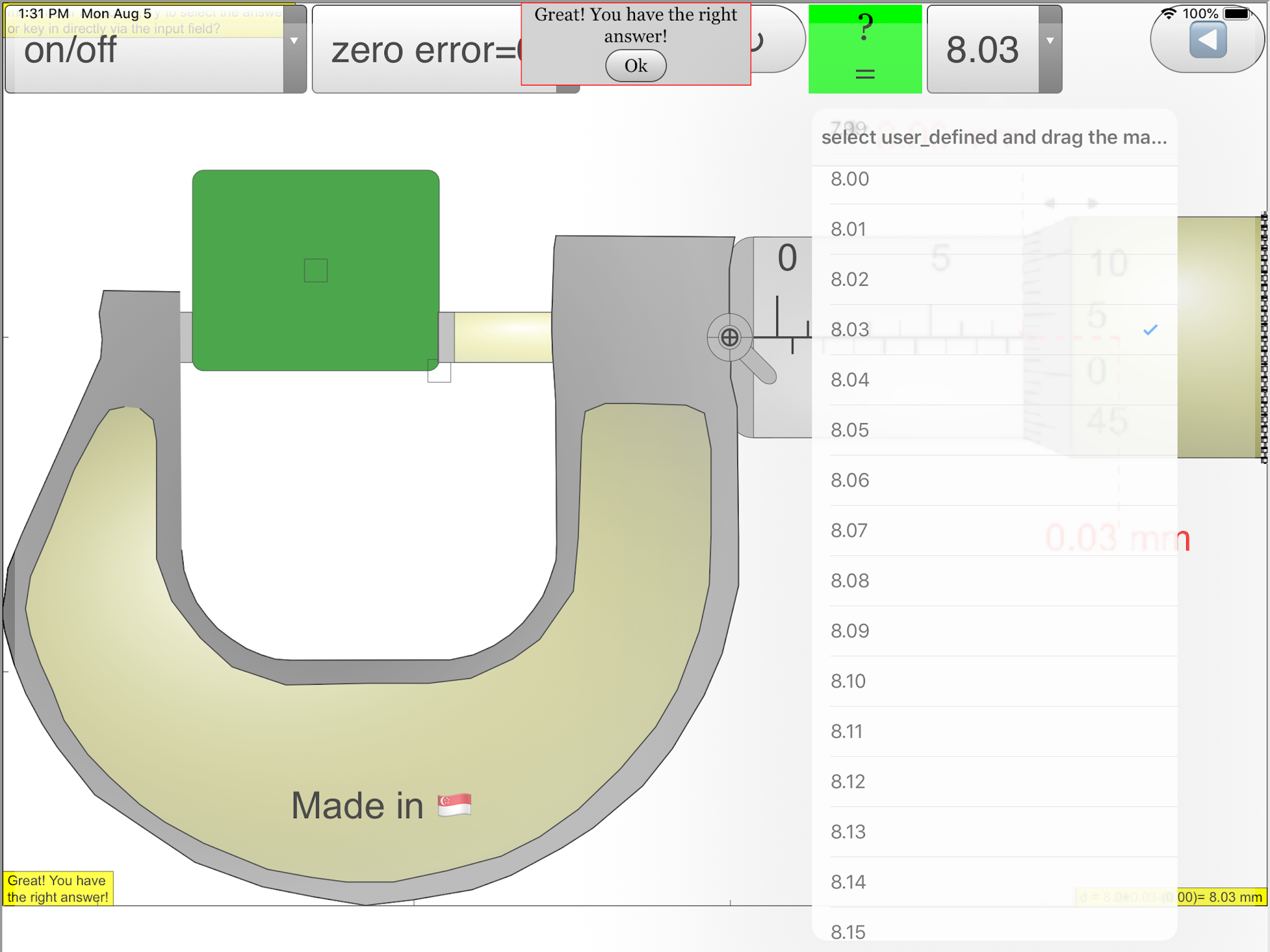
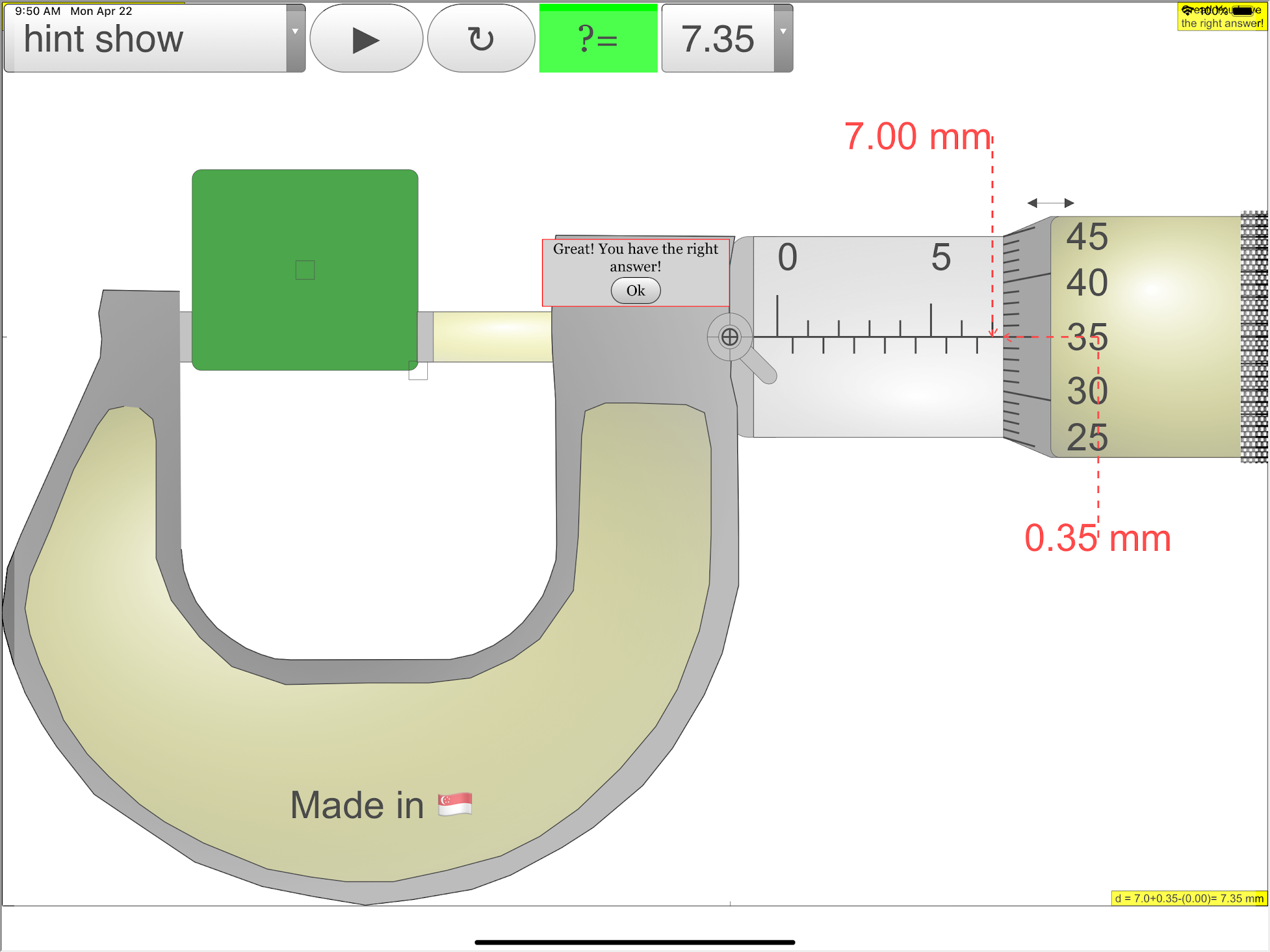
| affirms when answer is correct! https://sg.iwant2study.org/ospsgx/index.php/6-micrometer02 Fullscreen App version Direct link https://sg.iwant2study.org/ospsgx/index.php/1005-micrometer02manualversion Manual version Direct link |
Sample Learning Goals
(g) describe how to measure a variety of lengths with appropriate accuracy by means of tapes, rules, micrometers and calipers, using a vernier scale as necessary.
Version:
- http://weelookang.blogspot.sg/2015/07/ejss-micrometer-model.html?m=1 by Fu-Kwun Hwang and lookang JavaScript version blogpost
- http://weelookang.blogspot.sg/2010/06/ejs-open-source-micrometer-java-applet.html by Fu-Kwun Hwang and lookang Java version blogpost
- http://iwant2study.org/lookangejss/01_measurement/ejs/ejs_model_Micrometer02.jar by Fu-Kwun Hwang and lookang Java version digital library
- http://www.phy.ntnu.edu.tw/ntnujava/index.php?topic=567.0 by Fu-Kwun Hwang and lookang Java version
- http://www.phy.ntnu.edu.tw/ntnujava/index.php?topic=683.0 by Fu-Kwun Hwang Java version
- http://www.phy.ntnu.edu.tw/ntnujava/index.php?action=post;topic=502.0 by Fu-Kwun Hwang Java version mirror here
Other Resources
- http://www.vjc.moe.edu.sg/fasttrack/physics/macrometer_ya_v6.htm by VJC requires Flash
- http://www.upscale.utoronto.ca/PVB/Harrison/Micrometer/Flash/FullAnimation.html Animation
- http://www.upscale.utoronto.ca/PVB/Harrison/Micrometer/Flash/MicSimulation.html Animation
- https://www.geogebra.org/m/qedrwymk By Seng kwang
- https://simphy.com/weblets/micrometer-simulator/
Micrometer Simulation FAQ
What is the Micrometer Simulation?
The Micrometer Simulation is an interactive, digital model of a micrometer screw gauge. It's designed to help students learn how to use a micrometer to take accurate measurements, understand the different parts of a micrometer, and even explore the concept of zero error. The simulation is accessible on various platforms, including web browsers, Android, and iOS devices.
How does the Micrometer Simulation work?
The simulation mimics the functionality of a real micrometer. You can adjust the spindle position to “measure” a simulated object, read the measurement off the scales, and even introduce zero error to see how it affects the readings. The simulation also provides interactive features like hints, answer checks, and a lock function to further enhance the learning experience.
What are the main parts of a micrometer, and what do they do?
- Frame (Orange): The C-shaped body that holds the anvil and barrel. It’s designed to be sturdy and minimize expansion or contraction that could affect measurements.
- Anvil (Gray): The fixed surface against which the object to be measured is placed.
- Sleeve/Barrel/Stock (Yellow): The stationary part with the main scale that indicates whole millimeters.
- Thimble (Green): The rotating part that you turn to move the spindle. It has a graduated scale for finer measurements.
- Spindle (Dark Green): The movable part that closes in on the anvil to grip the object being measured.
How do I read a measurement on the Micrometer Simulation?
To read a measurement, you need to combine the readings from the main scale on the sleeve and the thimble scale. The sleeve shows you the measurement in whole millimeters, and the thimble provides the decimal part of the measurement in hundredths of a millimeter.
What is zero error, and how does it affect measurements?
Zero error occurs when the micrometer doesn’t read exactly zero when the spindle and anvil are closed. It can be positive (reading above zero) or negative (reading below zero). To get an accurate measurement, you need to account for the zero error by either adding it to or subtracting it from the reading you take.
How can the Micrometer Simulation help me learn about measurement uncertainties?
The simulation allows you to introduce zero error, demonstrating how even slight imperfections in the instrument can impact measurement accuracy. This hands-on experience helps students understand the concept of measurement uncertainty and the importance of accounting for potential sources of error in scientific experiments.
What are the benefits of using the Micrometer Simulation?
- Interactive and engaging: The simulation offers a more engaging way to learn about micrometers than traditional methods like textbooks or diagrams.
- Accessible: The simulation is available on multiple platforms, making it convenient for students to access and learn at their own pace.
- Risk-free practice: Students can practice taking measurements and dealing with zero error without the risk of damaging a real micrometer.
Where can I find the Micrometer Simulation?
You can access the Micrometer Simulation on the Open Educational Resources / Open Source Physics @ Singapore website, and there are also dedicated apps available for both Android and iOS devices.