{source}
<?php  require_once JPATH_SITE.'/TTcustom/TT_contentparser.php';\(parameters = array("topicname" => "02_newtonianmechanics_6pressure", "modelname" => "ejss_model_buoyancytilt");echo generateSimHTML(\)parameters, "EJSS");
?>
{/source}
1. Overview
This document summarizes the features and purpose of the "Floating Block Stability Simulator," a JavaScript/HTML5-based interactive simulation hosted on the Open Educational Resources / Open Source Physics @ Singapore platform. The simulation allows users to explore the principles of buoyancy, stability, and fluid dynamics through a visual, interactive model. It is designed as an open educational resource for teaching and learning physics concepts.
{source}<iframe style="border-radius:12px" src="https://open.spotify.com/embed/episode/4giOCarWoh488yySbvJjxS?utm_source=generator" width="100%" height="352" frameBorder="0" allowfullscreen="" allow="autoplay; clipboard-write; encrypted-media; fullscreen; picture-in-picture" loading="lazy"></iframe>{/source}
2. Main Themes and Key Ideas
- Buoyancy and Stability: The core concept revolves around the buoyancy force acting on a block immersed in a liquid and how its shape (width-to-height ratio) influences its stability. The applet allows users to test these principles, which might otherwise be difficult to visualize.
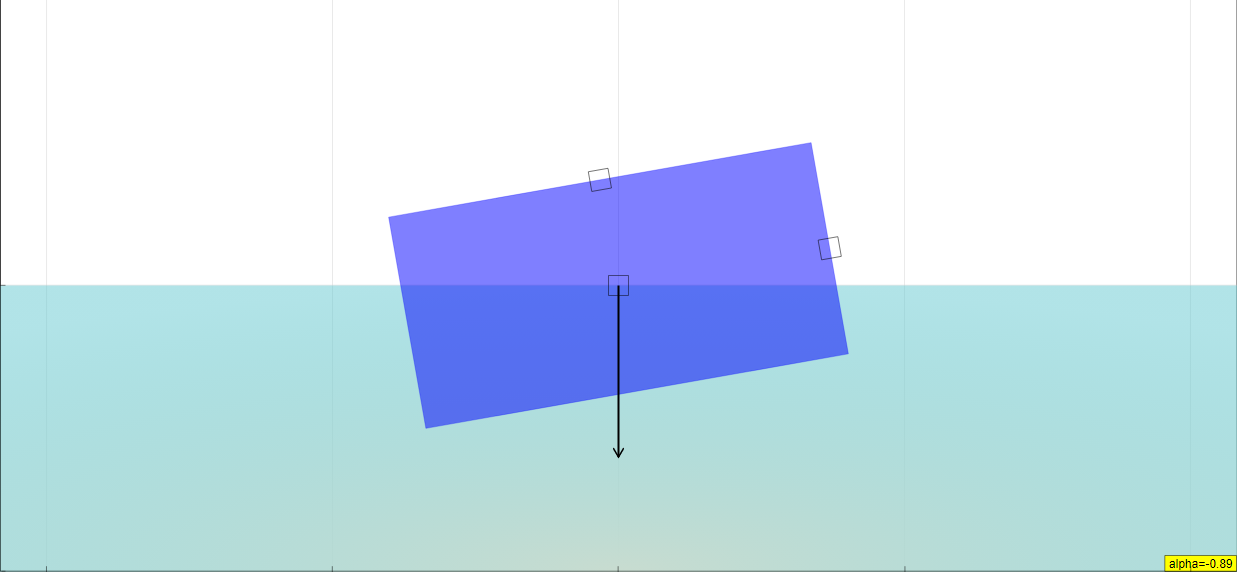
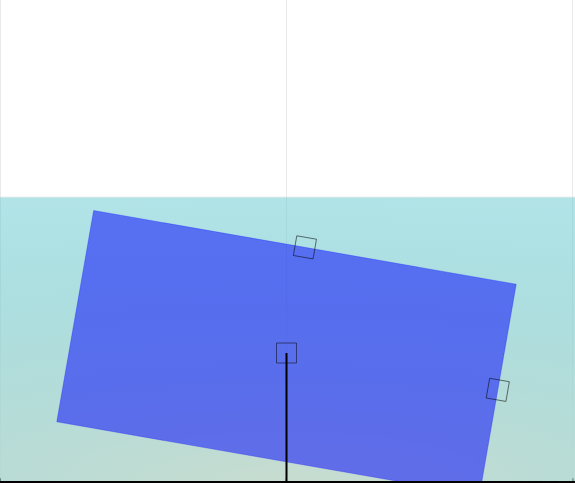
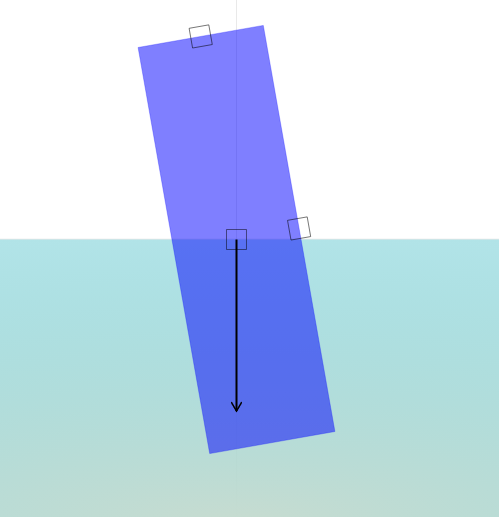
- "A block with width to height ratio equals to 0.4 sinks to a liquid. You can change the width/height ratio with slider to study the atability of that object."
- Interactive Exploration: The simulation is highly interactive, enabling users to manipulate various parameters and observe the resulting changes. This includes adjusting the block's dimensions and position within the liquid.
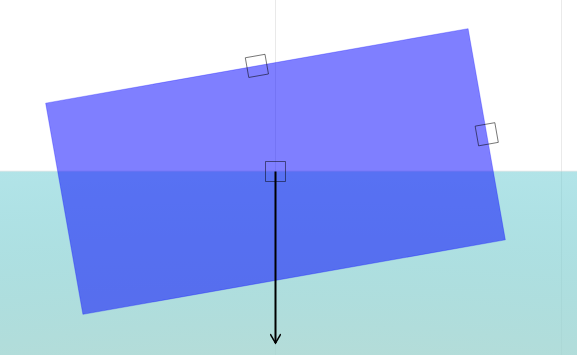
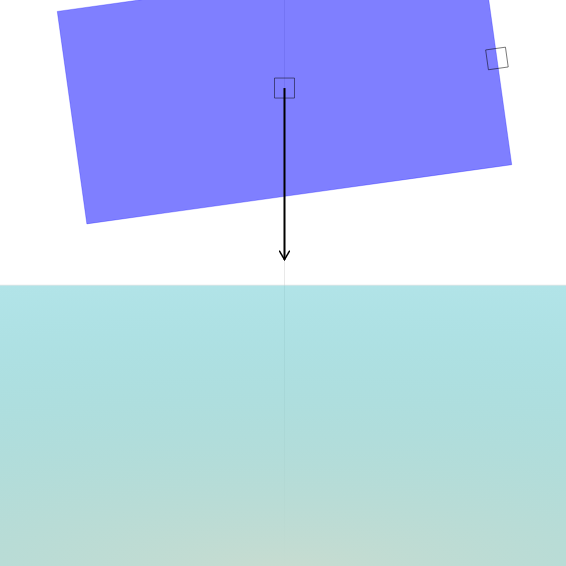
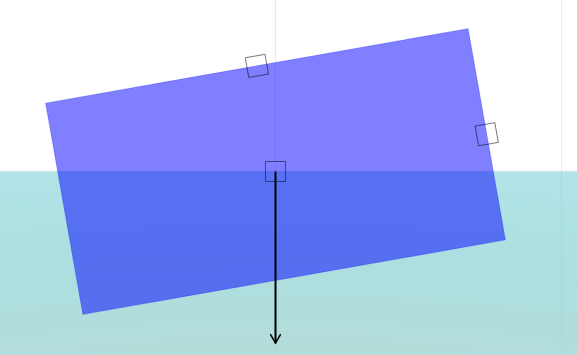
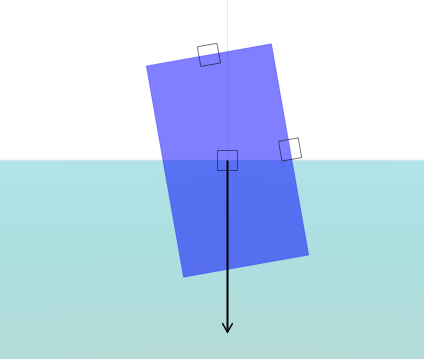
- "You can adjust the block by dragging the empty squares respectively. The centre square adjusts the vertical position of the block."
- Force and Motion: The simulation incorporates drag force proportional to velocity, creating a more realistic model of the block's movement in the liquid. "Drag force is proportional to the velocity: F=-bv in this model."
- Open Educational Resource: The platform is dedicated to providing freely accessible educational tools. This particular simulator, along with many others, aims to make physics concepts more accessible and engaging.
3. Key Features and Functionality
- Adjustable Block: Users can modify the block's width-to-height ratio and vertical position using sliders and draggable controls.
- "Dragging the block down…Dragging the block up…This can also be done in the Combo Box option: Position…The other two boxes adjusts the size of the block…This can also be done under the Combo Box Option: Width:Height."
- Play/Pause/Reset Controls: Standard simulation controls allow users to start, stop, and reset the simulation for controlled experimentation.
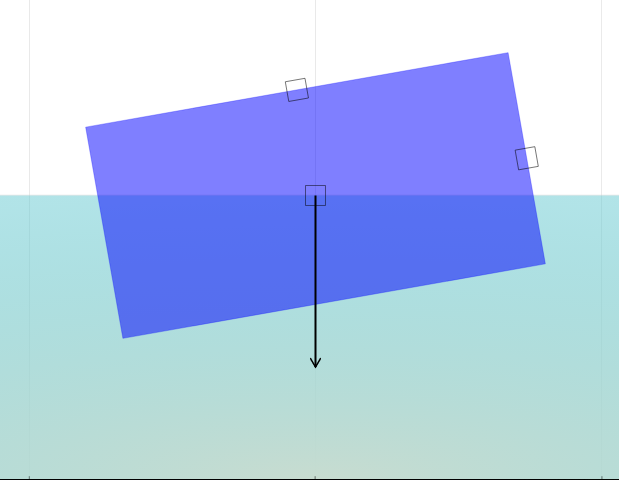
- Full-Screen Mode: Double-clicking the panel allows for toggling full-screen, enabling better visibility. "Double clicking on the panel allows you toggle full screen. Note that this only works when the simulation is paused."
- Embeddable: The simulation can be embedded in other webpages via an iframe. This makes it easy for educators to integrate it into their online teaching materials.
- "Embed this model in a webpage: "
4. Intended Audience
- Students: Primarily intended for students learning about buoyancy, fluid dynamics, and stability in physics.
- Teachers: A valuable tool for physics teachers to demonstrate these concepts in a visual and interactive way.
- Anyone interested in Physics: The simulator is available for general experimentation and understanding.
5. Credits and Resources
- Design and Development: Designed by Fu-Kwun Hwang (National Taiwan Normal University).
- Translations: Potentially available in multiple languages, though this information requires further investigation on the linked page.
- Video Resource: Links to a video demonstrating Archimedes' Principle by Reasoning (xmphysics).
- Related Simulations: The platform offers a multitude of other physics simulations covering a wide range of topics, such as electromagnetism, mechanics, and waves.
6. Potential Use Cases
- Classroom Demonstrations: Teachers can use the simulator during lectures to illustrate the effect of block dimensions on stability.
- Student Assignments: Students can use the simulator to conduct virtual experiments and answer questions about buoyancy and stability.
- Self-Paced Learning: Individuals can use the simulator to explore these concepts on their own and deepen their understanding.
7. Further Considerations
- Learning Goals: The "Sample Learning Goals" and "Research" sections lack specific text, suggesting these areas may need further development or customization.
- Accessibility: Ensure the simulation is accessible to students with disabilities (e.g., keyboard navigation, screen reader compatibility).
This document summarizes the key aspects of the simulation, its functionality, and its potential uses in physics education.
Floating Block Stability Study Guide
I. Key Concepts
- Buoyancy: The upward force exerted by a fluid that opposes the weight of an immersed object.
- Pressure: The force exerted per unit area by a fluid.
- Stability: The ability of an object to return to its original equilibrium position after being disturbed.
- Center of Buoyancy: The point representing the average location of the buoyant force acting on an object. This is typically the centroid of the displaced volume of fluid.
- Center of Gravity: The point representing the average location of the weight of an object.
- Drag Force: The force that opposes the motion of an object through a fluid.
- Equilibrium: A state in which opposing forces or influences are balanced.
- Width-to-Height Ratio: A ratio describing an object's proportions used in the simulator to observe stability changes.
- Simulation Parameters: Adjustable variables within the simulation, such as block position and size, that affect the outcome.
II. Short Answer Quiz
- What two forces primarily determine the stability of a floating block in the simulation?
- How does changing the width-to-height ratio of the block affect its stability?
- Describe the effect of drag force in this model.
- Explain how the position of the block's center of gravity relates to its stability.
- How can you adjust the block's position in the simulation?
- What does it mean for the block to be in a state of equilibrium?
- What is the role of the center of buoyancy in determining stability?
- What adjustments can be made using the Combo Box options in the simulation?
- How does double-clicking on the panel change the simulation display?
- What is the purpose of the Play/Pause button in the simulation?
III. Short Answer Quiz - Answer Key
- The stability of a floating block is primarily determined by the buoyant force (upward) and the gravitational force (downward). The relative position of the center of buoyancy and the center of gravity determine if the block will return to upright.
- Altering the width-to-height ratio impacts the block's stability, with different ratios resulting in varying degrees of stability or instability. Specifically, a lower ratio results in better stability of the block.
- In this simulation, drag force is proportional to the block's velocity and acts to dampen its movements, eventually bringing it to a stable position. Drag force is represented in the model as F = -bv.
- The position of the block's center of gravity is crucial; a lower center of gravity generally increases stability, while a higher center of gravity reduces stability. When the center of gravity is above the center of buoyancy, the block is in unstable equilibrium.
- You can adjust the block's vertical position by dragging the center square, or by using the position option in the combo box.
- Equilibrium means that the forces acting on the block (buoyancy and gravity) are balanced, resulting in no net force and, ideally, no rotation.
- The center of buoyancy is the point at which the buoyant force acts, and its position relative to the center of gravity determines the rotational stability of the block.
- The Combo Box options allow for adjustments to the display settings, as well as the block's position and width-to-height ratio.
- Double-clicking on the panel toggles the simulation between full-screen and normal view, but only when the simulation is paused.
- The Play/Pause button controls the simulation's start and stop and the Reset button returns it to its initial conditions.
IV. Essay Questions
- Discuss the relationship between the center of gravity, center of buoyancy, and the stability of a floating object. Use examples from the simulation to illustrate your points.
- Explain how changing the width-to-height ratio of the block affects its stability, and why this relationship exists in terms of physics principles.
- Analyze the role of drag force in the simulation. How does it impact the block's movement, and what would happen if there were no drag force?
- Describe the limitations of this simulation in accurately modeling real-world floating objects and their stability. What factors are not considered in the model?
- Design an experiment using the simulation to determine the optimal width-to-height ratio for maximum stability. Describe your procedure, the data you would collect, and how you would analyze the results.
V. Glossary of Key Terms
- Buoyancy: The upward force exerted on an object submerged in a fluid, equal to the weight of the fluid displaced by the object.
- Pressure: Force exerted per unit area; in fluids, it acts in all directions.
- Stability: The ability of an object to resist displacement or return to its original position after being disturbed.
- Center of Buoyancy: The center of mass of the volume of fluid that the object displaces.
- Center of Gravity: The point where the weight of an object is considered to be concentrated; the balance point of an object.
- Drag Force: The force resisting the motion of an object through a fluid (liquid or gas). In this simulation, it's proportional to velocity.
- Equilibrium: A state of balance where the net force and net torque acting on an object are zero.
- Width-to-Height Ratio: The ratio of the width of the block to its height, used to investigate stability.
- Simulation Parameters: Adjustable variables within the simulation, such as block position and size, that affect the outcome.
Sample Learning Goals
[text]
For Teachers
Floating Block Stability Simulator JavaScript Simulation Applet HTML5
Instructions
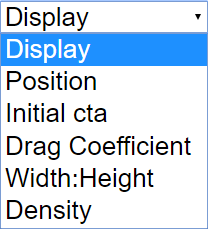
Combo Box and Options






Adjustable Block
Toggling Full Screen
Play/Pause and Reset Buttons

Research
[text]
Video
{source}
<iframe width="560" height="315" src="https://www.youtube.com/embed/RMN3nDUPMFk" frameborder="0" allow="accelerometer; autoplay; encrypted-media; gyroscope; picture-in-picture" allowfullscreen></iframe>
{/source} Proof of Archimede's Principle by Reasoning by xmphysics
Version:
Other Resources
[text]
FAQ on the Floating Block Stability Simulator
- What is the Floating Block Stability Simulator?
- It's an interactive JavaScript-based HTML5 simulation that allows users to explore the stability of a floating block in a liquid. You can adjust the block's width-to-height ratio and observe how it affects its stability, providing a visual and interactive way to understand buoyancy and related physics concepts. The block is subjected to a drag force proportional to the velocity F = -bv.
- How can I interact with the simulator?
- You can interact with the simulator in several ways:
- Adjusting the Block: Drag the empty squares on the block to change its size and vertical position. The centre square changes the vertical position, while the other two adjust the block's width and height. These adjustments can also be made through combo box options labeled "Position" and "Width:Height."
- Using the Combo Box: The "Display" option gives you checkboxes, while the others give you sliders that allow you to change the block's width to height ratio.
- Play/Pause and Reset: Use the buttons to start, pause, and reset the simulation.
- Full Screen: Double-clicking on the panel toggles full-screen mode (when the simulation is paused).
- What physics principles does the simulation demonstrate?
- The simulation primarily demonstrates the principles of buoyancy and stability. By changing the block's dimensions, you can see how the distribution of mass and the resulting buoyant force affect whether the block will remain upright or tilt. It also touches on fluid dynamics with the inclusion of drag force.
- Who created the simulator?
- The simulator was designed by Fu-Kwun Hwang from the Department of Physics, National Taiwan Normal University, Taiwan. Fremont Teng and Loo Kang Wee also contributed to the project.
- What are some potential learning goals for using this simulator?
- While the specific learning goals are not explicitly listed, the simulation is suitable for understanding how the shape and dimensions of an object influence its stability when floating in a liquid. It also aids in understanding Archimedes' principle (as indicated by the linked video "Proof of Archimede's Principle by Reasoning").
- Is the simulator available in different languages?
Yes, there are translations available, but the languages are not explicitly mentioned for the floating block simulator itself.
- Can I embed this simulation into my webpage?
- Yes, you can embed the simulator into a webpage using the provided <iframe> code. This makes it easy to integrate the simulation into online educational resources.
- Where can I find other related simulations and resources?
- The website hosts a wide range of physics simulations and resources. Many simulations related to mechanics, electromagnetism, waves, optics, and other areas of physics are available. Many interactive resources can be found through the site's navigation (e.g., Home > Interactive Resources > Physics). There are also links to other related applets, such as "Buoyancy Force on Mass," "Push a Block," and others.