{source}
<?php  require_once JPATH_SITE.'/TTcustom/TT_contentparser.php';\(parameters = array("topicname" => "02_newtonianmechanics_6pressure", "modelname" => "ejss_model_diver");echo generateSimHTML(\)parameters, "EJSS");
?>
{/source}
Briefing Document: Cartesian Diver Simulator JavaScript Simulation Applet HTML5
1. Overview
This document reviews the "Cartesian Diver Simulator JavaScript Simulation Applet HTML5" provided by Open Educational Resources / Open Source Physics @ Singapore. The resource is an interactive simulation designed to demonstrate the principles of pressure and buoyancy related to Cartesian divers.
{source}<iframe style="border-radius:12px" src="https://open.spotify.com/embed/episode/0uR1xKlC3MUonSITfOVZTY?utm_source=generator" width="100%" height="352" frameBorder="0" allowfullscreen="" allow="autoplay; clipboard-write; encrypted-media; fullscreen; picture-in-picture" loading="lazy"></iframe>{/source}
2. Main Themes and Concepts
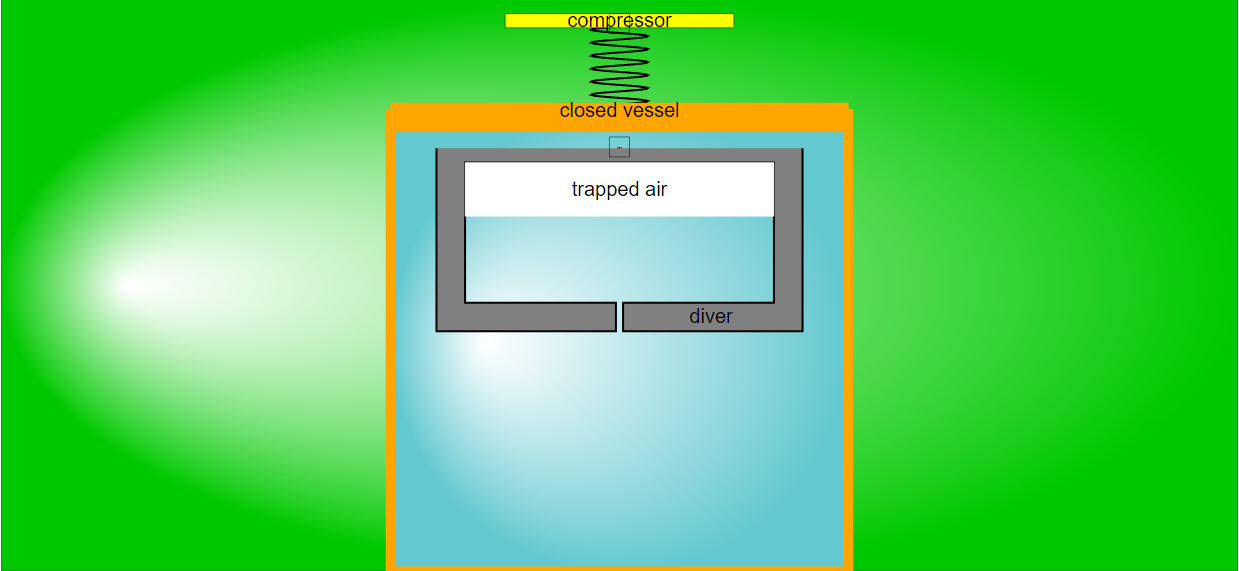
- Pressure and Buoyancy: The core concept revolves around the relationship between pressure and buoyancy. The simulation allows users to manipulate pressure and observe its effect on the diver's buoyancy, causing it to rise or sink.
- Drag Coefficient: The simulation allows adjustment of the drag coefficient, a factor influencing the diver's motion through the fluid.
- Interactive Learning: The resource is designed for interactive learning, enabling students to explore physics concepts through direct manipulation and observation.
3. Key Features and Functionality
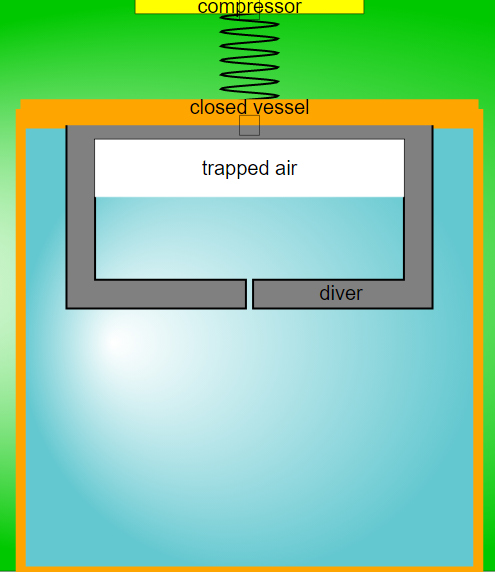
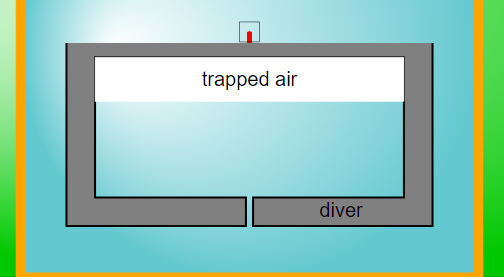
- Adjustable Compressor: Users can adjust the pressure inside the container using a virtual "compressor." The description states, "By vertical dragging the empty box at the compressor, You can adjust the pressure inside the container."
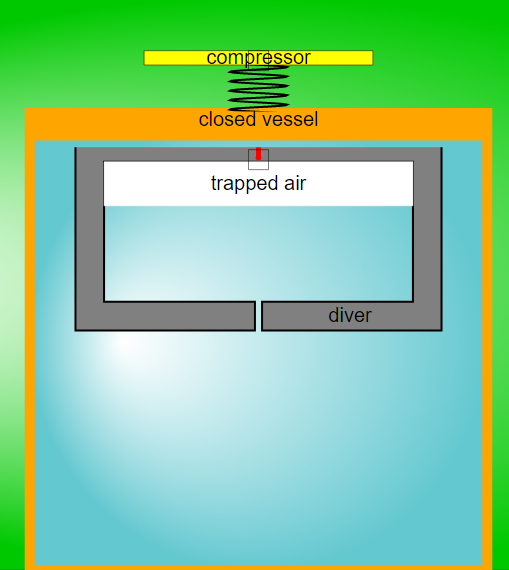
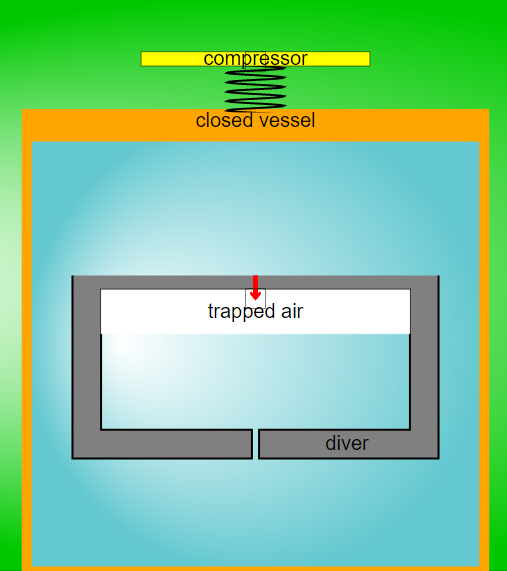
- Velocity Control: The diver's velocity can be altered, "by dragging the red arrow/box vertically." The simulation then adjusts the velocity in response to the pressure change. "Notice how the velocity of the diver will automatically re-adjust accordingly due to the compression."
- Drag Coefficient Slider: Users can change the drag coefficient. "Drag the slider to adjust the drag coefficient."
- Reset Button: Resets the simulation to its default state.
4. Target Audience and Learning Goals
- Teachers and Students: The resource is intended for use by both teachers and students to explore and visualize the principles behind Cartesian divers.
- Sample Learning Goals: The document mentions "[texthttps://iwant2study.org/lookangejss/02_newtonianmechanics_6pressure/ejss_model_diver/diver_Simulation.xhtml " frameborder="0"></iframe>
- Credits: The simulation is credited to Fu-Kwun Hwang, Fremont Teng, and Loo Kang Wee.
6. Related Resources
The document includes a long list of other physics simulations and resources available on the same platform, covering various topics from mechanics and electromagnetism to optics and wave phenomena. Examples include "Floating Block Stability Simulator JavaScript Simulation Applet HTML5", "Bungee Jump JavaScript Simulation Applet HTML5" and "Faraday's Law JavaScript Simulation Applet HTML5". The platform provides a wide array of interactive tools for physics education.
7. License Information
The content is licensed under a Creative Commons Attribution-Share Alike 4.0 Singapore License. Commercial use of the EasyJavaScriptSimulations Library requires a separate license and contacting This email address is being protected from spambots. You need JavaScript enabled to view it. directly.
Cartesian Diver Simulation Study Guide
I. Quiz
Instructions: Answer the following questions in 2-3 sentences each.
- What physical principle is demonstrated by the Cartesian Diver simulation?
- How can you adjust the pressure inside the container in the simulation?
- What happens to the diver when you increase the pressure in the simulation?
- How can the drag coefficient be adjusted in the simulation, and what effect does it have on the diver's motion?
- Besides pressure and drag, what other factor can be altered to affect the diver's motion?
- Explain the role of the "Reset" button in the simulation.
- Name three other physics-related simulations available on the Open Source Physics @ Singapore website.
- What are some potential uses for simulations in physics education?
- What is the function of the red arrow/box in the simulation?
- According to the source text, who created the simulation?
II. Quiz Answer Key
- The Cartesian Diver simulation demonstrates Pascal's Principle and the relationship between pressure, volume, and buoyancy. Increasing the pressure on the fluid in the container increases the pressure on the air bubble within the diver, decreasing its volume and increasing its density.
- You can adjust the pressure inside the container by vertically dragging the empty box at the compressor in the simulation. Dragging upwards compresses the vessel and increases the pressure.
- When you increase the pressure in the simulation, the diver slowly moves down in the simulation. This is because the increased pressure compresses the air bubble inside the diver, making it less buoyant.
- The drag coefficient can be adjusted by dragging the drag coefficient slider. Increasing the drag coefficient increases the resistance the diver experiences as it moves through the fluid, slowing it down.
- Besides pressure and drag, the velocity of the diver can be altered to affect its motion. By dragging the red arrow/box vertically, you can influence the velocity of the diver.
- The "Reset" button resets the simulation to its original starting conditions. This allows users to repeat experiments and observe the effects of different parameter adjustments from a consistent baseline.
- Three other physics-related simulations available on the website are: Floating Block Stability Simulator, Buoyancy Force on Mass, and Projectile Motion. There are several more available.
- Simulations in physics education can be used to visualize abstract concepts, conduct virtual experiments, and explore the effects of changing variables in a controlled environment, enhancing students' understanding and engagement.
- The red arrow/box allows one to adjust the velocity of the diver. As the box is dragged, the simulation adjusts the diver's motion to comply with the set parameters.
- The simulation was created using Claude and GPT4o and GPTo1-preview.
III. Essay Questions
Instructions: Consider the following essay questions. Each requires you to synthesize information from the provided source to form a coherent argument.
- Discuss how the Cartesian Diver simulation could be used as an effective tool for teaching fluid mechanics concepts, referencing specific features of the simulation and learning goals.
- Analyze the role of interactive simulations, such as the Cartesian Diver model, in promoting inquiry-based learning in physics education.
- Compare and contrast the Cartesian Diver simulation with other physics simulations listed on the Open Source Physics @ Singapore website, highlighting their similarities and differences in terms of learning objectives and user interaction.
- Evaluate the accessibility and usability of the Cartesian Diver simulation for students with different learning styles and levels of physics knowledge.
- Examine the potential benefits and limitations of using AI tools (Claude, GPT4o, GPTo1-preview) in developing educational physics simulations, considering factors such as accuracy, creativity, and pedagogical effectiveness.
IV. Glossary of Key Terms
- Pascal's Principle: A principle in fluid mechanics stating that pressure applied to a confined fluid is transmitted equally in all directions throughout the fluid.
- Buoyancy: The upward force exerted by a fluid that opposes the weight of an immersed object.
- Drag Coefficient: A dimensionless quantity that represents the resistance of an object to motion through a fluid (air or water). A higher drag coefficient means more resistance.
- Pressure: The force exerted per unit area by a fluid. In the context of the simulation, it refers to the force exerted on the air bubble within the diver and the surrounding water.
- Open Source: A type of software licensing that allows the source code to be freely available for modification and distribution.
- HTML5: The latest evolution of the standard that defines HTML.
- Applet: A small application, often written in Java or JavaScript, that runs within another application, such as a web browser.
- Simulation: A computer-based model of a real-world system or phenomenon, used to explore its behavior and properties.
- Fluid Mechanics: The branch of physics concerned with the mechanics of fluids (liquids, gases, and plasmas) and the forces on them.
- Velocity: The rate of change of position of an object with respect to time.
Sample Learning Goals
[text]
For Teachers
Cartesian Diver Simulator JavaScript Simulation Applet HTML5
Instructions
Drag Coefficient Slider

Adjustable Compressor and Velocity


Reset Button

Research
[text]
Video
[text]
Version:
Other Resources
[text]
FAQ
- What is the Cartesian Diver Simulator JavaScript Simulation Applet HTML5?
- It's an interactive simulation designed for educational purposes, specifically to demonstrate and explore the principles of pressure and buoyancy, often within the context of physics education. It allows users to manipulate variables like pressure and drag coefficient to observe their effects on a Cartesian diver within a virtual environment.
- How do I use the Cartesian Diver Simulator?
- The simulation offers several adjustable parameters. You can modify the drag coefficient using a slider. The pressure inside the container can be adjusted by vertically dragging the empty box at the compressor. You can also alter the diver's velocity by dragging the red arrow/box vertically. A reset button allows you to restart the simulation to its default state.
- What concepts does the Cartesian Diver Simulator illustrate?
- The simulator primarily demonstrates the relationship between pressure, buoyancy, and the motion of an object submerged in a fluid. By compressing the vessel, the pressure increases, affecting the buoyancy of the diver and causing it to sink. The simulation allows users to visually observe the effects of changing these variables.
- Who created the Cartesian Diver Simulator?
- The simulation was created by Fu-Kwun Hwang, Fremont Teng, and Loo Kang Wee.
- Can this simulation be embedded in a webpage?
- Yes, the simulator can be embedded into a webpage using the provided iframe code. This allows educators and website owners to easily integrate the interactive simulation into their online content.
- What other types of simulations are available on this website?
- The website hosts a wide variety of physics simulations, covering topics such as mechanics, electromagnetism, optics, waves, thermodynamics, and more. There are also simulations and applets related to mathematics and other STEM subjects.
- Are these simulations open source?
- Yes, the simulations are open educational resources under the Creative Commons Attribution-Share Alike 4.0 Singapore License. This means they can be freely used, shared, and adapted for non-commercial purposes. However, commercial use of the EasyJavaScriptSimulations Library requires a separate license from the University of Murcia.
- What tools were used to create these simulations?
- Many of the simulations on the site are created using Easy JavaScript Simulations (EJS). AI tools like Claude, GPT4o, and GPTo1-preview are also used in the creation process.