{source}
<?php  require_once JPATH_SITE.'/TTcustom/TT_contentparser.php';\(parameters = array("topicname" => "02_newtonianmechanics_6pressure", "modelname" => "ejss_model_twodivers");echo generateSimHTML(\)parameters, "EJSS");
?>
{/source}
Briefing Document: Cartesian Diver Simulation and OER Resources
This document summarizes the key aspects of the "Comparison of 2 Cartesian Divers JavaScript Simulation Applet HTML5" resource from Open Educational Resources / Open Source Physics @ Singapore, highlighting its features, intended use, and broader context within the platform.
{source}<iframe style="border-radius:12px" src="https://open.spotify.com/embed/episode/2Um98PnizxDe6WrdawW2G0?utm_source=generator" width="100%" height="352" frameBorder="0" allowfullscreen="" allow="autoplay; clipboard-write; encrypted-media; fullscreen; picture-in-picture" loading="lazy"></iframe>{/source}
Main Themes:
- Interactive Physics Simulation: The core of the resource is a JavaScript-based simulation of Cartesian divers, a classic physics demonstration illustrating pressure and buoyancy principles.
- Open Educational Resource (OER): The resource is explicitly positioned as an OER, with a Creative Commons license, emphasizing its availability and potential for adaptation in educational settings.
- Ease of Use and Customization: The simulation provides interactive elements like adjustable compressors, draggable labels, and a combo box to select variables, enabling users to explore the concepts in a hands-on manner.
- Accessibility and Embedding: The simulation can be easily embedded into webpages using an iframe code, facilitating its integration into online learning platforms and websites.
- AI-Assisted Creation: The page notes that other simulations on the website are being created with the assistance of AI tools like Claude, GPT4o and GPTo1-preview, showcasing the integration of AI into OER development.
- Broad Range of Physics Simulations: The page links to a large variety of simulations covering topics from mechanics and electromagnetism to optics and quantum physics.
Most Important Ideas/Facts:
- Simulation Focus: The resource centers on a simulation of Cartesian divers, offering a visual and interactive way to understand pressure and buoyancy.
- Embeddable Simulation: The provided iframe code: <iframe width="100%" height="100%" src="https://iwant2study.org/lookangejss/02_newtonianmechanics_6pressure/ejss_model_twodivers/twodivers_Simulation.xhtml " frameborder="0"></iframe> allows users to incorporate the simulation into their own online content.
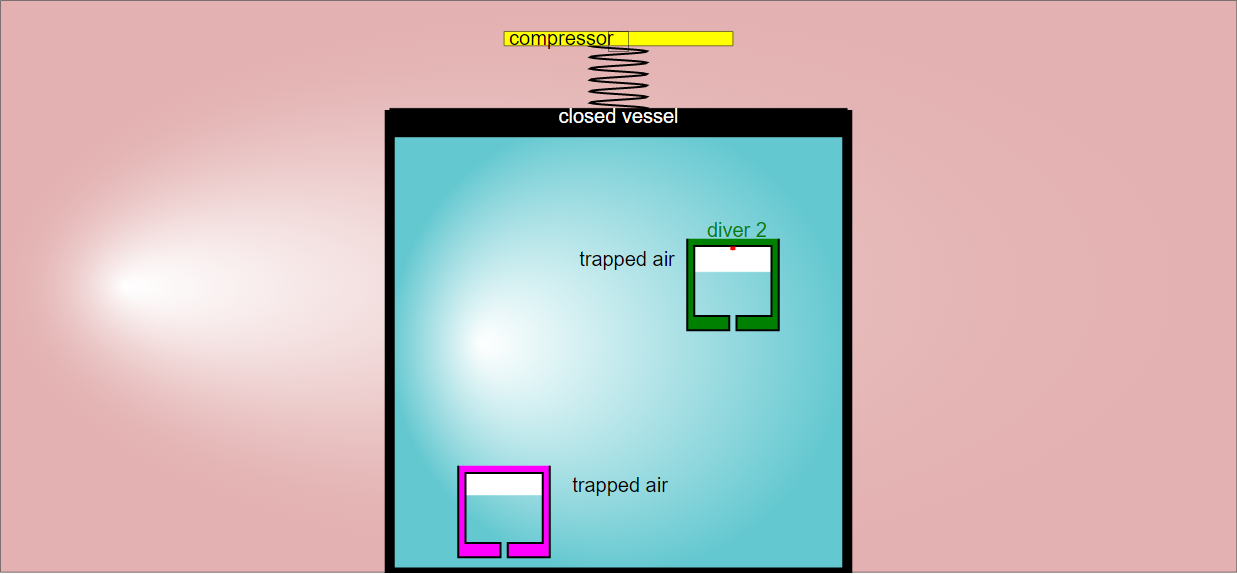
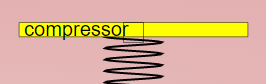
- Adjustable Parameters: The simulation offers adjustable features that enhance the learning experience. "Dragging the empty box vertically will adjust how compressed the container is."
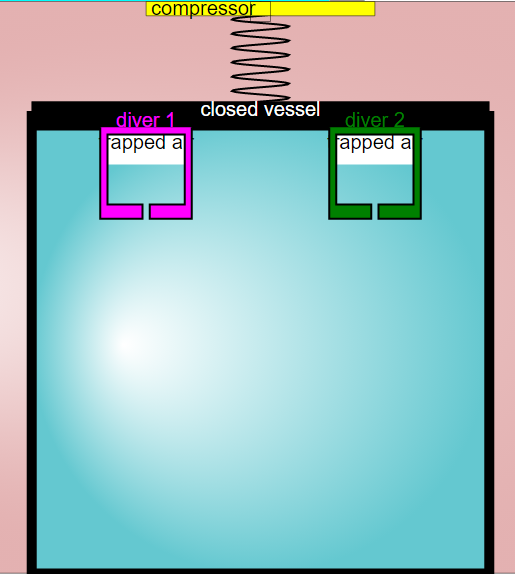
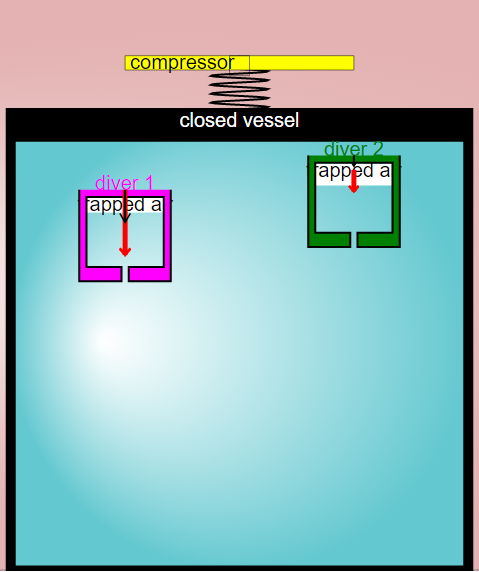
- Customizable Labels: Users can "drag the labels to any position of your choice," improving readability and customization.
- OER Licensing: The content is licensed under a Creative Commons Attribution-Share Alike 4.0 Singapore License, promoting sharing and adaptation.
- Extensive Collection: The page offers a wide range of physics simulations on various topics, indicating a comprehensive resource library for physics education. This includes simulations on topics such as: "Rotation of Solid Sphere and Thin Shell", "Buoyancy Force on Mass", "Faraday's Law", "Coriolis Effect", and "Black-body radiation".
- AI in Resource Creation: "Hysteresis in a simple V-shaped spring-mass system Simulation created using Claude and GPT4o and GPTo1-preview" indicates the use of AI in the creation of simulations, and implies that this is now an active area of development and experimentation on the site.
Quotes:
- "Dragging the empty box vertically will adjust how compressed the container is." (Describes a key interactive element.)
- "You can drag the labels to any position of your choice." (Highlights customization options for the user interface.)
- <iframe width="100%" height="100%" src="https://iwant2study.org/lookangejss/02_newtonianmechanics_6pressure/ejss_model_twodivers/twodivers_Simulation.xhtml " frameborder="0"></iframe> (Provides the code for embedding the simulation.)
- "Contents are licensed Creative Commons Attribution-Share Alike 4.0 Singapore License." (Specifies the OER license.)
Potential Uses:
- Physics educators can use the simulation as a visual aid in classroom demonstrations or online lessons.
- Students can interact with the simulation to explore the relationships between pressure, buoyancy, and volume.
- Developers can embed the simulation into educational websites or learning management systems.
- The resource serves as a template or example for creating other interactive physics simulations.
Cartesian Diver Simulation Study Guide
I. Review of Key Concepts
Before diving into the specifics of the Cartesian Diver simulation, it's important to review the underlying physics principles that govern its behavior:
- Pressure: Defined as force per unit area. In fluids, pressure acts equally in all directions.
- Buoyancy: The upward force exerted by a fluid that opposes the weight of an immersed object. Archimedes' principle states that the buoyant force on an object is equal to the weight of the fluid it displaces.
- Density: Mass per unit volume. An object will float if its average density is less than the density of the fluid.
- Ideal Gas Law: While not explicitly mentioned, understanding how pressure, volume, and temperature relate to each other for a gas can be helpful in understanding the air bubble within the Cartesian diver.
- Pascal's Principle: States that a pressure change at any point in a confined incompressible fluid is transmitted throughout the fluid such that the same pressure change occurs everywhere.
II. Simulation Features and Functionality
This section focuses on the specific interactive elements of the "Comparison of 2 Cartesian Divers JavaScript Simulation Applet HTML5".
- Adjustable Compressor: Understand how changing the volume of the container affects the pressure within the fluid. This is the primary mechanism for controlling the divers.
- Sliders and ComboBox: These allow for manipulation of variables within the simulation.
- Draggable Labels: This is a usability feature, not directly related to the physics, but it helps with readability.
- Reset Button: Familiarize yourself with how to reset the simulation to its initial state.
- Full-Screen Toggling: Again, a usability feature for better viewing.
III. Comprehension Quiz
Answer the following questions in 2-3 sentences each.
- What is the primary way to control the Cartesian divers in the simulation, and how does it affect the pressure?
- Explain how the adjustable compressor allows you to manipulate the divers in the Cartesian Diver simulation.
- Describe the relationship between pressure, buoyancy, and the sinking or floating of a Cartesian diver.
- What role does the air bubble inside the Cartesian diver play in its buoyancy?
- What happens to the water pressure inside the container when you compress it, and how does this affect the Cartesian diver?
- Explain in simple terms what Pascal's Principle is, and how it is demonstrated by the simulation.
- How does the simulation demonstrate the principles of buoyancy and pressure working in tandem?
- If the diver sinks when the container is compressed, what does this indicate about the diver's density relative to the water?
- What happens to the air bubble within the diver as the water pressure increases, and how does this affect the diver's overall density?
- How does the Cartesian diver simulation make abstract physics principles more understandable?
IV. Quiz Answer Key
- The primary way to control the divers is by adjusting the compressor, which changes the pressure inside the container. Compressing the container increases the pressure, while decompressing it reduces the pressure.
- The adjustable compressor changes the volume of the container, and changing the volume affects the pressure within the fluid via Pascal's Principle. This pressure change is applied equally throughout the fluid and acts on each diver.
- When pressure increases, it compresses the air bubble in the diver, decreasing its volume and increasing its overall density. If the diver's density becomes greater than the water's, it will sink; if it remains less dense, it will float.
- The air bubble provides buoyancy because air is much less dense than water. The size and compressibility of this bubble are critical factors in determining whether the diver floats or sinks.
- When the container is compressed, the water pressure inside increases uniformly due to Pascal's Principle. This increased pressure acts on the Cartesian diver.
- Pascal's Principle states that pressure applied to a confined fluid is transmitted equally throughout the fluid. In the simulation, compressing the container increases pressure everywhere, which affects the divers equally.
- The simulation shows buoyancy keeping the diver afloat until the pressure is increased. As the pressure is increased, the diver sinks illustrating that an object will float if it is less dense than the surrounding fluid and sink if more dense.
- If the diver sinks when the container is compressed, it indicates that the diver's average density has become greater than the density of the water due to the compression of the air bubble.
- As the water pressure increases, the air bubble within the diver compresses, reducing its volume. This compression increases the diver's overall density because the same mass now occupies a smaller volume.
- The Cartesian diver simulation allows users to see the abstract principles of buoyancy, pressure, and density in action. By manipulating the simulation parameters, the user can develop an intuitive understanding of these concepts.
V. Essay Questions
Consider the following essay questions, drawing upon your understanding of the simulation and related physics concepts:
- Discuss how the Cartesian diver experiment and its simulation can be used to illustrate and teach Pascal's Principle and Archimedes' Principle. How does the interactive nature of the simulation enhance the learning experience compared to a static textbook explanation?
- Analyze the role of the air bubble within the Cartesian diver. How does its compressibility influence the diver's behavior, and what properties of gases are relevant to this behavior?
- Explain the limitations of the simulation as a model of the real-world Cartesian diver experiment. What factors might be present in a physical experiment that are not fully accounted for in the simulation?
- Describe how the Cartesian diver experiment can be modified or extended to explore other physics concepts, such as the Ideal Gas Law or the effects of temperature on fluid density.
- Compare and contrast the Cartesian diver simulation with other simulations of buoyancy and pressure, such as those listed in the "Other Resources" section of the document. What unique features does the Cartesian diver simulation offer?
VI. Glossary of Key Terms
- Pressure: Force exerted per unit area, often measured in Pascals (Pa).
- Buoyancy: An upward force exerted by a fluid that opposes the weight of an immersed object.
- Density: Mass per unit volume, often measured in kg/m³.
- Pascal's Principle: A change in pressure at any point in a confined incompressible fluid is transmitted equally throughout the fluid.
- Archimedes' Principle: The buoyant force on an object submerged in a fluid is equal to the weight of the fluid displaced by the object.
- Fluid: A substance that can flow easily; includes liquids and gases.
- Compressibility: A measure of how much the volume of a substance decreases under pressure.
- Simulation: A computer-based model of a real-world system or phenomenon.
Sample Learning Goals
[text]
For Teachers
Comparison of 2 Cartesian Divers JavaScript Simulation Applet HTML5
Instructions
ComboBox and Sliders




Adjustable Compressor
Draggable Labels
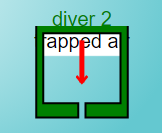
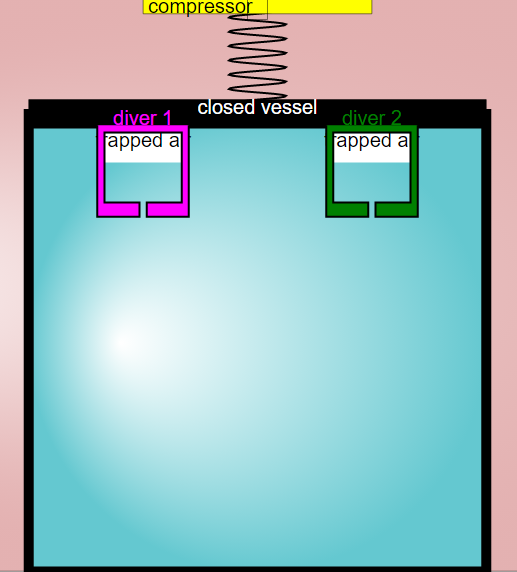
You can drag the labels to any position of your choice.
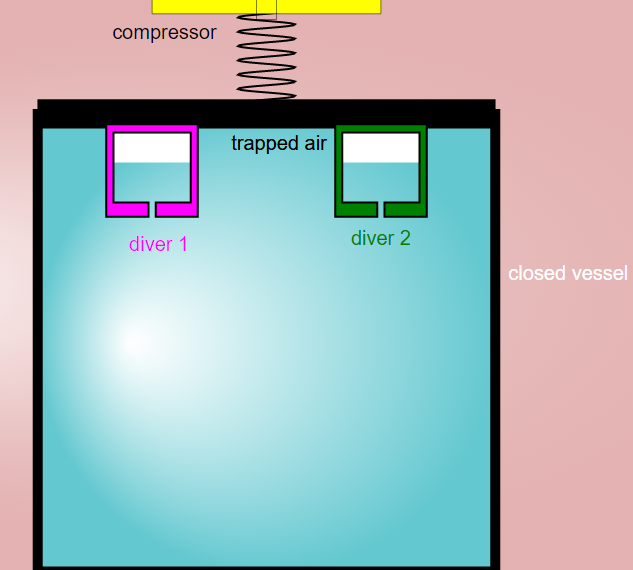
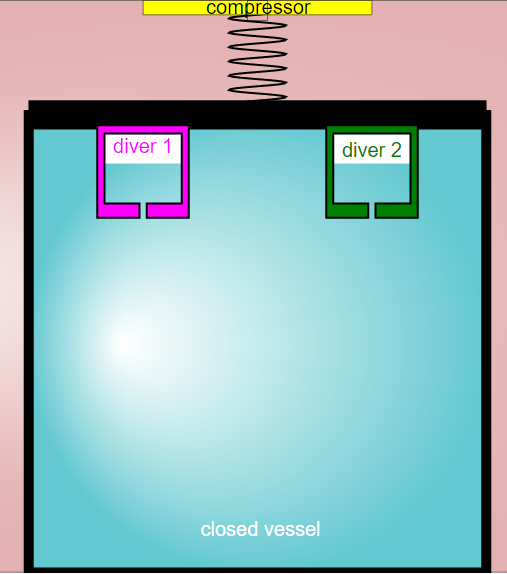
Toggling Full Screen
Reset Button

Research
[text]
Video
[text]
Version:
Other Resources
[text]
FAQ on the Cartesian Divers Simulation and Educational Resources
- What is the Cartesian Divers JavaScript Simulation Applet HTML5?
- It's an interactive, web-based simulation focused on demonstrating the principles of pressure and buoyancy using the classic Cartesian diver experiment. It allows users to manipulate variables such as the compression of a container and observe the effect on divers within the simulation. The simulation is built with JavaScript and HTML5, making it accessible through web browsers without needing plugins like Flash.
- What physics concepts does this simulation help to illustrate?
- The simulation primarily helps illustrate the relationship between pressure and buoyancy. By compressing the container, users can observe how increased pressure affects the buoyancy of the divers, causing them to sink or float based on changes in density. This demonstrates Pascal's Law and Archimedes' Principle in a visual and interactive way.
- How can teachers use this simulation in the classroom?
- Teachers can use the simulation to provide a hands-on learning experience for students studying pressure, buoyancy, and fluid mechanics. The simulation offers adjustable parameters and draggable labels, enabling students to explore the concepts, make predictions, and test their understanding. It also includes sample learning goals and resources, making it easier for educators to integrate it into their lessons.
- What are the adjustable features of the simulation?
- The simulation allows users to:
- Adjust the compression of the container by dragging a box vertically.
- Drag labels to improve readability or customize the view.
- Toggle full-screen mode for better visibility.
- Reset the simulation to its default state.
- Select different options via a combo box, which changes the available sliders.
- Is the simulation open source and freely available?
- Yes, the simulation is part of the Open Educational Resources / Open Source Physics @ Singapore project. It's licensed under the Creative Commons Attribution-Share Alike 4.0 Singapore License, meaning it can be freely used, shared, and adapted for non-commercial purposes, provided attribution is given. However, commercial use of the underlying EasyJavaScriptSimulations Library requires a separate license.
- What other types of interactive simulations are available from Open Source Physics @ Singapore?
- The website hosts a wide variety of simulations covering various physics topics, including mechanics, electromagnetism, optics, thermodynamics, and more. These simulations are designed to enhance learning through interactive exploration and visualization of complex concepts. Examples include simulations on projectile motion, collisions, circuits, waves, and magnetism, as well as simulations and virtual labs for biology and mathematics.
- What tools were used to create the Cartesian Divers Simulation?
- The simulation was created using Claude, GPT4o, and GPTo1-preview AI models. The simulations often utilize the Easy JavaScript Simulations (EJS) modeling tool. AI is being leveraged to create simulations more quickly.
- How can I embed the Cartesian Divers Simulation on my own webpage?
- The website provides an iframe code snippet that allows you to easily embed the simulation on any webpage. Simply copy and paste the code into your HTML to include the interactive simulation on your site.