{source}
<?php  require_once JPATH_SITE.'/TTcustom/TT_contentparser.php';\(parameters = array("topicname" => "02_newtonianmechanics_6pressure", "modelname" => "ejss_model_buoyancylevelwee");echo generateSimHTML(\)parameters, "EJSS");
?>
{/source}
Briefing Document: Buoyancy Level JavaScript Simulation Applet HTML5
1. Overview
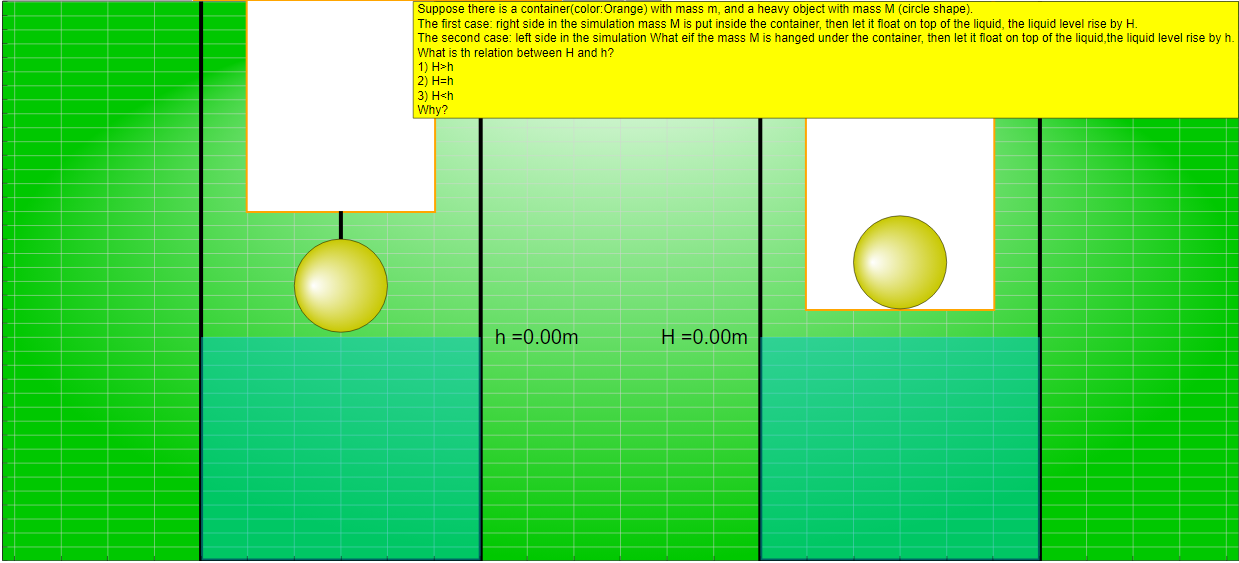
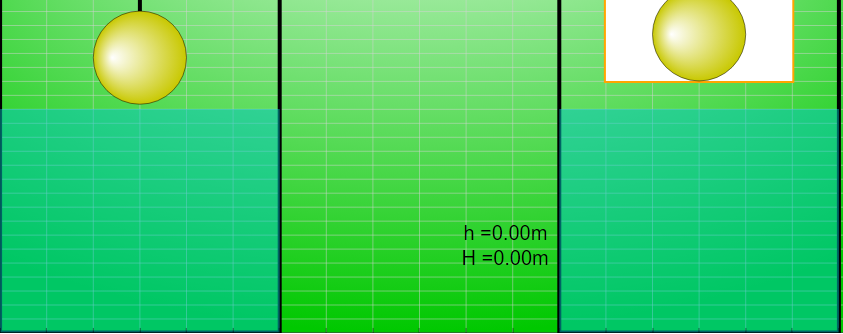
This document summarizes information about a JavaScript simulation applet designed to explore the principles of buoyancy. The applet presents a thought experiment involving a container and an object, examining how the liquid level changes when the object is either placed inside the container (floating) or suspended below it. The primary goal is to encourage users to predict and then test the relationship between the liquid level rise (H and h) in the two scenarios (object inside vs. object suspended).
{source}<iframe style="border-radius:12px" src="https://open.spotify.com/embed/episode/42w41wytoBzb02W7QXJdGT?utm_source=generator" width="100%" height="352" frameBorder="0" allowfullscreen="" allow="autoplay; clipboard-write; encrypted-media; fullscreen; picture-in-picture" loading="lazy"></iframe>{/source}
2. Main Themes and Important Ideas
- Buoyancy and Displacement: The core theme is the concept of buoyancy and how it relates to the volume of fluid displaced by an object. The simulation allows users to explore Archimedes' principle in a visual and interactive way.
- Problem-Solving and Prediction: The applet is explicitly designed to encourage prediction before experimentation. The question posed ("What is the relation between H and h?") aims to stimulate critical thinking and hypothesis formulation.
- Interactive Learning: The applet is designed to be interactive, allowing users to manipulate variables and observe the resulting changes in the simulation. This promotes active learning and a deeper understanding of the underlying physics.
- Accessibility and Embeddability: The applet is built using HTML5 and JavaScript, making it accessible across different platforms and devices. The provided iframe code allows easy embedding of the simulation into webpages.
- Open Educational Resource: The resource is part of the Open Educational Resources / Open Source Physics @ Singapore project, indicating a commitment to free and accessible educational materials. The content is licensed under Creative Commons Attribution-Share Alike 4.0 Singapore License.
- AI Assistance: The page references simulations using AI tools such as Claude, GPT4o, and GPTo1-preview, indicating the utilization of modern AI in creating these educational tools.
3. Key Facts and Details
- Title: Buoyancy Level JavaScript Simulation Applet HTML5
- Purpose: To explore the relationship between buoyancy, displacement, and liquid level changes when an object is placed inside or suspended below a floating container.
- Question Posed: "What is the relation between H and h?" (where H is the liquid level rise with the object inside the container, and h is the liquid level rise with the object suspended below).
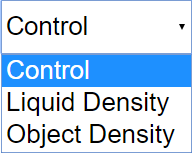
- Interactive Elements:Combo box with options (unspecified, but likely related to controlling simulation parameters).
- Sliders for liquid density and object density.
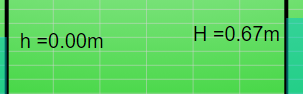
- Draggable labels.
- Step and Reset buttons.
- Full-screen toggle.
- Credits: Developed by Fu-Kwun Hwang, Fremont Teng, and Loo Kang Wee.
- License: Creative Commons Attribution-Share Alike 4.0 Singapore License.
- Embed Code: <iframe width="100%" height="100%" src="https://iwant2study.org/lookangejss/02_newtonianmechanics_6pressure/ejss_model_buoyancylevelwee/buoyancylevelwee_Simulation.xhtml " frameborder="0"></iframe>
4. Important Quotes
- "Support there is a container(color:orange) with mass m, and a heavy object with mass M (circle shape). The first case: right side in the simulation mass M is put inside the container, then let it float on top of the liquid, the liquid level rise by H. The second case: left side in the simulation What if the mass M is hanged under the container, then let it float on top of the liquid,the liquid level rise by h. What is the relation between H and h" - This quote directly outlines the problem the simulation is designed to address.
- "You can try out with the simulation. However, I would suggest you select an answer before you play with it." - This highlights the emphasis on prediction and hypothesis testing.
5. Intended Audience
The applet is suitable for:
- Physics students learning about buoyancy and Archimedes' principle.
- Teachers looking for interactive simulations to enhance their lessons.
- Anyone interested in exploring physics concepts through interactive simulations.
6. Related Resources
The page lists a very extensive number of other simulations available on the Open Educational Resources / Open Source Physics @ Singapore website, covering a wide range of physics topics (mechanics, electromagnetism, optics, etc.) as well as some mathematics and even a few simulations related to other fields like biology.
7. Conclusion
The "Buoyancy Level JavaScript Simulation Applet HTML5" is a valuable tool for teaching and learning about buoyancy. Its interactive nature, focus on prediction, and accessibility make it a potentially effective resource for students and educators alike. The project is part of a larger collection of open educational resources, further enhancing its value.
Buoyancy and Pressure Simulation Study Guide
I. Quiz
Answer the following questions in 2-3 sentences each.
- What physical quantity does the simulation primarily explore?
- Briefly describe the two scenarios presented in the simulation.
- What is the relationship between H and h if H>h?
- What is the significance of liquid density in the simulation?
- How can the labels in the simulation be manipulated?
- What is the purpose of the "Reset" button in the simulation?
- Name one other simulation mentioned in the source material.
- What is the license under which the content is published?
- Name one potential use of the simulation for educators.
- What is EasyJavaScriptSimulations?
II. Quiz Answer Key
- The simulation primarily explores the relationship between buoyancy, pressure, and liquid displacement. It demonstrates how the buoyant force and resulting liquid level change depending on how an object is supported in a fluid.
- The simulation presents two cases: In the first case, a heavy object is placed inside a container and allowed to float. In the second case, the heavy object is suspended under the container, then allowed to float.
- If H>h, then the liquid level rises more when the mass M is put inside the container.
- Liquid density plays a crucial role in determining the buoyant force exerted on the object. Changing the liquid density affects how much of the object is submerged and, consequently, the level of the fluid.
- The labels in the simulation can be dragged from the center of the text. This feature allows for customization and improved clarity in the visualization.
- The "Reset" button returns the simulation to its initial state. This allows users to repeat the experiment or start with default settings.
- One other simulation mentioned in the source material is "Floating Block Stability Simulator JavaScript Simulation Applet HTML5."
- The content is licensed under the Creative Commons Attribution-Share Alike 4.0 Singapore License. This means it can be shared and adapted with attribution and a similar license.
- Educators can use the simulation to demonstrate Archimedes' principle or explore how buoyancy affects floating objects. This helps students understand fluid dynamics through interactive experimentation.
- EasyJavaScriptSimulations is a library for which the content is made. To use EasyJavaScriptSimulations commercially, users must read the EJSLicense and contact This email address is being protected from spambots. You need JavaScript enabled to view it. directly.
III. Essay Questions
- Discuss how the simulation can be used to illustrate Archimedes' principle.
- Explain the relationship between pressure, buoyant force, and fluid displacement, as demonstrated by the simulation.
- Analyze the educational benefits of using interactive simulations, such as this one, in physics education.
- Compare and contrast the two scenarios presented in the simulation and explain why the relationship between H and h might vary.
- Describe the limitations of the simulation as a model of real-world buoyancy phenomena and suggest potential improvements.
IV. Glossary of Key Terms
- Buoyancy: The upward force exerted by a fluid that opposes the weight of an immersed object.
- Pressure: The force exerted per unit area by a fluid on a surface.
- Fluid Displacement: The volume of fluid that is pushed aside when an object is immersed in it.
- Archimedes' Principle: The principle that the buoyant force on an object is equal to the weight of the fluid that the object displaces.
- Density: The mass per unit volume of a substance.
- Simulation: A computer-based model that replicates a real-world process or system.
- HTML5: A markup language used for structuring and presenting content on the World Wide Web.
- JavaScript: A programming language commonly used to create interactive effects within web browsers.
Sample Learning Goals
[text]
For Teachers
Buoyancy Level JavaScript Simulation Applet HTML5
Instructions
Combo Box and Options



Draggable Labels
Step Button

Toggling Full Screen
Reset Button

Research
[text]
Video
[text]
Version:
Other Resources
[text]
FAQ
- What is the purpose of the "Buoyancy Level JavaScript Simulation Applet HTML5"?
- The applet simulates a classic physics problem involving buoyancy. It allows users to explore the relationship between the liquid level rise (H or h) in a container when a heavy object of mass M is either placed inside the container floating on the liquid, or suspended under the container, also floating on the liquid. The goal is to determine whether H is greater than, equal to, or less than h.
- How does the simulation work?
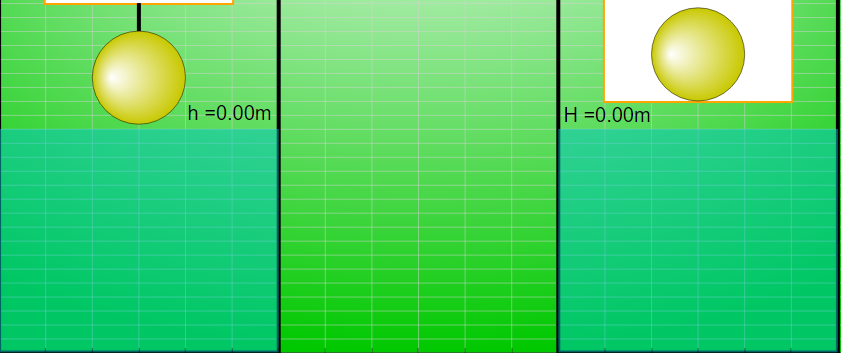
- The simulation provides a visual representation of a container floating in a liquid, along with a heavy object. Users can interact with the simulation (though the specific controls are not detailed beyond the ability to toggle combo box options and use sliders) to observe how the liquid level changes in both scenarios: when the mass M is inside the container and when it's hanging below.
- Who created this simulation?
- The simulation was created by Fu-Kwun Hwang from the Dept. of Physics, National Taiwan Normal University, with contributions from Fremont Teng and Loo Kang Wee. It appears that AI tools like Claude and GPT4o and GPTo1-preview were used in the development process.
- What can teachers use this simulation for?
- The simulation can be used as an interactive tool to help students understand buoyancy principles, Archimedes' principle, and the relationship between displacement and the weight of a floating object. It allows students to visualize the concepts and test their predictions.
- What are some of the interactive features of the simulation?
- The simulation includes toggling the combo box options, sliders for Liquid Density and Object Density, draggable labels, a step button and a reset button. It also offers a full-screen toggle option.
- Can I embed this simulation in my own webpage?
- Yes, the source provides an <iframe> code snippet that allows you to embed the simulation directly into a webpage.
- Where can I find other similar simulations and resources?
- The "Open Educational Resources / Open Source Physics @ Singapore" website offers a wide variety of interactive physics simulations and resources, including simulations on topics ranging from mechanics and electromagnetism to optics and waves. The document lists many different simulations.
- Is the simulation open source?
- The simulation itself appears to be available for use under a Creative Commons Attribution-Share Alike 4.0 Singapore License. The EasyJavaScriptSimulations library, used to build the simulation, has a separate license for commercial use that requires contacting This email address is being protected from spambots. You need JavaScript enabled to view it..