{source}
<?php  require_once JPATH_SITE.'/TTcustom/TT_contentparser.php';\(parameters = array("topicname" => "04waves_12generalwaves", "modelname" => "ejss_model_wave_spacetime");echo generateSimHTML(\)parameters, "EJSS");
?>
{/source}
1. Overview:
This document provides a brief overview of the "Wave Space Time Simulator JavaScript Simulation Applet HTML5" resource available on the Open Educational Resources / Open Source Physics @ Singapore website. This resource is an interactive HTML5 applet designed for visualizing and exploring the concept of waves in space and time. It is part of a larger collection of open educational resources focused on physics and mathematics.
{source}<iframe style="border-radius:12px" src="https://open.spotify.com/embed/episode/2xAUGtBj3u2MtXW13U6tAj?utm_source=generator" width="100%" height="352" frameBorder="0" allowfullscreen="" allow="autoplay; clipboard-write; encrypted-media; fullscreen; picture-in-picture" loading="lazy"></iframe>{/source}
2. Main Themes and Important Ideas/Facts:
- Interactive Simulation: The core of this resource is an embeddable JavaScript simulation applet built using HTML5. This allows users to interact directly with a model demonstrating wave behavior. The provided HTML embed code (<iframe width="100%" height="100%" src="https://iwant2study.org/lookangejss/04waves_12generalwaves/ejss_model_wave_spacetime/wave_spacetime_Simulation.xhtml " frameborder="0"></iframe>) allows seamless integration of the simulator into web pages.
- Focus on General Waves: The applet is categorized under "General Waves," suggesting that it aims to illustrate fundamental wave properties applicable across different types of waves (e.g., mechanical, electromagnetic).
- User Control and Exploration: The simulator offers several interactive elements that enable users to manipulate and observe wave behavior:
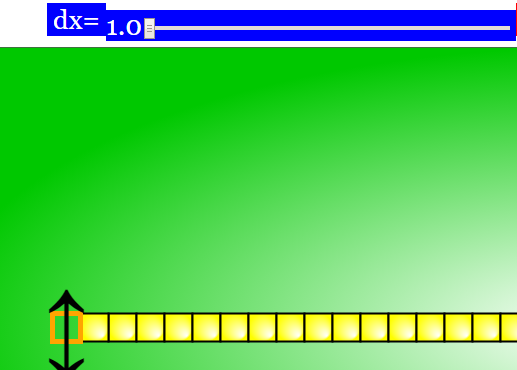
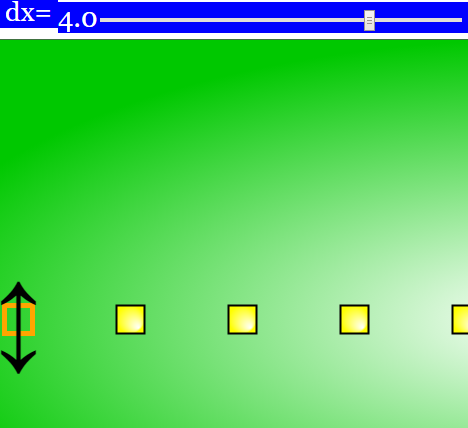
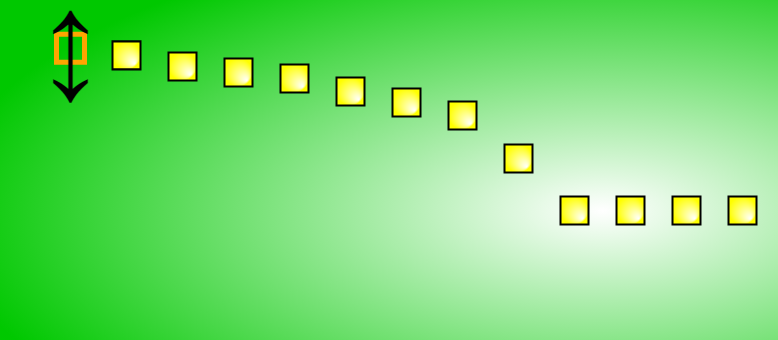
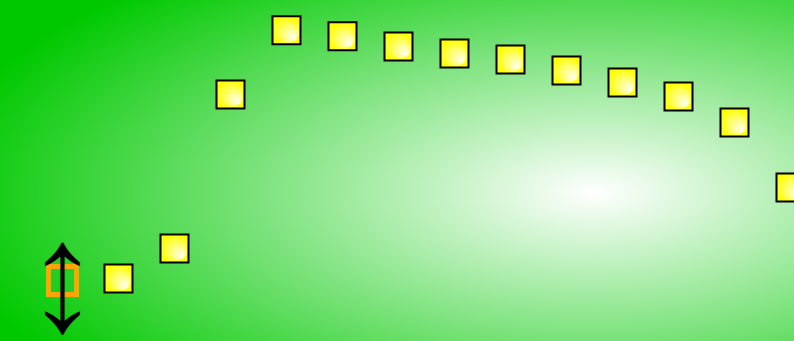
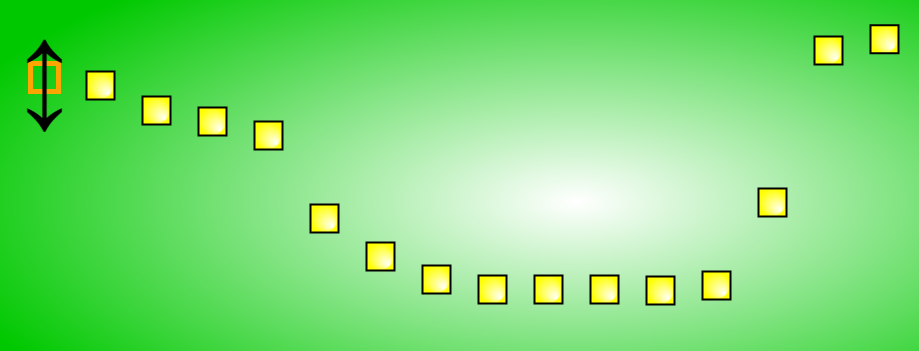
- Sliders: Two sliders, "dx" and "delay," allow users to control the distance between blocks (likely representing points in the medium) and introduce a delay in the vertical movements of the waves. This facilitates the understanding of wavelength and wave propagation.
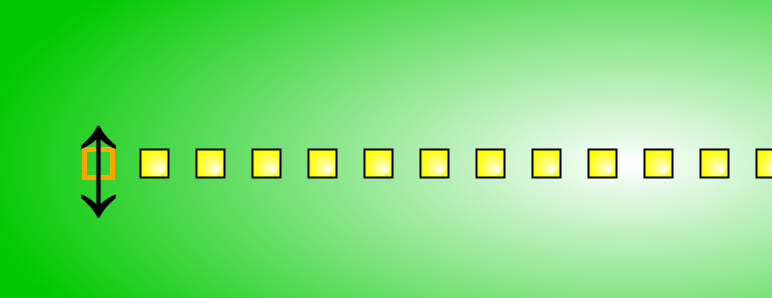
- Draggable Arrow: Users can directly manipulate the simulation by dragging an arrow vertically, providing an intuitive way to initiate or influence wave motion.
- Play/Pause, Step, and Reset Buttons: Standard controls are included for managing the simulation's progression, allowing for detailed observation and repeated trials.
- Full Screen Toggle: A double-click functionality enables users to view the simulation in full-screen mode for better focus and visualization.
- Educational Purpose: The resource is explicitly placed under "Open Educational Resources" and "Open Source Physics @ Singapore," indicating its primary goal is to support teaching and learning in physics. The inclusion of "Sample Learning Goals" (though the actual goals are not provided in the excerpt) further emphasizes its pedagogical intent.
- Accessibility and Openness: Being an HTML5 applet, the simulator is likely accessible across various devices with a web browser without requiring additional plugins. The open-source nature is implied by the platform and the mention of the EasyJavaScriptSimulations Library (though its license requires separate review for commercial use).
- Credits and Contributors: The resource acknowledges the individuals involved in its creation: "Fu-Kwun Hwang - Professor; Fremont Teng; Loo Kang Wee." This provides attribution and highlights the expertise behind the simulation.
- Integration within a Broader Educational Ecosystem: The "Breadcrumbs" navigation shows that this simulator is part of a larger structure of interactive resources, categorized under "Mathematics" and featuring other tools like "Exploring Optimization Through Interactive Pathfinding." This suggests a comprehensive approach to STEM education through interactive simulations.
- Links to Other Resources: The page includes a list of numerous other interactive simulations and resources available on the platform, covering a wide range of topics in physics and mathematics. This indicates a rich collection of tools for educators and learners. Examples of other related resources include "Reflection From Wall Simulator JavaScript Simulation Applet HTML5" and "Wave in 2D of Particles and Springs JavaScript Simulation Applet HTML5."
3. Key Quotes:
- Embed Code: <iframe width="100%" height="100%" src="https://iwant2study.org/lookangejss/04waves_12generalwaves/ejss_model_wave_spacetime/wave_spacetime_Simulation.xhtml " frameborder="0"></iframe> - This highlights the ease of integrating the simulation into web-based learning materials.
- Instructions for Sliders: "Toggling the dx slider will set the distance of each block from each other." and "Toggling the delay slider will delay the waves vertical movements." - These instructions explain the functionality of key interactive elements.
- Credits: "Fu-Kwun Hwang - Professor; Fremont Teng; Loo Kang Wee" - Acknowledging the creators of the resource.
4. Potential Applications:
- Classroom Demonstrations: Teachers can use this interactive simulation to visually demonstrate the fundamental concepts of wave propagation, wavelength, and the effect of introducing delays in wave motion.
- Student Exploration: Students can actively engage with the simulation, manipulating parameters and observing the resulting changes in wave behavior, fostering a deeper understanding of wave phenomena.
- Homework and Self-Study: The embeddable nature allows educators to integrate the simulator into online learning platforms or assign it as an interactive tool for students to explore concepts outside of the classroom.
5. Further Considerations:
- The excerpt lacks specific details about the "Sample Learning Goals" and the "Research" and "Video" sections, which could provide further context on the educational objectives and potential research applications of the simulator.
- Understanding the exact representation of "blocks" and "vertical movements" within the simulation would require direct interaction with the applet.
- For commercial use of the underlying EasyJavaScriptSimulations Library, the specified license and contact information should be consulted.
This briefing document provides a foundational understanding of the "Wave Space Time Simulator JavaScript Simulation Applet HTML5." The resource offers a valuable interactive tool for learning and teaching fundamental wave concepts within an open educational framework.
Wave Space Time Simulator Study Guide
Overview
This study guide is designed to help you review your understanding of the Wave Space Time Simulator JavaScript Simulation Applet HTML5, an interactive resource from Open Educational Resources / Open Source Physics @ Singapore. The simulation allows users to visualize and manipulate wave behavior in space and time.
Key Features of the Simulator
- dx Slider: Controls the spatial separation between points in the simulation.
- Delay Slider: Introduces a time delay in the vertical movement of the waves.
- Draggable Arrow: Enables manual initiation of the simulation by dragging vertically.
- Play/Pause, Step, and Reset Buttons: Offers standard control over the simulation's progression.
- Full Screen Toggle: Allows for an expanded view of the simulation.
Quiz
Answer the following questions in 2-3 sentences each.
- What does the dx slider in the Wave Space Time Simulator control, and how does adjusting it affect the visual representation of the wave?
- Explain the function of the delay slider. What aspect of the wave motion does it influence?
- Describe one way a user can manually interact with the simulation to initiate wave motion, besides using the play button.
- What are the purposes of the "Step" and "Reset" buttons in the context of observing wave behavior?
- Where is this interactive simulation intended to be used, as suggested by the "Embed" option?
- Who are credited with the development of this Wave Space Time Simulator?
- Under what category of "Interactive Resources" is this simulator listed on the Open Educational Resources / Open Source Physics @ Singapore website?
- Besides the Wave Space Time Simulator, list two other interactive simulations mentioned on the same webpage.
- What type of license governs the use and sharing of the content on the Open Educational Resources / Open Source Physics @ Singapore website?
- What is the underlying technology used to create this Wave Space Time Simulator?
Quiz Answer Key
- The dx slider controls the distance between each block in the simulation. Adjusting it changes the spatial resolution of the wave visualization; a smaller dx shows more points and potentially a smoother wave, while a larger dx shows fewer points and a coarser wave.
- The delay slider introduces a delay in the vertical movements of different parts of the wave. This can be used to visualize how different points along the wave oscillate out of phase or with a time lag.
- Users can initiate the simulation by dragging the provided arrow vertically. This action directly inputs energy into the system, causing the wave to propagate based on the dragging motion.
- The "Step" button allows the user to advance the simulation by a single time increment, enabling detailed observation of the wave's evolution. The "Reset" button returns the simulation to its initial state, allowing for repeated experimentation.
- The "Embed" option suggests that this interactive simulation is intended to be used within other webpages or online learning platforms through the use of an iframe.
- Professor Fu-Kwun Hwang, Fremont Teng, and Loo Kang Wee are credited with the development of this Wave Space Time Simulator.
- This simulator is listed under the "Mathematics" category of interactive resources on the website.
- Two other interactive simulations mentioned on the same webpage include the "Reflection From Wall Simulator JavaScript Simulation Applet HTML5" and the "Wave in 2D of Particles and Springs JavaScript Simulation Applet HTML5".
- The content on the Open Educational Resources / Open Source Physics @ Singapore website is licensed under the Creative Commons Attribution-Share Alike 4.0 Singapore License.
- This Wave Space Time Simulator is created using JavaScript and HTML5, as indicated in its title.
Essay Format Questions
- Discuss the potential pedagogical benefits of using the Wave Space Time Simulator in an educational setting. How might the interactive features enhance student understanding of wave phenomena compared to static representations?
- Explain how manipulating the dx and delay sliders can help students visualize and understand key concepts related to wave propagation, such as wavelength, frequency, and phase difference. Provide specific examples of how these sliders could be used to demonstrate these concepts.
- Compare and contrast the user interaction methods (sliders vs. draggable arrow) provided by the simulator. What are the advantages and disadvantages of each approach in terms of user control and conceptual understanding?
- Based on the list of other resources and the credits provided, what can you infer about the broader goals and scope of the Open Educational Resources / Open Source Physics @ Singapore project?
- Considering the HTML5 and JavaScript foundation of the simulator, discuss the implications for its accessibility and usability across different devices and platforms. What advantages does this technology offer for educational resources?
Glossary of Key Terms
- Applet: A small application, often written in Java or JavaScript, that runs within another application, typically a web browser.
- HTML5: The latest evolution of the standard Hypertext Markup Language, used for structuring and presenting content on the World Wide Web. It supports multimedia and interactive elements without the need for plugins.
- JavaScript: A high-level, often just-in-time compiled programming language that conforms to the ECMAScript specification. It is commonly used in web development to make web pages interactive.
- Simulation: A computer model designed to represent the behavior or characteristics of one physical or abstract system. Simulations allow users to manipulate variables and observe the resulting changes.
- Open Educational Resources (OER): Teaching, learning, and research materials in any medium – digital or otherwise – that reside in the public domain or have been released under an open license that permits no-cost access, use, adaptation, and redistribution by others with no or limited restrictions.
- Slider (in UI): A graphical control element that allows the user to select a value by moving an indicator along a fixed track.
- Embed (in web context): To integrate content from one website or resource into another, often using an iframe or similar HTML elements.
- Phase Difference: The difference in the phase of two or more waves with the same frequency that are propagating together. It describes the extent to which the waves are out of step with each other.
- Wavelength: The spatial period of a periodic wave—the distance over which the wave's shape repeats. It is usually determined by considering the distance between consecutive corresponding points of the same phase on the wave, such as two adjacent crests or troughs.
- Frequency: The number of occurrences of a repeating event per unit of time. In wave phenomena, it refers to the number of complete wave cycles that pass a fixed point in one second, measured in Hertz (Hz).
Sample Learning Goals
[text]
For Teachers
Wave Space Time Simulator JavaScript Simulation Applet HTML5
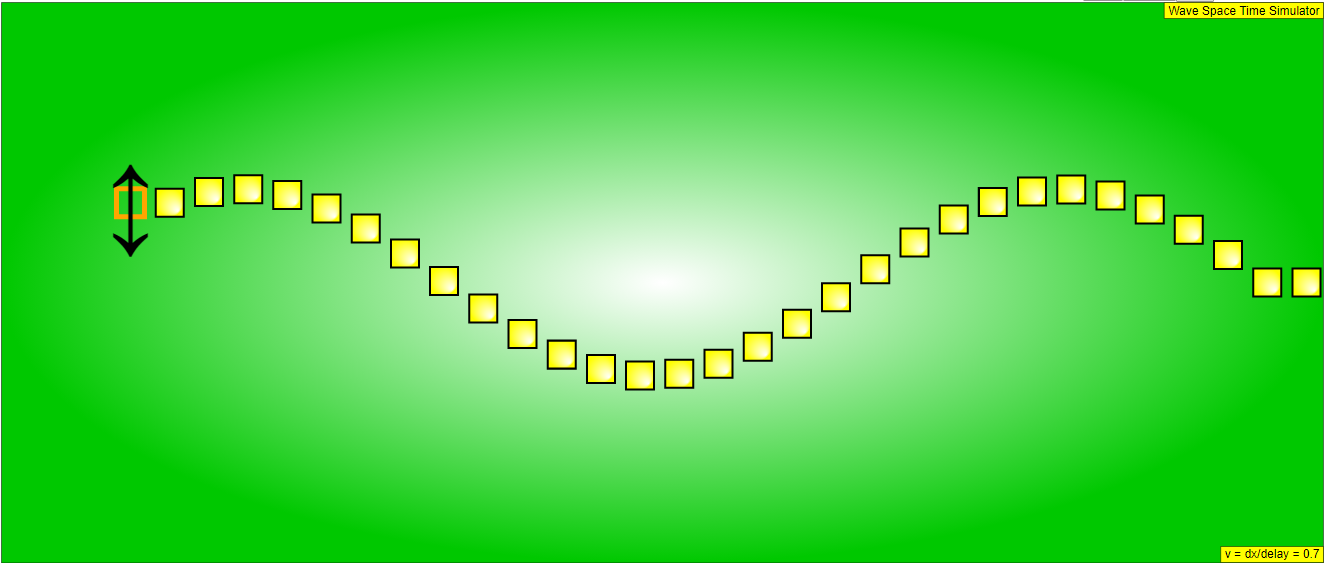
Instructions
Sliders

Draggable Arrow

Toggling Full Screen
Play/Pause, Step and Reset Buttons
Research
[text]
Video
[text]
Version:
Other Resources
[text]
Frequently Asked Questions about the Wave Space Time Simulator
What is the Wave Space Time Simulator?
The Wave Space Time Simulator is an interactive JavaScript simulation applet designed for visualizing and exploring the behavior of general waves in space and time. It is built using HTML5 and is part of the Open Educational Resources / Open Source Physics @ Singapore project. The simulator allows users to manipulate parameters and observe the resulting wave motion.
How can I access and use the Wave Space Time Simulator?
The simulator can be accessed and embedded in webpages using the provided iframe code: <iframe width="100%" height="100%" src="https://iwant2study.org/lookangejss/04waves_12generalwaves/ejss_model_wave_spacetime/wave_spacetime_Simulation.xhtml " frameborder="0"></iframe>. Once embedded or accessed directly, users can interact with the sliders, draggable arrow, and play/pause/step/reset buttons to control and observe the wave simulation. Double-clicking anywhere on the screen toggles full-screen mode.
What parameters can be controlled in the simulation?
The simulation provides sliders to control parameters such as dx, which sets the distance between blocks, and delay, which introduces a delay in the vertical movements of the waves. Additionally, users can directly manipulate the simulation by dragging the arrow vertically.
What are the learning goals associated with this simulation?
The resource mentions "Sample Learning Goals" but does not explicitly list them. However, based on the nature of the simulator, it can be inferred that the learning goals likely involve understanding the fundamental properties of waves, the relationship between spatial and temporal aspects of wave motion, and the effect of parameters like distance and delay on wave propagation.
Is this simulator intended for students or teachers?
The resource includes a section "For Teachers," suggesting that it is intended for educators to use in their teaching. The interactive nature and the ability to control parameters make it a valuable tool for demonstrating wave phenomena to students.
Are there other related simulations or resources available on this platform?
Yes, the webpage lists a large number of other JavaScript/HTML5 simulation applets covering various topics in physics and mathematics. Examples include simulations on reflection, waves in 2D, pressure-volume diagrams, roller coasters, differential equations, collisions, electromagnetism, optics, and many more. These resources are also part of the Open Educational Resources / Open Source Physics @ Singapore project.
Who developed the Wave Space Time Simulator?
The credits for the Wave Space Time Simulator are given to Fu-Kwun Hwang (Professor), Fremont Teng, and Loo Kang Wee.
What is the licensing for this resource?
The content of the Open Educational Resources / Open Source Physics @ Singapore website is licensed under the Creative Commons Attribution-Share Alike 4.0 Singapore License. For commercial use of the EasyJavaScriptSimulations Library, interested parties need to read the specified license and contact the provided email address.