{source}
<?php  require_once JPATH_SITE.'/TTcustom/TT_contentparser.php';\(parameters = array("topicname" => "04waves_13light", "modelname" => "ejss_model_twomediaspeed");echo generateSimHTML(\)parameters, "EJSS");
?>
{/source}
{source}<iframe style="border-radius:12px" src="https://open.spotify.com/embed/episode/2HPQzvXnGKBVlHPM04on0Q?utm_source=generator" width="100%" height="352" frameBorder="0" allowfullscreen="" allow="autoplay; clipboard-write; encrypted-media; fullscreen; picture-in-picture" loading="lazy"></iframe>{/source}
Main Themes & Ideas:
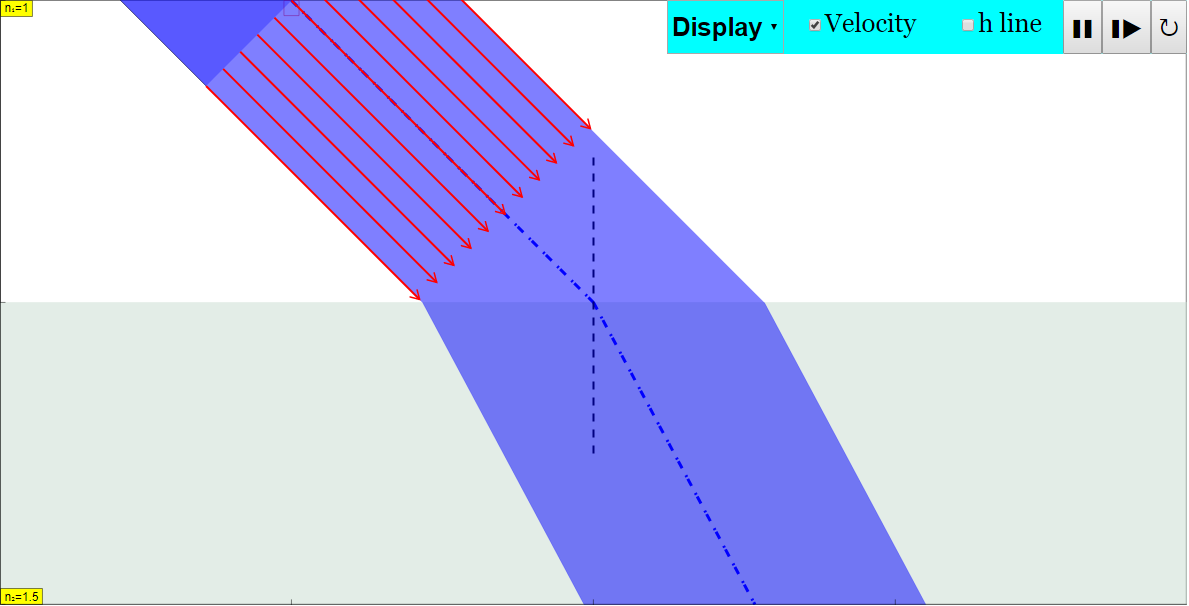
- Light Refraction Simulation: The primary function of the applet is to simulate light refraction as it passes between two media with different speeds. This allows students to explore the relationship between the angle of incidence, angle of refraction, and the refractive indices of the two media.
- Interactive Learning: The applet offers interactive elements, enabling students to manipulate variables and observe the resulting changes in light behavior. Key interactive elements include:
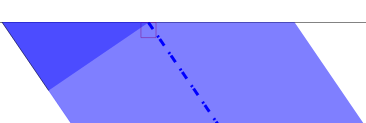
- Drag-able Light Source: Users can adjust the position of the light source.
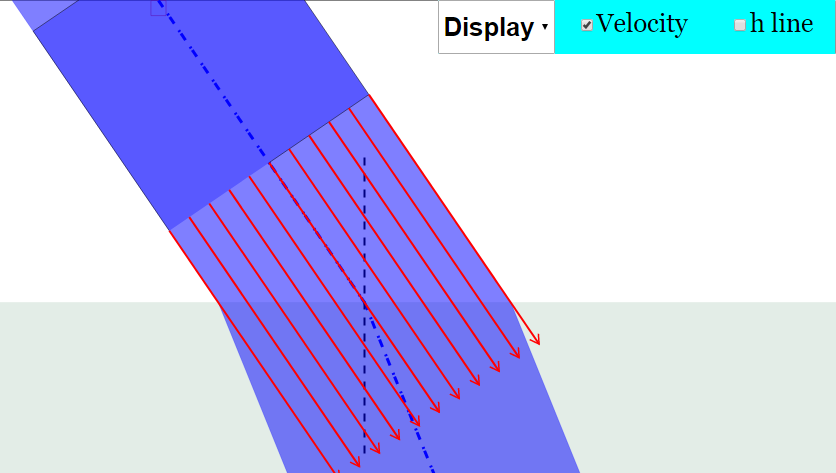
- Velocity Checkbox: Toggling this displays the direction of light.
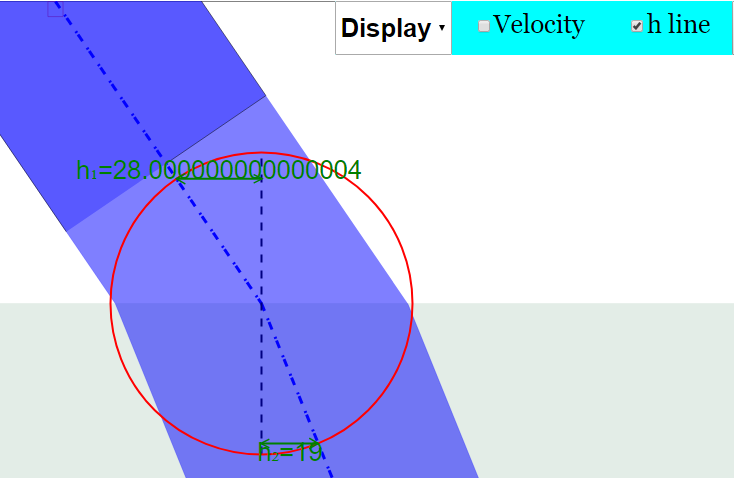
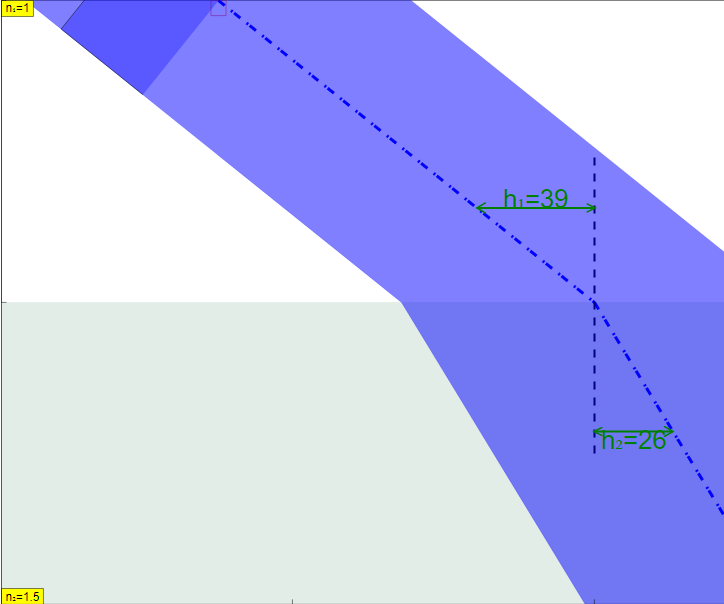
- h line Toggle: Shows h1, h2, and a draggable circle in the center.
- Play/Pause, Step, and Reset Buttons: Controls the simulation's progression.
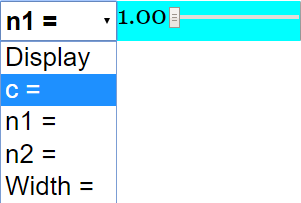
- Combo Box and Sliders: Selecting options in the combo box will provide respective sliders for further adjustments.
- Open Educational Resource (OER): The applet is freely available and intended for educational use. It promotes the use of technology in physics education.
- Accessibility & Embeddability: The applet is built using HTML5, making it accessible across different devices and browsers. It can be embedded in webpages using an iframe.
- Supplementary Resources: The resource provides links to other related simulations and educational materials on refraction from sources like PhET, Walter Fendt, The Physics Classroom, and GeoGebra.
- Teacher Support: The page mentions "Sample Learning Goals" and "For Teachers" sections, suggesting resources and guidelines are available for educators to integrate the simulation into their lessons (though the actual text content is missing as it says "[texthttps://iwant2study.org/lookangejss/04waves_13light/ejss_model_twomediaspeed/twomediaspeed_Simulation.xhtml " frameborder="0"></iframe>
- Authors: Fu-Kwun Hwang, Fremont Teng, lookang.
- Instructions: Detailed instructions are given on how to interact with the simulation, including how to use the display panel toggles and drag-able light source.
- Video Resources: Two YouTube videos related to the applet are linked: https://www.youtube.com/watch?v=Y5KvUFBI1EI and https://www.youtube.com/watch?v=ZDxhoGWJfEE&t=6s.
- Version History: A link to the blog post describing the version history is given: https://weelookang.blogspot.com/2021/07/student-learning-space-refraction-two.html
Quotes:
- "Toggling the Velocity checkbox will display the direction of the light (in the form of red arrows)"
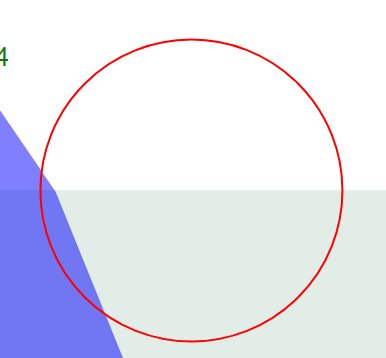
- "Toggling h line - Will show h1,h2 and a circle in the centre of the two mediums Note that the hline circle is also drag-able horizontally"
- "Drag the small box as seen from the top of the light. Adjusting the light source by moving horizontally left or right"
Implications:
This resource offers a valuable tool for physics educators to enhance student understanding of light refraction. The interactive nature of the simulation allows students to explore the concepts in a hands-on manner, promoting deeper learning and engagement. The availability of the HTML5 applet and embed code makes it easy to integrate into existing online learning platforms and curricula. The numerous links to other physics simulations indicates that this is part of a wider initiative to use open source interactive tools in education.
Refraction Simulation Study Guide
Quiz
Answer the following questions in 2-3 sentences each.
- What does the "Velocity checkbox" do in the simulation?
- What is the function of the "h line" toggle?
- How can you adjust the light source in the simulation?
- How do you access the options within the combo box?
- Explain the function of the Play/Pause button.
- Describe how the Step button works within the simulation.
- What does the Reset button do?
- Name two resources, other than the simulation itself, that are provided for learning about refraction.
- How can this simulation be embedded in a webpage?
- According to the page, who are the people who created the simulation?
Quiz Answer Key
- The "Velocity checkbox" displays the direction of the light in the form of red arrows. This allows users to visualize the path and direction of the light rays as they refract.
- Toggling the "h line" shows h1 and h2, and a circle in the centre of the two mediums. This line, and its circle, can be dragged horizontally.
- The light source can be adjusted by dragging the small box located at the top of the light. Moving it horizontally left or right alters the light source's position.
- Selecting the options in the combo box will give you their respective sliders. The sliders can then be adjusted.
- The Play/Pause button starts and stops the simulation, allowing users to observe the refraction process in real-time or pause it for closer examination. It provides control over the simulation's progression.
- The Step button advances the simulation by a single increment. This allows for detailed observation of the light's behavior at discrete points in time.
- The Reset button restarts the simulation to its initial conditions. This allows users to begin a new experiment or return to the default settings.
- Two resources are the bending-light simulation by PhET and the refraction page by Walter Fendt. These resources provide alternative perspectives and interactive tools for understanding refraction.
- The simulation can be embedded into a webpage using the provided iframe code. This allows it to be integrated into other educational resources.
- The simulation is credited to Fu-Kwun Hwang, Fremont Teng, and lookang. These individuals are recognized as the creators of the simulation.
Essay Questions
Consider the following questions and formulate well-structured essays in response.
- Discuss the benefits of using interactive simulations, like the one described in the document, for learning about physics concepts such as refraction.
- Explain how the features of the "Two Media Speed JavaScript Simulation Applet HTML5" can be used to demonstrate Snell's Law.
- Describe how the simulation can be integrated into a lesson plan about light and refraction.
- Compare and contrast the "Two Media Speed JavaScript Simulation Applet HTML5" with one of the other linked resources, such as the PhET simulation on bending light, focusing on their strengths and weaknesses for educational purposes.
- Analyze how the interactive elements of the simulation (e.g., draggable light source, velocity checkbox) contribute to a deeper understanding of refraction.
Glossary of Key Terms
- Refraction: The bending of light (or any wave) as it passes from one medium to another, due to a change in speed.
- Simulation: A computer-based model of a real-world process or system that allows users to interact with it and observe its behavior.
- Applet: A small application, often written in Java or JavaScript, that runs within a web browser.
- JavaScript: A programming language commonly used to create interactive effects within web browsers.
- HTML5: The latest version of HTML (HyperText Markup Language), the standard markup language for creating web pages.
- Medium: A substance through which a wave can propagate (e.g., air, water, glass).
- Velocity: The speed and direction of an object's motion. In this context, the speed of light.
- Light Source: An object that emits light. In the simulation, a point from which light rays originate.
- Snell's Law: A formula used to describe the relationship between the angles of incidence and refraction when light passes through a boundary between two different media.
- Open Educational Resources (OER): Teaching, learning, and research materials that are freely available for anyone to use, adapt, and share.
Sample Learning Goals
[text]
For Teachers
Two Media Speed JavaScript Simulation Applet HTML5
Instructions on using Simulation Applet:
Display Panel

Combo Box and sliders
Drag-able Light Source
Toggling Full Screen
Play/Pause, Step and Reset Buttons
Research
[text]
Video
https://www.youtube.com/watch?v=Y5KvUFBI1EI {source}<iframe width="560" height="315" src="https://www.youtube.com/embed/Y5KvUFBI1EI" title="YouTube video player" frameborder="0" allow="accelerometer; autoplay; clipboard-write; encrypted-media; gyroscope; picture-in-picture" allowfullscreen></iframe>{/source}
https://www.youtube.com/watch?v=ZDxhoGWJfEE&t=6s
Version:
Other Resources
- https://phet.colorado.edu/en/simulation/bending-light by PhET
- http://www.walter-fendt.de/html5/phen/refraction_en.htm by Walter Fendt
- http://www.stmary.ws/HighSchool/Physics/home/notes/waves/refraction/Refraction.htm by Tony Mangiacapre
- https://www.physicsclassroom.com/Physics-Interactives/Refraction-and-Lenses/Refraction/Refraction-Interactive by PhysicsClassroom
- https://www.geogebra.org/m/mw22b3pq by Tan Seng Kwang, Tom Walsh
Frequently Asked Questions about the Refraction Simulation Applet
- What is the "Student Learning Space Refraction Two Media Speed JavaScript Simulation Applet HTML5"?
- It is an interactive simulation designed to demonstrate and explore the phenomenon of light refraction as it passes between two media with different speeds. This allows users to visualize how light bends when transitioning between different materials.
- Where can I find and run this simulation?
- You can directly embed the simulation in a webpage using the provided iframe code.
- Who created this simulation?
- The simulation was created by Fu-Kwun Hwang, Fremont Teng, and lookang.
- What are the main features and controls of the simulation?
- The simulation offers several features:
- A "Velocity" checkbox to display light direction with red arrows.
- An "h line" toggle to show h1, h2, and a draggable circle in the center.
- A drag-able light source.
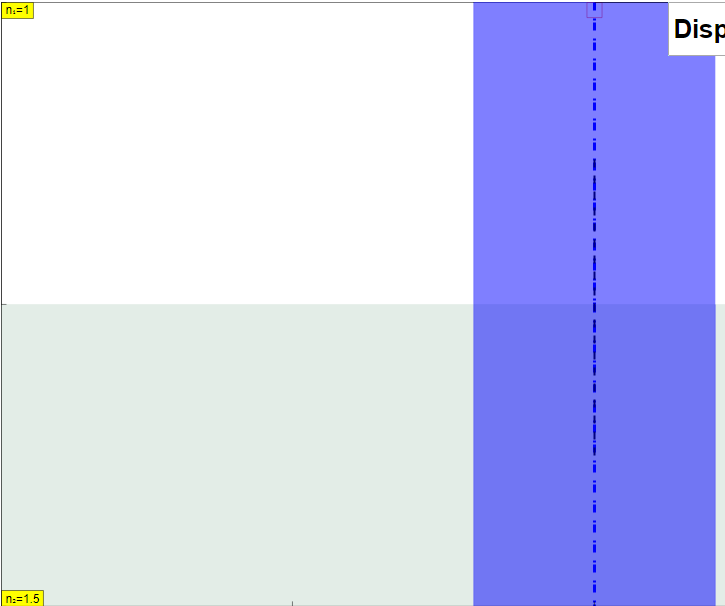
- A full-screen toggle by double-clicking.
- Play/Pause, Step, and Reset buttons for controlling the simulation's progress.
- What are some potential learning goals that can be achieved using this simulation?
- The resource does not provide sample learning goals.
- Where can I find additional resources related to light refraction?
- The resource links to several external resources, including:
- PhET simulation on bending light.
- Walter Fendt's refraction applet.
- Tony Mangiacapre's notes on refraction.
- PhysicsClassroom's interactive on refraction.
- GeoGebra applet by Tan Seng Kwang and Tom Walsh.
- What is Open Source Physics @ Singapore?
- Open Source Physics @ Singapore is an initiative that provides open educational resources, including interactive simulations like this one, for physics education. These resources are often built using tools like Easy JavaScript Simulations (EJS) and are freely available for educational use.
- What other simulations and resources are available from Open Source Physics @ Singapore?
- The website lists a wide array of simulations covering various physics and mathematics topics, including mechanics, electromagnetism, waves, quantum physics, circuits, optics, thermodynamics, and more. There are also simulations for chemistry, mathematics, and biology.