{source}
<?php  require_once JPATH_SITE.'/TTcustom/TT_contentparser.php';\(parameters = array("topicname" => "04waves_13light", "modelname" => "ejss_model_prismlighttracewee");echo generateSimHTML(\)parameters, "EJSS");
?>
{/source}
1. Overview:
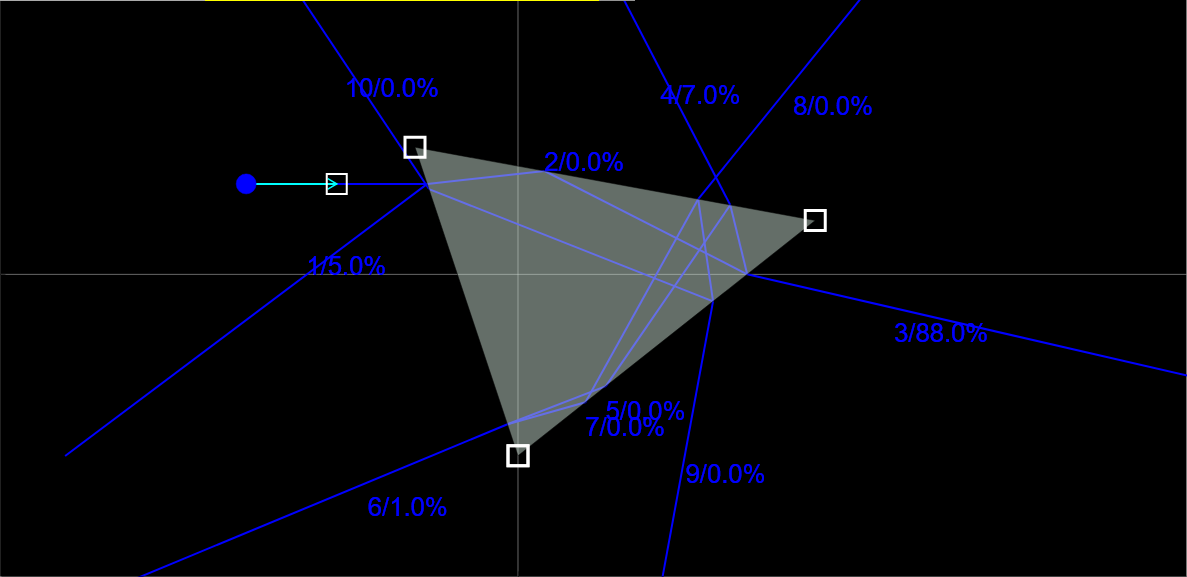
This document reviews the "Prism Light Trace Simulator JavaScript Simulation Applet HTML5," an interactive online tool designed for physics education, specifically related to light, optics, and prisms. The resource is part of the Open Educational Resources / Open Source Physics @ Singapore project. It appears to be designed for teachers and students to visualize and experiment with light refraction and reflection through prisms.
{source}<iframe style="border-radius:12px" src="https://open.spotify.com/embed/episode/1bTMF7MpDVTc2TknSSDpQZ?utm_source=generator" width="100%" height="352" frameBorder="0" allowfullscreen="" allow="autoplay; clipboard-write; encrypted-media; fullscreen; picture-in-picture" loading="lazy"></iframe>{/source}
2. Key Features and Functionality:
- Interactive Simulation: The core of the resource is a JavaScript-based simulation applet that allows users to manipulate various parameters and observe the resulting light paths.
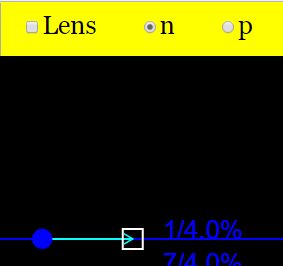
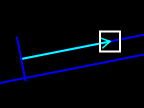
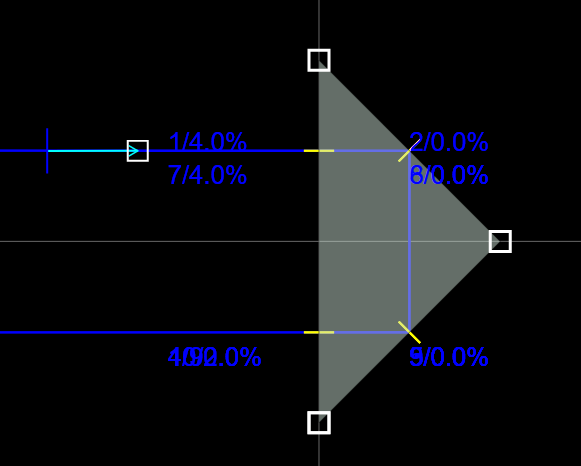
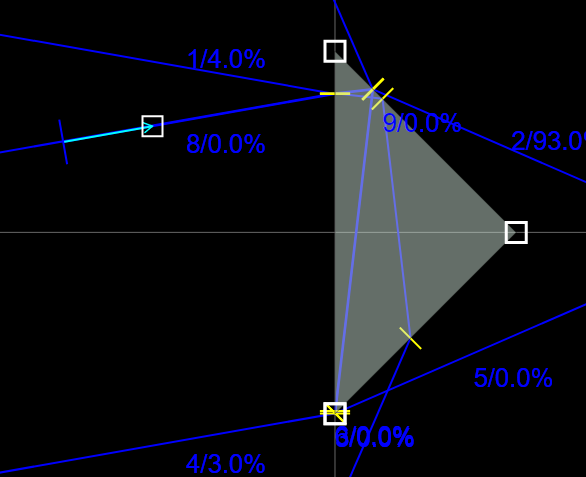
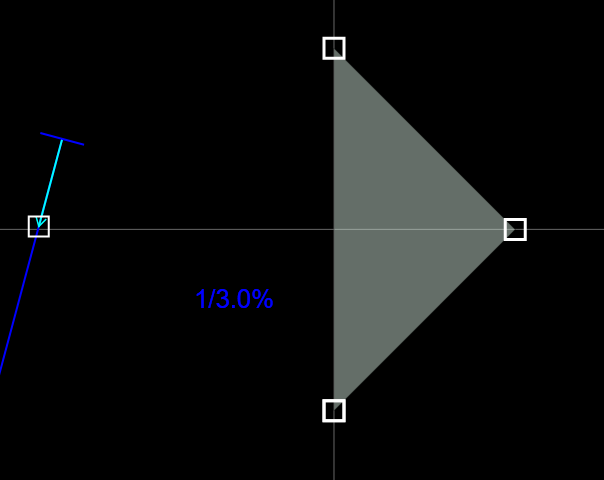
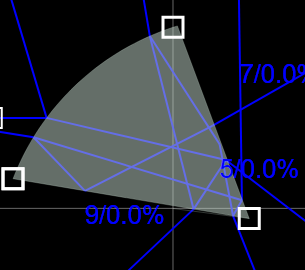
- Adjustable Light Source: Users can drag a "white box" to adjust the direction of the incoming light. This allows exploration of different angles of incidence.
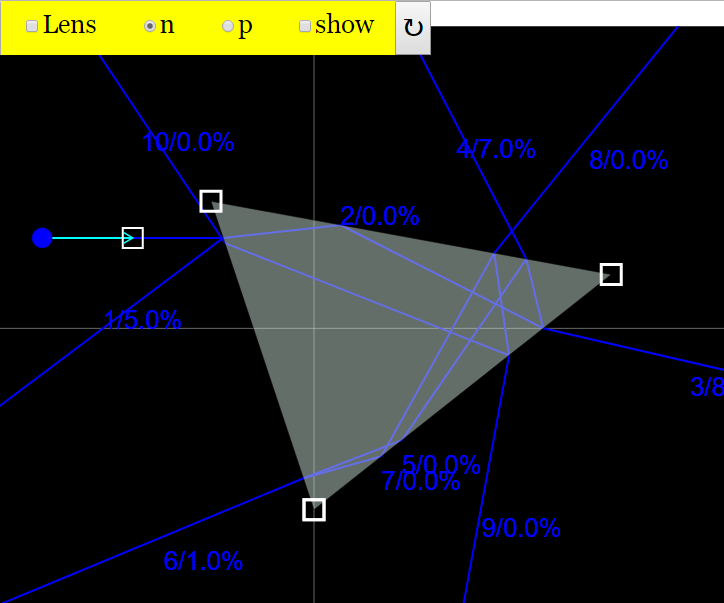
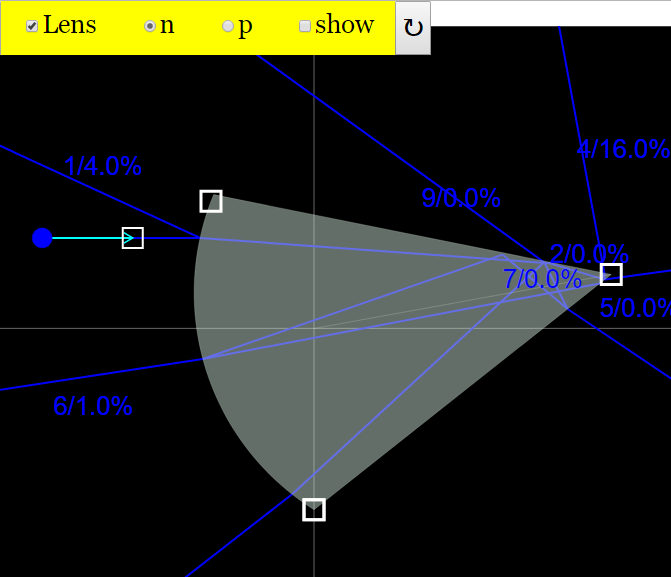
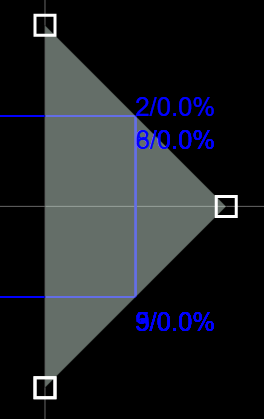
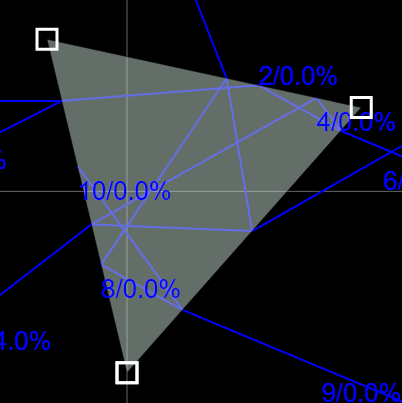
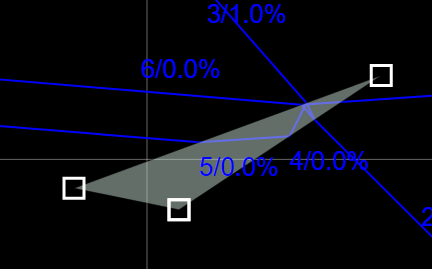
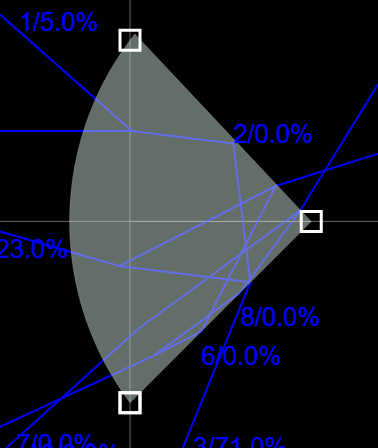
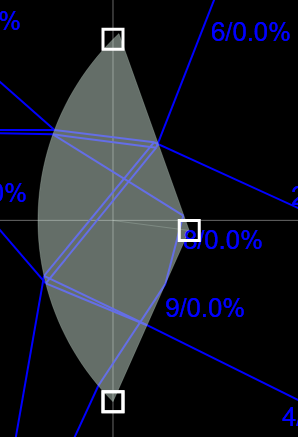
- Adjustable Prism/Lens: Users can modify the size and shape of the prism by dragging "white boxes." The simulation includes a "Lens Checkbox" to toggle between a triangular prism shape and a lens shape (one side being circular).
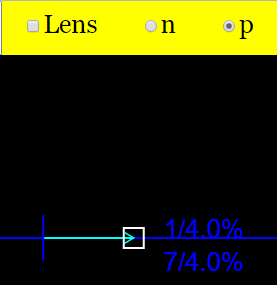
- Source Type Selection: "n & p Radio Buttons - toggles between a point and line from the source (Selecting n radio button - Makes the source be a dot) (Selecting p radio button - Makes the source be a vertical line)"
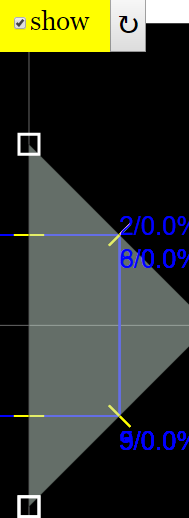
- Reflection Line Visualization: A "Show Check Box" enables the display of "Yellow lines - the line of reflection in the prism," aiding in understanding the principles of reflection.
- Toggle Full Screen: The applet is full-screen compatible.
- Reset Button: A reset button is included to restore the simulation to its default state.
3. Intended Audience and Learning Goals:
- The resource is primarily intended for teachers and students studying physics.
- A "Sample Learning Goals" section suggests the resource aims to help users understand light refraction, reflection, and the behavior of light through prisms and lenses.
4. Technical Details:
- Technology: The simulation is built using JavaScript and HTML5, making it accessible through modern web browsers without requiring plugins like Flash. The mention of "EasyJavaScriptSimulations Library" suggests this library was used in development.
- Embeddable: The simulation can be embedded into other webpages using an <iframe> tag.
5. Credits and Licensing:
- Credits: The simulation is credited to Fu Kwun Hwang, Fremont Teng, and lookang.
- Licensing: The content is licensed under a "Creative Commons Attribution-Share Alike 4.0 Singapore License." Commercial use of the EasyJavaScriptSimulations Library requires contacting This email address is being protected from spambots. You need JavaScript enabled to view it. directly.
6. Related Resources and Context:
The page includes a long list of other physics simulations and interactive resources available from Open Educational Resources / Open Source Physics @ Singapore. This suggests a broader collection of tools for physics education, covering topics such as:
- Kinematics and Mechanics (e.g., "Tracker Air puck constant velocity Tracker model")
- Electricity and Magnetism (e.g., "Understanding Series Circuits JavaScript Simulation Applet HTML5")
- Waves and Optics (e.g., "Student Learning Space Two Source Ripple Tank JavaScript HTML5 Applet Simulation Model")
- Quantum Physics (e.g., "Bohr's Theory of the Hydrogen Atom JavaScript HTML5 Applet Simulation Model")
The frequent mention of "Student Learning Space" and Ministry of Education initiatives suggests strong ties to the Singaporean education system.
7. Potential Uses:
- Classroom Demonstrations: Teachers can use the simulation for interactive demonstrations of light refraction and reflection.
- Student Exploration: Students can use the applet to explore the effects of changing parameters on light paths, reinforcing their understanding of optical principles.
- Virtual Labs: The simulation can serve as a virtual lab environment for experiments related to light and optics.
8. Possible Improvements/Further Development:
- The "Sample Learning Goals" and "Research" sections are currently marked as "[text]," indicating a need for content in these areas. Adding specific learning objectives and suggested activities would enhance the resource.
- More detailed instructions and explanations within the applet itself could improve usability.
9. Conclusion:
The "Prism Light Trace Simulator JavaScript Simulation Applet HTML5" is a valuable interactive resource for physics education. Its ease of access, interactive features, and embeddability make it a useful tool for both teachers and students interested in exploring the behavior of light through prisms and lenses.
Prism Light Trace Simulation Study Guide
I. Key Concepts
- Refraction: The bending of light as it passes from one medium to another due to a change in speed. The amount of bending depends on the angle of incidence and the refractive indices of the two media.
- Index of Refraction (n): A measure of how much the speed of light is reduced inside a medium compared to its speed in a vacuum. A higher index of refraction means light travels slower in that medium.
- Prism: A transparent optical element with flat, polished surfaces that refract light. The angles between the surfaces determine how the light is dispersed.
- Lens: A transparent optical element with curved surfaces designed to converge or diverge light rays.
- Light Source: The origin from which light emanates, which can be modeled as a point source or a line source.
- Reflection: The bouncing back of light from a surface. In the context of the simulator, it refers to the internal reflection of light within the prism.
- Simulation Applet: An interactive computer program designed to simulate a real-world phenomenon, allowing users to manipulate variables and observe the resulting changes.
II. Using the Simulator
- View Mode: The simulator allows you to switch between a triangular prism and a lens shape, altering how light is refracted.
- Light Source Adjustment: The simulator enables you to change the direction of the incoming light by dragging a white box, affecting the angle of incidence.
- Prism/Lens Adjustment: The simulator allows you to adjust the size and shape of the prism or lens by dragging white boxes, altering the path of light.
- Show Check Box: This function enables you to view the line of reflection within the prism.
- Reset Button: This function resets the simulation to its default settings.
- Toggle Full Screen: Double tapping the screen will allow for use in full screen mode.
- n & p Radio Buttons: These buttons allow you to select the type of light source. n is a point source and p is a vertical line.
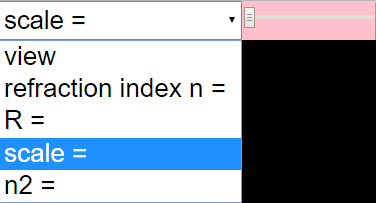
- Combo Box and Sliders: These functions toggle between different modes and enable their respective sliders.
III. Short Answer Quiz
- What is refraction, and how does it relate to the behavior of light in a prism?
- Explain the purpose of adjusting the incoming light direction in the simulator.
- How does changing the shape from a triangle to a lens affect the path of light?
- What does the "Show" checkbox reveal within the prism simulation?
- What is the significance of the index of refraction in the context of the prism simulator?
- What do the "n" and "p" radio buttons control in the simulation?
- What happens to light as it passes through a prism with a high index of refraction?
- Describe how the simulator can be used to demonstrate the concept of reflection.
- What are some real-world applications of understanding how prisms and lenses manipulate light?
- How do the combo box and sliders effect the simulation?
IV. Short Answer Quiz - Answer Key
- Refraction is the bending of light as it passes from one medium to another. In a prism, refraction occurs at each surface where the light enters and exits, causing the light to change direction.
- Adjusting the incoming light direction changes the angle of incidence at which light strikes the prism, directly impacting the amount of refraction and the subsequent path of the light.
- Changing the shape from a triangle to a lens alters the curvature of the surface and thus changes how light is refracted. Lenses can either converge or diverge light rays while the triangle will refract in a single direction.
- The "Show" checkbox reveals the yellow line of reflection within the prism, allowing users to visualize the internal reflection process that contributes to the overall path of light.
- The index of refraction determines how much the light bends as it enters the prism. A higher index of refraction results in a greater change in the direction of light.
- The "n" and "p" radio buttons control the type of light source. Selecting "n" makes the source a point, while "p" makes it a vertical line.
- When light passes through a prism with a high index of refraction, it bends more significantly compared to a prism with a lower index, resulting in a greater change in direction.
- The simulator demonstrates reflection when the light strikes the internal surface of the prism at an angle greater than the critical angle, causing the light to bounce back into the prism rather than exiting.
- Understanding how prisms and lenses manipulate light is crucial in applications such as eyeglasses, telescopes, cameras, and spectrometers, all of which rely on refraction and reflection to focus or separate light.
- The combo box and sliders allows you to toggle between different modes and enables their respective sliders which can be adjusted to fine-tune the parameters of those modes.
V. Essay Questions
- Discuss how the Prism Light Trace Simulator can be used as a tool to teach the principles of refraction and reflection to students. Provide specific examples of how manipulating the simulation's variables can illustrate key concepts.
- Explain how the adjustable prism/lens feature in the simulator can be used to demonstrate the properties of different types of lenses (e.g., converging vs. diverging).
- Analyze the limitations of the simulation as a model of real-world light behavior. What factors does it not account for, and how might these factors affect the accuracy of the simulation?
- Compare and contrast the "point" and "line" light source options in the simulator. How does each type of source affect the resulting light patterns, and what real-world light sources do they approximate?
- Design an experiment using the Prism Light Trace Simulator to investigate how the angle of incidence affects the angle of refraction. What data would you collect, and how would you analyze it to draw conclusions?
VI. Glossary of Terms
- Angle of Incidence: The angle between an incoming ray of light and the normal (a line perpendicular) to the surface at the point of incidence.
- Angle of Refraction: The angle between the refracted ray of light and the normal to the surface at the point of refraction.
- Critical Angle: The angle of incidence beyond which total internal reflection occurs.
- Total Internal Reflection: The phenomenon where light traveling from a medium with a higher refractive index to a medium with a lower refractive index is completely reflected at the interface when the angle of incidence exceeds the critical angle.
- Converging Lens: A lens that causes parallel light rays to converge or come together at a focal point.
- Diverging Lens: A lens that causes parallel light rays to spread out or diverge.
- Focal Point: The point at which parallel light rays converge after passing through a converging lens or appear to diverge from after passing through a diverging lens.
- Wavelength: The distance between successive crests of a wave.
- Frequency: The number of waves that pass a fixed point in a given amount of time.
- Spectrum: The range of all possible frequencies of electromagnetic radiation.
Sample Learning Goals
[text]
For Teachers
Prism Light Trace Simulator JavaScript Simulation Applet HTML5
Instructions on using Simulation Applet
View Mode

Combo Box and sliders
Adjustable Light Source
Adjustable Prism / Lens
Toggle Full Screen
Reset Button

Resets the Simulation.
Research
[text]
Video
[text]
Version:
Other Resources
[text]
Frequently Asked Questions about the Prism Light Trace Simulator
Here's an FAQ based on the provided source:
- What is the Prism Light Trace Simulator JavaScript Simulation Applet HTML5?
- It is an interactive, web-based tool that allows users to simulate the path of light through a prism or lens. It provides adjustable parameters for the light source and prism/lens to observe how these changes affect the light's trajectory and behavior.
- Where can I find and use the Prism Light Trace Simulator?
- The simulator can be embedded in a webpage using an iframe. The provided code for embedding is <iframe width="100%" height="100%" src="https://iwant2study.org/lookangejss/04waves_13light/ejss_model_prismlighttracewee/prismlighttracewee_Simulation.xhtml " frameborder="0"></iframe>
- How do I switch between the prism and lens shapes in the simulator?
- There is a "Lens Checkbox" that toggles between the default triangular prism shape and a lens shape (one side being circular).
- How can I change the light source in the simulator?
- The simulator provides "n & p Radio Buttons." Selecting "n" makes the light source a dot, while selecting "p" makes it a vertical line. Also, you can drag the white box to adjust the direction of the incoming light.
- What are the yellow lines that appear when I check the "Show" checkbox?
- The "Show" checkbox toggles the display of yellow lines, which represent the line of reflection within the prism. This helps visualize the path of light as it reflects inside the prism.
- How do I adjust the size and shape of the prism or lens?
- You can drag the white boxes located on the prism/lens to adjust its size and shape. This functionality works in both the prism and lens modes.
- How do I reset the simulator to its initial state?
- There is a "Reset Button" that resets the simulation to its default settings.
- Is the simulator available in full-screen mode?
- Yes, you can toggle full-screen mode by double-tapping on the screen.