{source}
<?php  require_once JPATH_SITE.'/TTcustom/TT_contentparser.php';\(parameters = array("topicname" => "04waves_13light", "modelname" => "ejss_model_emwavewee");echo generateSimHTML(\)parameters, "EJSS");
?>
{/source}
1. Overview:
This document reviews an interactive JavaScript simulation applet designed to demonstrate the propagation of electromagnetic waves. It's hosted on the Open Educational Resources / Open Source Physics @ Singapore platform. The resource is intended for educational purposes, offering a visual and interactive way to understand EM wave behavior.
{source}<iframe style="border-radius:12px" src="https://open.spotify.com/embed/episode/4x4VimNhoxU8TnkqQbXOV7?utm_source=generator" width="100%" height="352" frameBorder="0" allowfullscreen="" allow="autoplay; clipboard-write; encrypted-media; fullscreen; picture-in-picture" loading="lazy"></iframe>{/source}
2. Main Themes and Key Ideas:
- Interactive Learning: The core of the resource is a simulation applet that allows users to manipulate parameters and observe the resulting effects on electromagnetic wave propagation. This promotes active learning and a deeper understanding of the concepts.
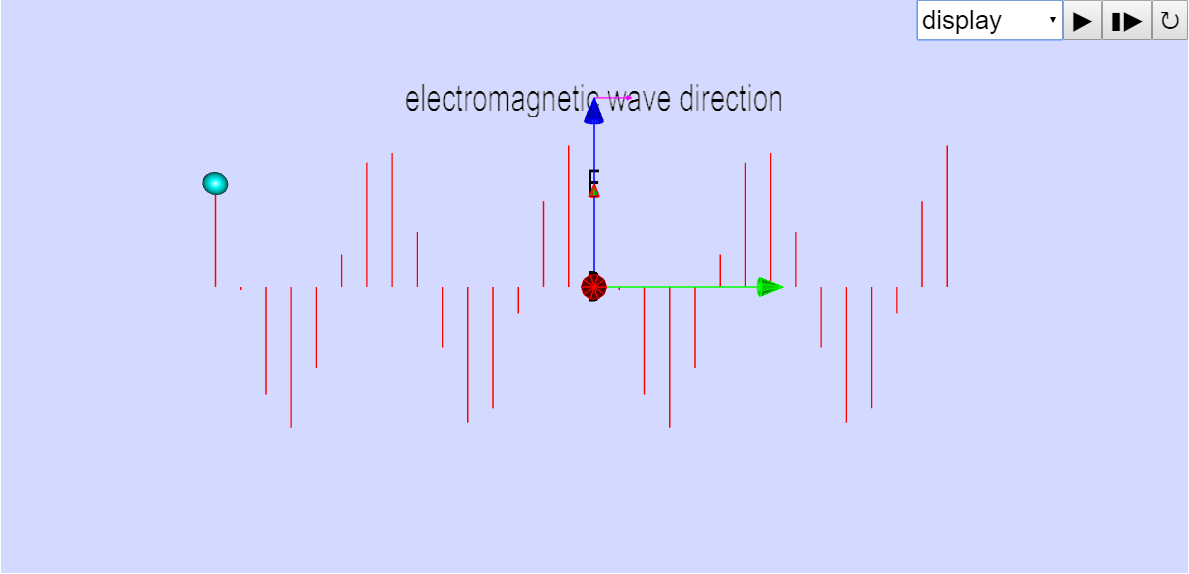
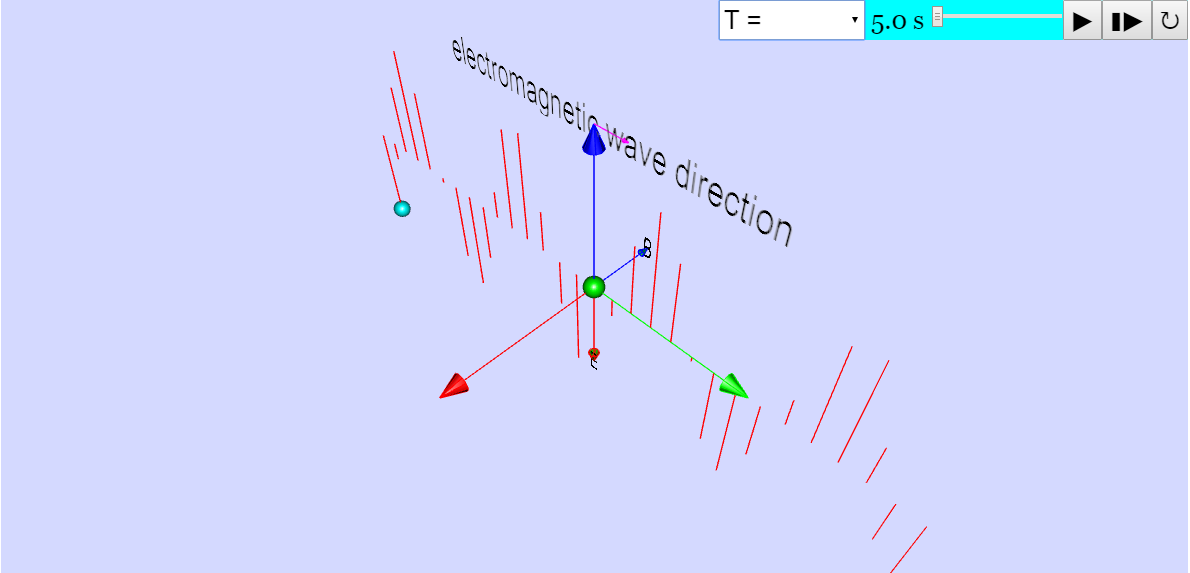
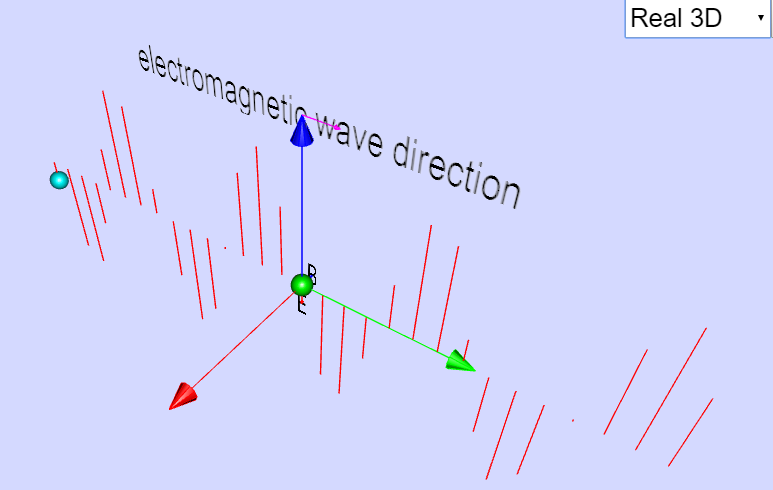
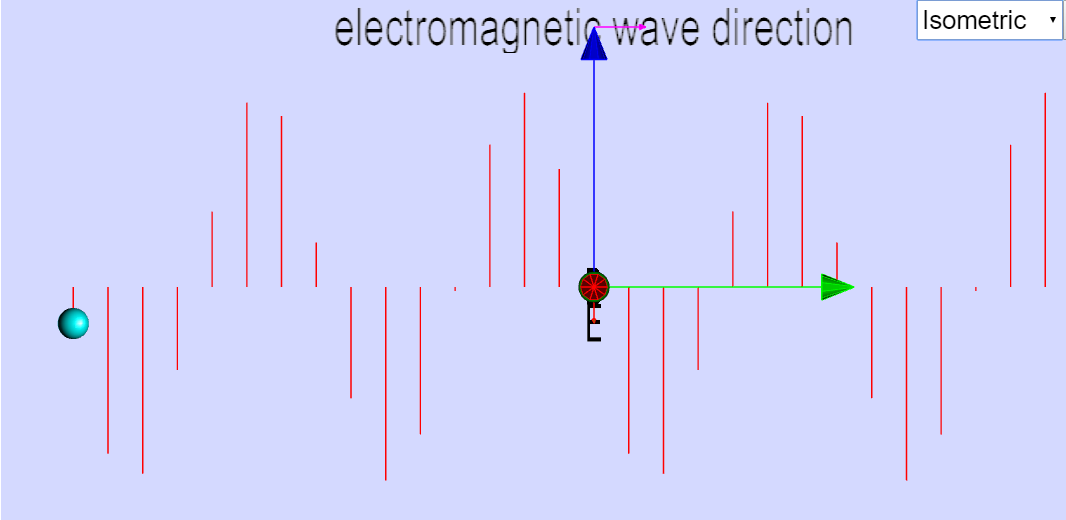
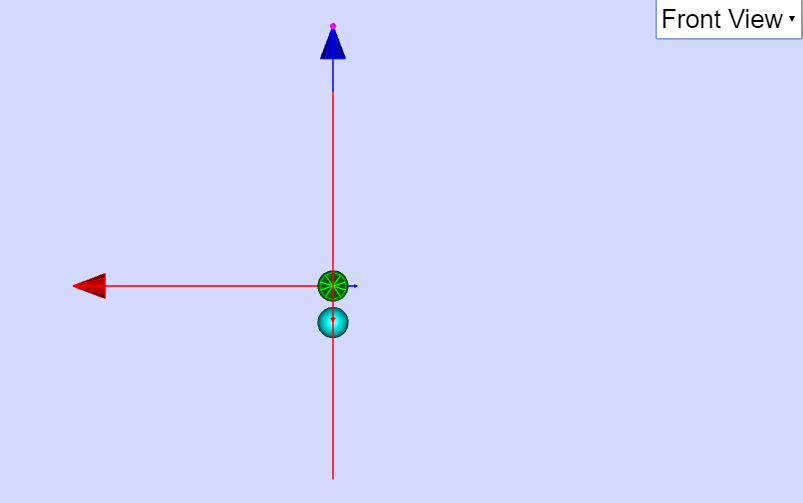
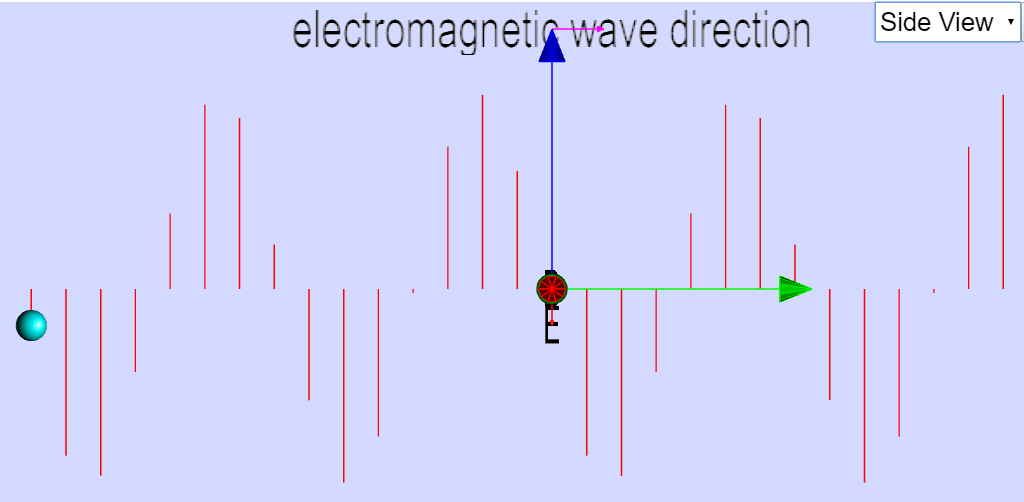
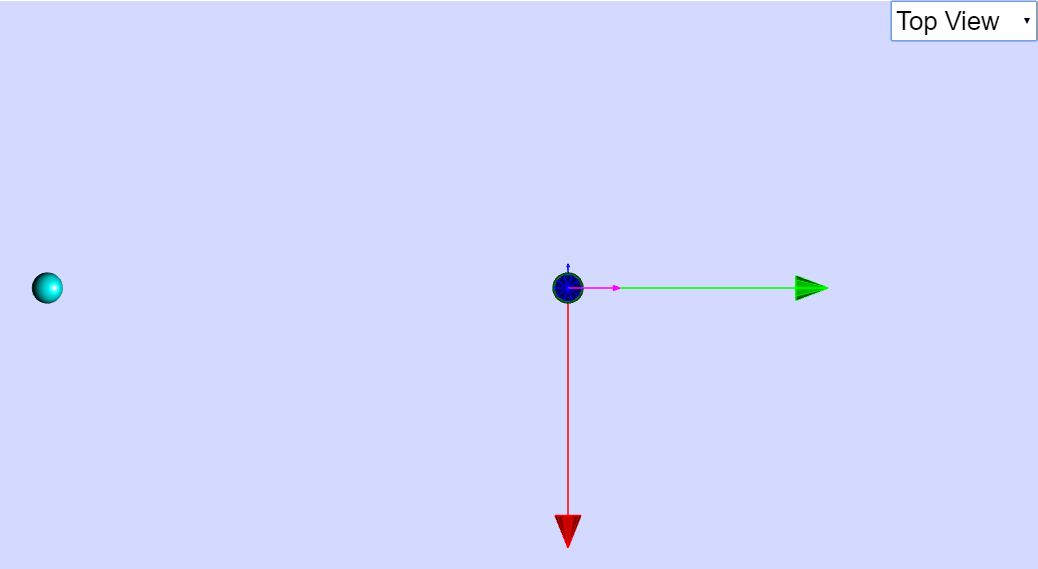
- Visualization: The applet provides a visual representation of EM waves, making abstract concepts more concrete and accessible to students. It offers different viewing perspectives (Isometric, Front, Side, Top) to aid in comprehension.
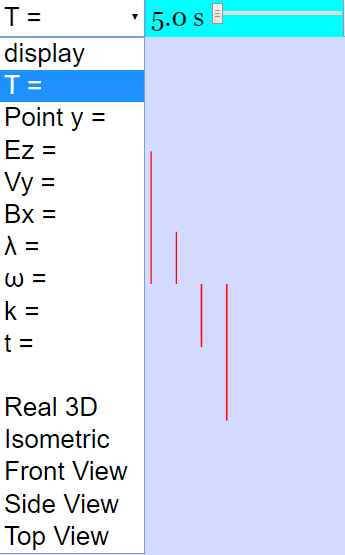
- Adjustable Parameters: The description mentions "Combo Box and Sliders," suggesting that the applet allows users to adjust various parameters related to the wave, although specific details are not provided within this document. These adjustments likely influence the wave's frequency, amplitude, polarization, etc.
- Accessibility and Embeddability: The applet is designed to be easily embedded within web pages using an <iframe> tag. This allows educators to integrate the simulation into their online teaching materials.
- Open Educational Resource: Being hosted on the Open Educational Resources / Open Source Physics @ Singapore platform indicates that the resource is intended to be freely available for educational use, aligning with the principles of open education.
- HTML5 Compatibility: The applet is built using HTML5 and JavaScript, ensuring compatibility with modern web browsers and devices without the need for plugins.
- Related Resources: The page includes a massive list of applets that cover a wide range of topics.
3. Key Facts and Features (Based on Limited Information):
- Title: Propagation of Electromagnetic Wave Model JavaScript Simulation Applet HTML5
- Authors/Credits: Fu-Kwun Hwang, Wee Loo Kang, Fremont Teng.
- Platform: Open Educational Resources / Open Source Physics @ Singapore.
- Technology: JavaScript, HTML5.
- Intended Use: Educational simulation for understanding electromagnetic wave propagation.
- Interactive Elements:Combo box and Sliders for parameter adjustments.
- Adjustable viewing positions ("Drag the model to adjust the position of your view.")
- Play/Pause, Step, and Reset buttons.
- Embed Code: <iframe width="100%" height="100%" src="https://iwant2study.org/lookangejss/04waves_13light/ejss_model_emwavewee/emwavewee_Simulation.xhtml " frameborder="0"></iframe>
4. Quotes from Source:
- "Drag the model to adjust the position of your view." (Describes the interactive view adjustment feature)
- "(Toggling between the combo box) The top component of the combo box consists of their respective sliders." (Describes the primary interaction method)
- "Plays/Pauses, Steps and Resets the Simulation respectively." (Describes the basic control buttons)
5. Potential Learning Goals (Inferred):
Based on the title and description, the applet likely aims to help students:
- Visualize the electric and magnetic field components of an electromagnetic wave.
- Understand the relationship between wavelength, frequency, and speed of light.
- Explore the effects of changing wave parameters (amplitude, frequency, polarization) on the wave's behavior.
- Develop an intuitive understanding of how EM waves propagate through space.
6. Target Audience:
The resource appears to be suitable for:
- High school physics students
- Introductory college physics students
- Physics teachers seeking interactive teaching tools
- Anyone interested in learning about electromagnetic waves
7. Recommendations:
- Explore the simulation applet directly to gain a better understanding of its functionalities and potential uses.
- Develop lesson plans or activities that incorporate the applet to enhance student learning.
- Share the resource with other physics educators and students.
Electromagnetic Wave Simulation Study Guide
Quiz
Answer the following questions in 2-3 sentences each.
- What is the primary purpose of the "Propagation of Electromagnetic Wave Model JavaScript Simulation Applet HTML5" simulation?
- Name three standard views available in the simulation that the user can select.
- How can users adjust the view within the simulation environment?
- What is the role of the "Play/Pause" button within the simulation?
- Who are the listed creators of the simulation?
- What is Easy JavaScript Simulations Library used for and where can you read the licensing?
- What are some topics covered in the simulation models beyond Electromagnetic waves?
- Name three tags used in the Singapore Open Source Physics program.
- What open license is used for the content provided in the website?
- According to the website, what was a Ministry of Education GOLD Innergy Award for?
Quiz Answer Key
- The primary purpose of the simulation is to visualize and interact with the propagation of electromagnetic waves. It allows users to manipulate variables and observe the resulting wave behavior, potentially aiding in understanding the physics of light.
- Three standard views available in the simulation are Isometric View, Front View, and Side View. Users can also select Top View.
- Users can adjust the view by dragging the model within the simulation window or by selecting one of the standard views from the combo box. This allows for exploration of the electromagnetic wave from different angles.
- The "Play/Pause" button starts and stops the simulation, allowing users to observe the electromagnetic wave's propagation in real-time or freeze the simulation for detailed analysis. This feature helps in understanding the wave's dynamics.
- The listed creators of the simulation are Fu-Kwun Hwang, Wee Loo Kang, and Fremont Teng. They are credited for the development and implementation of the electromagnetic wave model.
- Easy JavaScript Simulations Library is used for creating interactive physics simulations, allowing developers to build models that can be manipulated and explored by users. The licensing agreement can be found at https://www.um.es/fem/EjsWiki/Main/EJSLicense.
- Beyond electromagnetic waves, the simulation models cover topics such as mechanics (kinematics, projectile motion), optics (mirrors, lenses), electromagnetism (circuits, magnetic fields), and quantum physics (radioactive decay). A wide array of topics is available.
- Three tags used in the Singapore Open Source Physics program are Light, Primary, Secondary. These tags help categorize the simulations based on topic and educational level.
- The content provided on the website is licensed under the Creative Commons Attribution-Share Alike 4.0 Singapore License. This license allows users to share and adapt the content, provided they give appropriate credit and share under the same license.
- The Ministry of Education GOLD Innergy Award was for the Innovative DC Motor Demonstration Kit Set: A CoRe Approach.
Essay Questions
- Discuss the potential benefits of using interactive simulations, like the Electromagnetic Wave Model, in physics education. What advantages do they offer over traditional teaching methods?
- Explain how the different standard views (Isometric, Front, Side, Top) within the simulation can contribute to a more comprehensive understanding of electromagnetic wave propagation.
- Analyze the role of Open Educational Resources (OER) in promoting accessible and equitable science education. How does the "Open Source Physics @ Singapore" initiative contribute to this goal?
- Critically evaluate the user interface of the Electromagnetic Wave Model simulation. What are its strengths and weaknesses in terms of usability and intuitiveness?
- Propose specific ways in which the Electromagnetic Wave Model simulation could be enhanced to further improve its educational value and appeal to students. Consider features, functionalities, or supplementary materials that could be added.
Glossary of Key Terms
- Electromagnetic Wave: A type of wave that is created by oscillating electric and magnetic fields. It travels at the speed of light and can propagate through a vacuum.
- Simulation: A computer-based model that imitates the behavior of a real-world system or process. It allows users to explore and interact with the system in a virtual environment.
- Applet: A small application that is designed to run within another application, typically a web browser.
- HTML5: The latest version of the Hypertext Markup Language, used for structuring and presenting content on the web.
- JavaScript: A programming language commonly used to add interactivity and dynamic behavior to websites.
- Open Educational Resources (OER): Teaching, learning, and research materials that are freely available for anyone to use, adapt, and share.
- Creative Commons License: A type of public copyright license that allows creators to grant certain rights to their work while retaining others.
- Isometric View: A 3D representation of an object where all three axes are equally foreshortened, giving a sense of depth and proportion.
- Kinematics: The branch of mechanics concerned with the motion of objects without reference to the forces that cause the motion.
- Propagation: The process by which a wave or other disturbance travels through a medium or space.
- EJS (Easy Java Simulations Library): Is a free open source software tool written in Java that helps non-programmers create interactive simulations, especially for teaching or scientific purposes.
- WebGL (Web Graphics Library): A JavaScript API for rendering interactive 2D and 3D graphics within any compatible web browser without the use of plug-ins.
- Accelerometer: An instrument for measuring acceleration, typically used in devices to detect movement or orientation changes.
- Lorentz Force: The force on a point charge due to electromagnetic fields. It is the combination of electric and magnetic forces.
- Ripple Tank: A shallow tank of water used in physics classrooms to demonstrate wave properties such as interference, diffraction, and refraction.
Sample Learning Goals
[text]
For Teachers
Propagation of Electromagnetic Wave Model JavaScript Simulation Applet HTML5
Instructions on how to use the Simulation Applet
Combo Box and Sliders
Adjusting the View
Play/Pause, Step and Reset Buttons

Research
[text]
Video
[text]
Version:
Other Resources
[text]
FAQ on Open Educational Resources / Open Source Physics @ Singapore
Q1: What is the purpose of the "Propagation of Electromagnetic Wave Model JavaScript Simulation Applet HTML5"?
This simulation applet is designed to provide an interactive and visual tool for understanding the propagation of electromagnetic waves. It likely allows users to manipulate parameters and observe the resulting changes in wave behavior, facilitating a deeper comprehension of light and related phenomena.
Q2: Who developed this simulation, and where can I find more resources?
The simulation was developed by Fu-Kwun Hwang, Wee Loo Kang, and Fremont Teng. The linked page is the primary resource; however, it is part of a larger collection of Open Educational Resources / Open Source Physics @ Singapore, where you can find other related materials and simulations.
Q3: How can I use the simulation applet?
The simulation applet typically includes a combo box with sliders to adjust various parameters and standard views of the diagram. You can also drag the model to adjust your viewing position. The play/pause, step, and reset buttons allow you to control the animation of the simulation.
Q4: What are some of the standard views available in the simulation?
The simulation provides several standard views, such as Isometric View, Front View, Side View, and Top View. It also likely includes a "Real 3D View" to provide a more immersive visualization.
Q5: What other kinds of simulations are available from Open Educational Resources / Open Source Physics @ Singapore?
A large variety of simulations are available, covering topics in physics, mathematics, and other STEM subjects. Examples listed include simulations for kinematics, dynamics, energy, electromagnetism, optics, quantum physics, waves, and more. There are also virtual labs, interactive games, and question generators. Many simulations address topics from the Singapore Student Learning Space (SLS).
Q6: Are these simulations suitable for students of all levels?
No, simulations cover a wide range of topics, and many simulations target learners from primary school to junior college (high school). Some are explicitly designed for specific educational levels (Primary, Secondary).
Q7: What is Easy JavaScript Simulations (EJS), and how is it related to these simulations?
Easy JavaScript Simulations (EJS) is a tool used to create many of these interactive physics simulations. Some entries reference converting EJS models to EJSS (Easy JavaScript Simulations Suite), and some entries indicate workshops on designing models in EJS.
Q8: Are the resources free to use, and what are the licensing terms?
The content is licensed under the Creative Commons Attribution-Share Alike 4.0 Singapore License, meaning it's free to use and share, provided you give appropriate credit and share any adaptations under the same license. Commercial use of the EasyJavaScriptSimulations Library requires a separate license, which is stated in the document.