{source}
<?php  require_once JPATH_SITE.'/TTcustom/TT_contentparser.php';\(parameters = array("topicname" => "04waves_13light", "modelname" => "ejss_model_rainbow2");echo generateSimHTML(\)parameters, "EJSS");
?>
{/source}
Briefing Document: Rainbow Simulator JavaScript Simulation Applet HTML5 - Open Educational Resources / Open Source Physics @ Singapore
{source}<iframe style="border-radius:12px" src="https://open.spotify.com/embed/episode/06JESGx3iDWwaRTW32u4L9?utm_source=generator" width="100%" height="352" frameBorder="0" allowfullscreen="" allow="autoplay; clipboard-write; encrypted-media; fullscreen; picture-in-picture" loading="lazy"></iframe>{/source}
1. Overview
This document summarizes information about a "Rainbow Simulator JavaScript Simulation Applet HTML5" hosted by Open Educational Resources / Open Source Physics @ Singapore. It is an interactive online tool designed for educational purposes, specifically to demonstrate and explore the physics of rainbows and light refraction. The resource appears to be targeted toward both students and teachers, providing interactive features and instructions for use.
2. Main Themes and Key Ideas
- Interactive Physics Learning: The primary theme is the use of an interactive simulation to teach physics concepts. The site leverages a JavaScript-based applet to allow users to manipulate variables and observe the effects on light refraction and rainbow formation.
- Open Educational Resource: The resource is presented as part of the "Open Educational Resources / Open Source Physics @ Singapore" initiative, emphasizing its accessibility and potential for free use in educational settings.
- Simulation Customization and Control: The applet allows users to adjust various parameters related to the rainbow simulation:
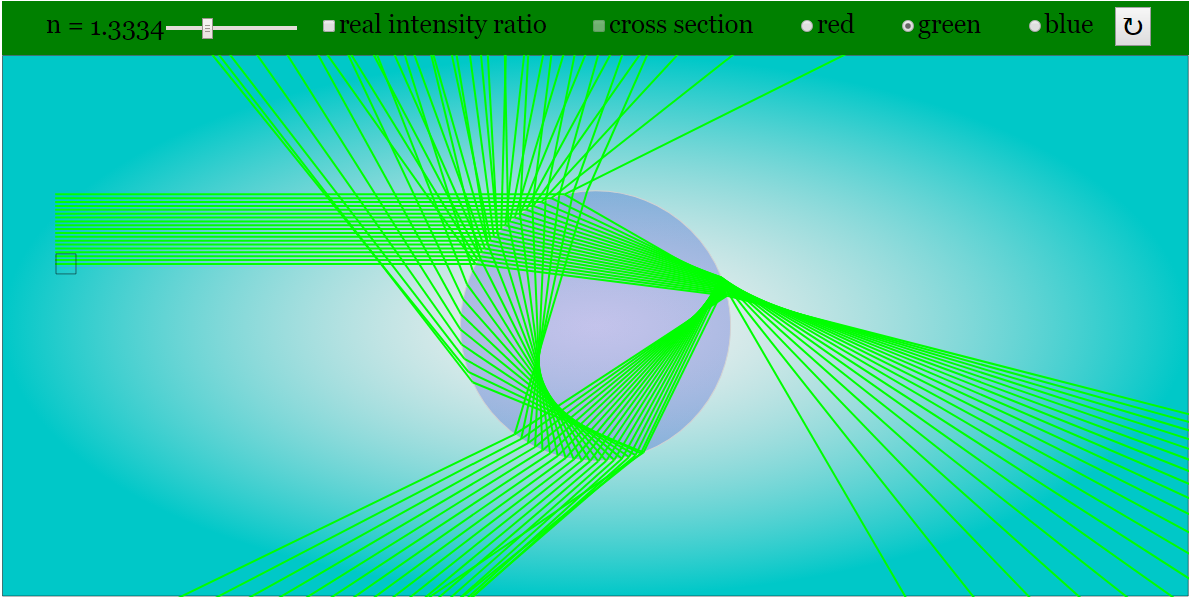
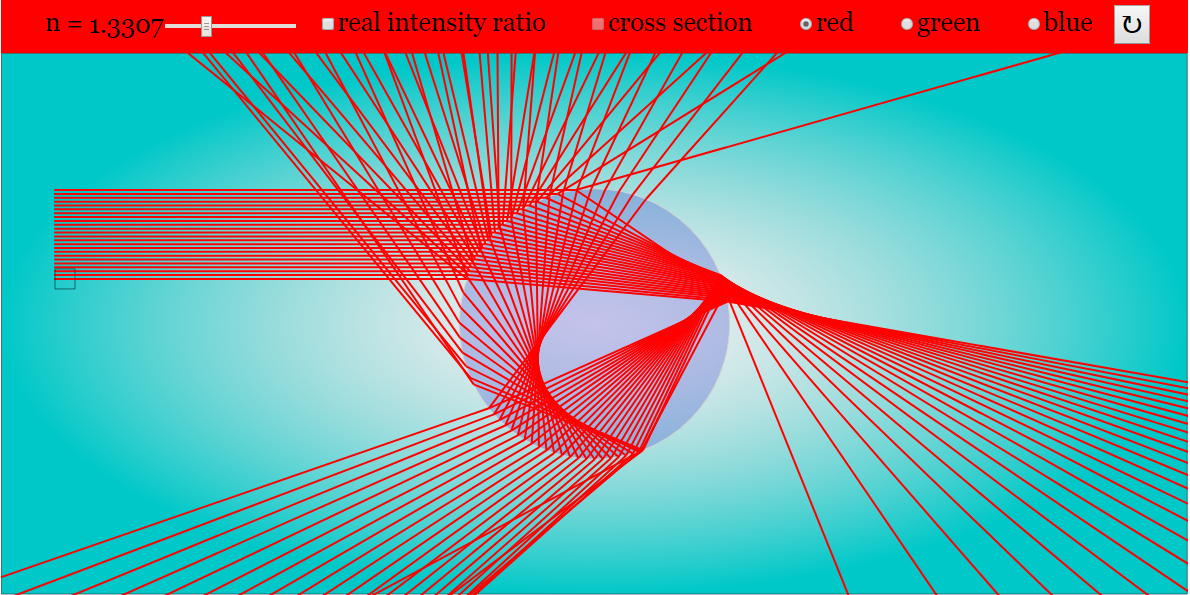
- Refractive Index: Users can adjust the refractive index using a slider or radio buttons.
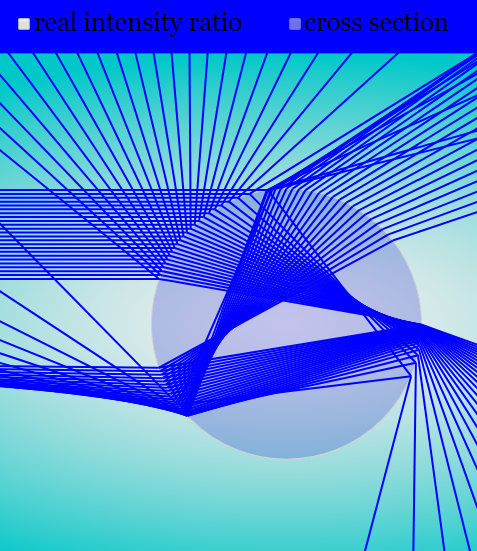
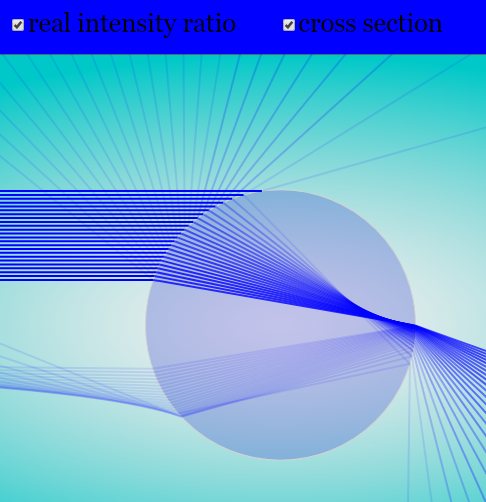
- Intensity Ratio and Cross-Section: Checkboxes allow toggling of "real intensity ratio" and "cross section of the refraction".
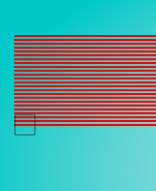
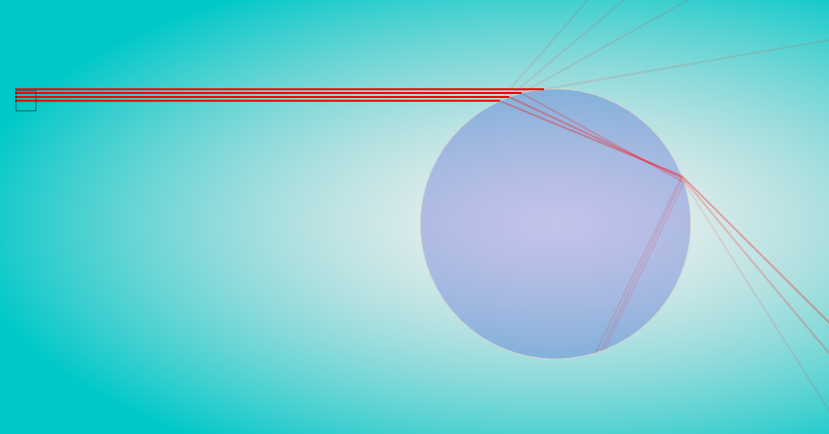
- Drag-able Light Rays: The ability to drag light rays vertically to change their position, offering a dynamic way to explore the simulation.
- Ease of Use: The document provides clear instructions on how to use the simulation, including how to adjust parameters, toggle features, and reset the simulation. A full-screen toggle is also mentioned for better viewing.
- Integration and Embedding: The provided <iframe> code suggests that the simulation is intended to be easily embedded into other webpages or online learning platforms.
- Broad Range of Educational Resources: The document is part of a wider collection of resources covering numerous physics and math topics, from mechanics and electromagnetism to quantum physics and even primary school mathematics.
3. Important Facts and Details
- Title: Rainbow Simulator JavaScript Simulation Applet HTML5
- Credits: Fu-Kwun Hwang, Fremont Teng, and lookang are credited for the creation of the simulation.
- Technology: The simulation is built using JavaScript and HTML5, making it accessible in modern web browsers without requiring plugins.
- Intended Use: "Sample Learning Goals" and "For Teachers" sections indicate the resource is designed for guided learning and classroom integration.
- Functionality:Users can adjust the refractive index of light, affecting the color of the rays.
- Users can toggle the "real intensity ratio" and "cross section of the refraction" of the light rays.
- Users can drag light rays to change their position.
- Double-clicking the panel toggles full-screen mode.
- A reset button is available.
- License: The content is licensed under the Creative Commons Attribution-Share Alike 4.0 Singapore License. Commercial use of the EasyJavaScriptSimulations Library requires contacting This email address is being protected from spambots. You need JavaScript enabled to view it..
4. Notable Quotes
- "Adjusting the slider will change the colour of the rays as well Does the same thing as the radio buttons after a certain value" - Describes the functionality of the refractive index slider.
- "Clicking on the check box will toggle the real intensity ratio and cross section of the refraction" - Explains the purpose of the checkboxes.
- "This can be done by dragging the box vertically. (Box) (Adjusting the box will change the position of the rays)" - Describes how to adjust the position of the light rays.
- "Double Clicking anywhere on the panel will do the trick." - Explains how to use the full-screen toggle.
5. Potential Applications
- Classroom Demonstrations: Teachers can use the simulation to visually demonstrate the principles of refraction and rainbow formation.
- Interactive Learning Activities: Students can use the simulation to explore the relationship between refractive index, light angles, and rainbow characteristics.
- Online Learning Modules: The simulation can be integrated into online courses or learning platforms to provide an interactive learning experience.
- Self-Directed Learning: Students can use the simulation independently to explore the physics of rainbows and light.
6. Related Resources (From Provided List)
The site hosts a very large number of simulations, including:
- Simulations relating to mechanics (e.g., projectile motion, collisions, freefall).
- Simulations for electromagnetism (e.g., magnetic fields, circuits, Lorentz force).
- Simulations relating to waves and optics (e.g., ripple tank, wave superposition).
- Simulations for thermodynamics (e.g., black-body radiation).
- Simulations for quantum physics (e.g., atomic spectra, photoelectric effect).
- Simulations for math (e.g. fractions, symmetry, graphing).
7. Conclusion
The "Rainbow Simulator JavaScript Simulation Applet HTML5" is a valuable educational resource that leverages interactive technology to teach the physics of rainbows. Its customizable parameters and clear instructions make it suitable for both classroom instruction and independent learning. The document points to a broad and active project creating many similar resources in physics and related areas.
Rainbow Simulator Study Guide
I. Quiz
Answer the following questions in 2-3 sentences each.
- What is the primary function of the Rainbow Simulator JavaScript Simulation Applet HTML5?
- According to the document, what happens when you adjust the refractive index slider?
- What does toggling the "real intensity ratio" checkbox do within the simulation?
- How can a user change the position of the light rays within the simulation?
- What is the effect of double-clicking on the simulation panel?
- What is the purpose of the "Reset Button" within the simulator?
- Who are the credited developers of the Rainbow Simulator JavaScript Simulation Applet HTML5?
- What type of license is the content of the Open Educational Resources / Open Source Physics @ Singapore website licensed under?
- Besides the Rainbow Simulator JavaScript Simulation Applet HTML5, name two other JavaScript HTML5 applets that are mentioned on the page.
- Give two examples of resources found on the webpage other than the Rainbow Simulator.
II. Quiz Answer Key
- The primary function of the Rainbow Simulator is to simulate the behavior of light and the formation of rainbows. It allows users to manipulate variables like the refractive index to observe changes in the light rays.
- Adjusting the refractive index slider changes the color of the rays, allowing the user to observe how different refractive indices affect the behavior of light.
- Toggling the "real intensity ratio" checkbox displays the real intensity ratio of the light rays.
- Users can change the position of the light rays by dragging the box vertically within the simulation panel.
- Double-clicking on the simulation panel toggles the full-screen mode.
- The "Reset Button" resets the simulation to its default settings.
- Fu-Kwun Hwang, Fremont Teng, and lookang are credited developers of the Rainbow Simulator JavaScript Simulation Applet HTML5.
- The content is licensed under Creative Commons Attribution-Share Alike 4.0 Singapore License.
- Two other JavaScript HTML5 applets mentioned on the page are "Bus in Garage Relativity Length Lorentz Transformation JavaScript Simulation Applet HTML 5" and "🚚Drag the Monster Truck JavaScript Simulation Applet HTML5."
- Two examples of resources found on the webpage are "Leveraging SLS for Assessment in Physics" and "Graphing Lines by PhET."
III. Essay Questions
Consider the following essay questions.
- Discuss the potential pedagogical benefits of using the Rainbow Simulator JavaScript Simulation Applet HTML5 in a physics classroom. How might it enhance students' understanding of refraction, reflection, and the formation of rainbows?
- How does the interactive nature of the Rainbow Simulator applet compare to more traditional methods of teaching about light and optics (e.g., textbooks, lectures)? What are the advantages and disadvantages of each approach?
- Analyze the design and functionality of the Rainbow Simulator applet. In what ways does it promote student engagement and exploration of scientific concepts?
- Based on the list of other resources provided on the website, how does the Rainbow Simulator fit into the broader context of interactive physics simulations and open educational resources?
- How can the applet be adapted for remote, hybrid, or virtual classroom settings?
IV. Glossary of Key Terms
- Applet: A small application, often written in Java or JavaScript, that runs within another application, typically a web browser.
- Refractive Index: A measure of how much the speed of light is reduced inside a medium compared to its speed in a vacuum.
- Simulation: A computer-based model of a real-world process or system, allowing users to manipulate variables and observe the effects.
- HTML5: The latest version of Hypertext Markup Language, used for structuring and presenting content on the web. It supports multimedia and interactive elements.
- JavaScript: A programming language commonly used to create interactive effects within web browsers.
- Open Educational Resources (OER): Teaching, learning, and research materials that are freely available for anyone to use, adapt, and share.
- Intensity Ratio: The ratio of the intensity of a light beam after passing through a medium to its intensity before entering the medium.
- Kinematics: The branch of mechanics concerned with the motion of objects without reference to the forces that cause the motion.
- Virtual Lab: A simulation of a laboratory environment, allowing users to conduct experiments and collect data without physical equipment.
- Interactive Simulation: A simulation that allows users to manipulate parameters and observe the effect of those changes on the simulated environment.
Sample Learning Goals
[text]
For Teachers
Rainbow Simulator JavaScript Simulation Applet HTML5
Instructions to use the Simulation Applet
Refractive Index Slider and Radio Buttons
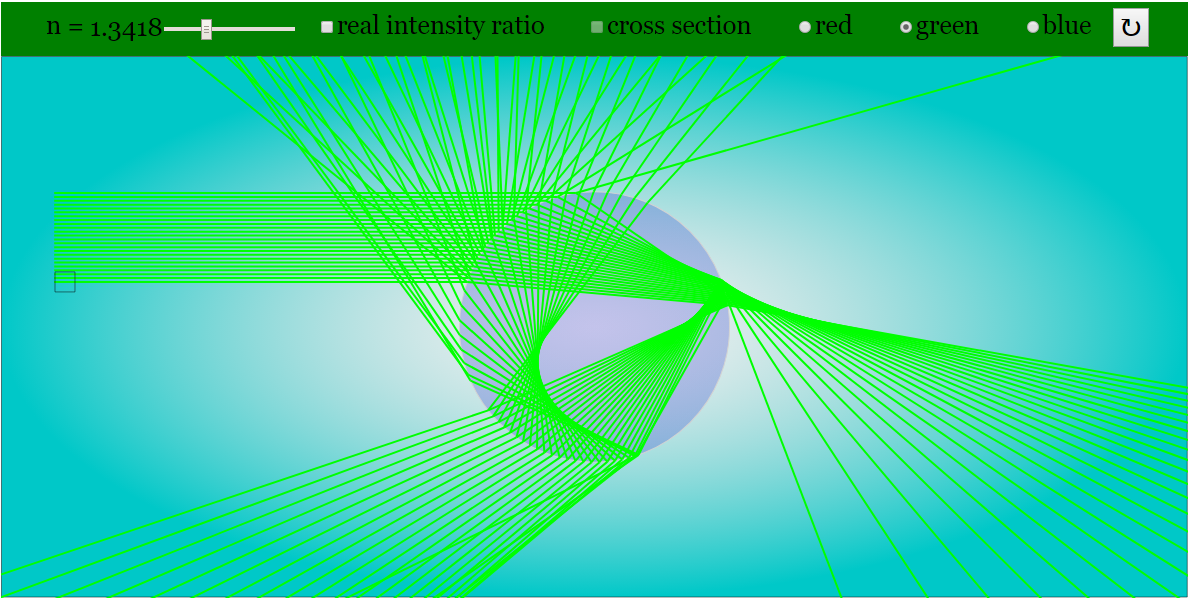
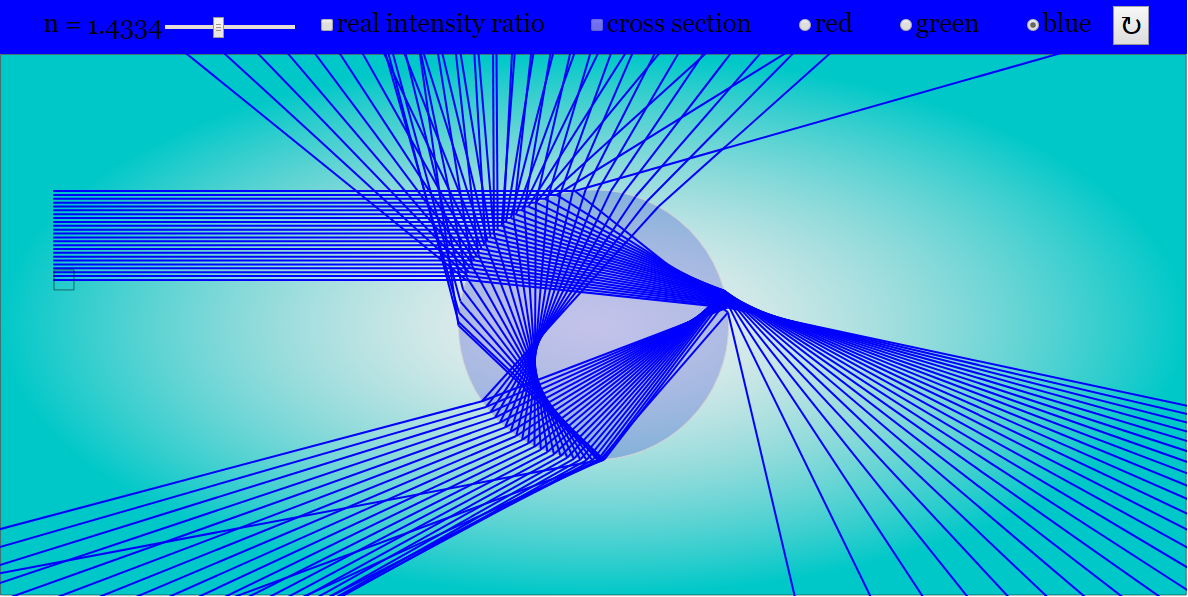
Check Boxes

Drag-able Light Rays

Toggling Full Screen
Reset Button

Research
[text]
Video
[text]
Version:
Other Resources
[text]
FAQ on the Rainbow Simulator JavaScript Simulation Applet HTML5
- What is the Rainbow Simulator JavaScript Simulation Applet HTML5?
- It is an interactive simulation designed to demonstrate and explore the physics of rainbow formation, specifically the refraction and reflection of light within water droplets. It allows users to manipulate variables and observe the resulting effects on the simulated rainbow. The applet is embedded and runs within a web browser.
- How can I adjust the appearance of the rainbow in the simulation?
- You can primarily adjust the rainbow by using the "Refractive Index Slider and Radio Buttons". Adjusting the slider will change the colour of the rays and the appearance of the rainbow, essentially simulating different wavelengths (colors) of light. The radio buttons achieve a similar effect by changing the colour.
- What do the checkboxes in the simulation control?
- The checkboxes control the visibility of the real intensity ratio of light and the cross-section of the refraction. Toggling these checkboxes allows you to analyze these aspects of the rainbow formation process which may not be on by default.
- How can I change the position of the light rays in the simulation?
The position of the light rays can be changed by dragging the box vertically. This allows you to explore how different angles of incidence affect the refraction and reflection of light, influencing the rainbow's appearance.
- How do I reset the simulation to its default settings?
- There is a "Reset Button" within the simulation interface that, when clicked, will restore all parameters to their original values.
- What is the purpose of this simulation in an educational context?
- The simulation is intended for teaching and learning about light, refraction, reflection, and the formation of rainbows. It allows students to visually explore these concepts and interactively experiment with the variables that influence rainbow formation. It is intended to be used by teachers to help students understand the physics of rainbows.
- Can this simulation be embedded in other websites?
- Yes, the provided HTML code can be used to embed the rainbow simulator into other web pages using an <iframe> tag. The listed site provides the code necessary to embed it into your own website.
- Who created this simulation and where can I find similar resources?
- The simulation was created by Fu-Kwun Hwang, Fremont Teng, and lookang. It is part of the Open Educational Resources / Open Source Physics @ Singapore project. The page includes links to many other physics simulations and interactive learning tools.