{source}
<?php  require_once JPATH_SITE.'/TTcustom/TT_contentparser.php';\(parameters = array("topicname" => "04waves_13light", "modelname" => "ejss_model_opticsLensNMirror");echo generateSimHTML(\)parameters, "EJSS");
?>
{/source}
Briefing Document: Lens and Mirror JavaScript Simulation Applet HTML5
Subject: Overview of the "Lens and Mirror JavaScript Simulation Applet HTML5" resource from Open Educational Resources / Open Source Physics @ Singapore.
{source}<iframe style="border-radius:12px" src="https://open.spotify.com/embed/episode/7Fc7dLh0kvQVzbHwfUyPnW?utm_source=generator" width="100%" height="352" frameBorder="0" allowfullscreen="" allow="autoplay; clipboard-write; encrypted-media; fullscreen; picture-in-picture" loading="lazy"></iframe>{/source}
Key Themes and Ideas:
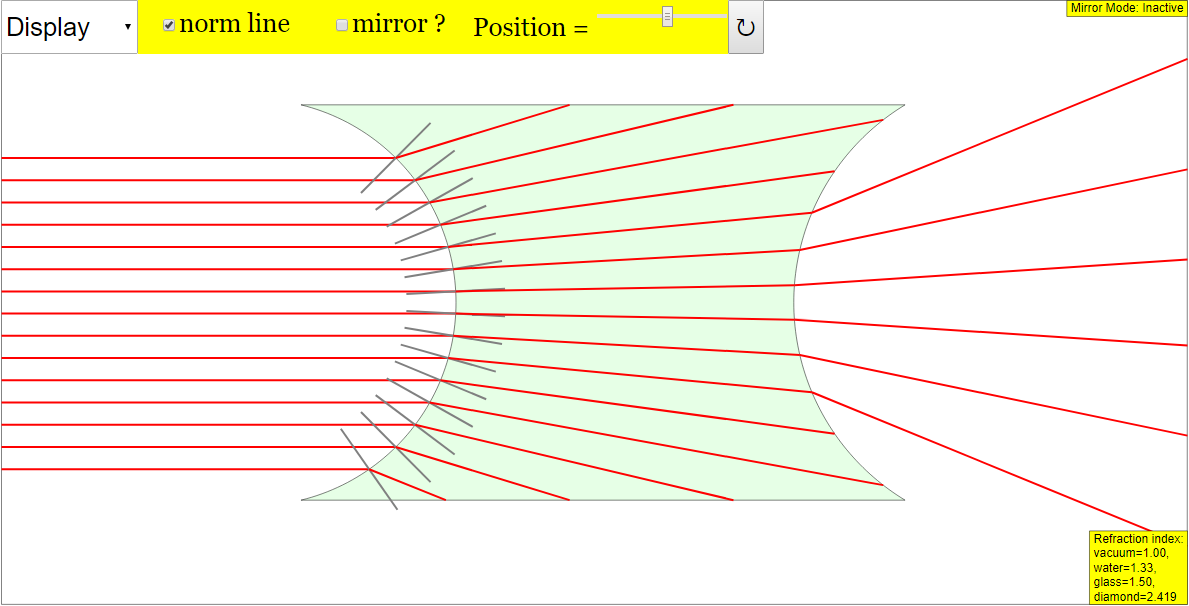
- Interactive Learning Tool: The core of the resource is a JavaScript-based simulation applet designed to help users understand the principles of lenses and mirrors in optics. This is a hands-on learning experience.
- HTML5 Compatibility: The applet is built using HTML5, making it accessible and usable across various devices and web browsers without requiring specific plugins. This is implied by the name "Lens and Mirror JavaScript Simulation Applet HTML5".
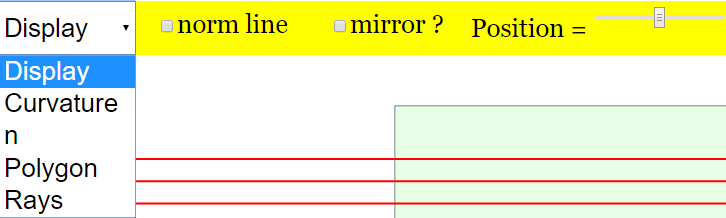
- Customization and Control: The applet offers a range of controls, including combo boxes, sliders, and checkboxes, enabling users to modify parameters such as:
- Display Options
- Curvature Options
- Index of Refraction (n Option)
- Polygon Options
- Rays Options
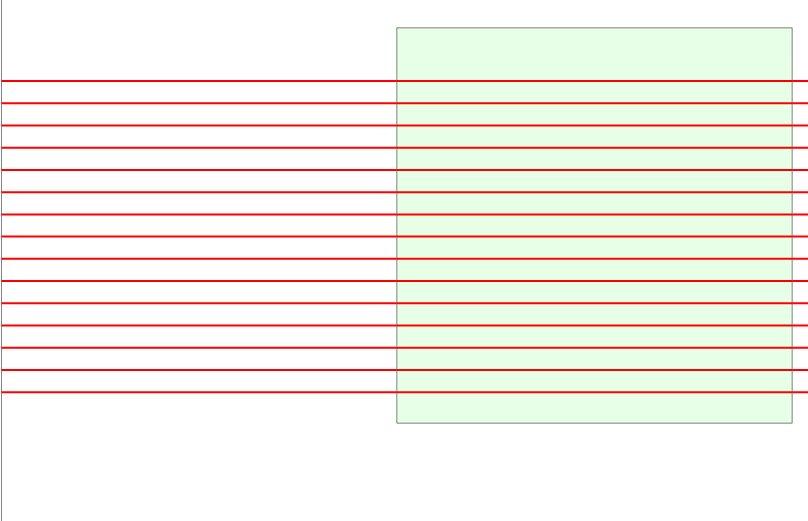
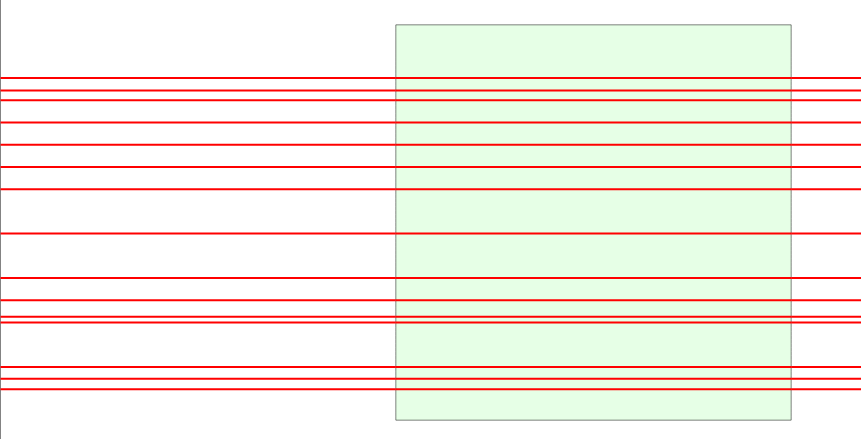
- Position of the Rays (via dragging or sliders).
- Full screen toggling (double click)
- Ease of Use: The documentation emphasizes the applet's user-friendliness, highlighting the drag-and-drop functionality for rays and the reset button to quickly return to the initial state.
- Embeddable Resource: The provided HTML <iframe> code allows educators and developers to easily embed the simulation applet into their own webpages or learning management systems. This promotes wider distribution and integration into educational materials.
- "<iframe width="100%" height="100%" src="https://iwant2study.org/lookangejss/04waves_13light/ejss_model_opticsLensNMirror/opticsLensNMirror_Simulation.xhtml " frameborder="0"></iframe>"
- Open Educational Resource: The applet is part of the Open Educational Resources / Open Source Physics @ Singapore initiative, suggesting it is intended for free use and adaptation for educational purposes. This aligns with the Creative Commons Attribution-Share Alike 4.0 Singapore License, as stated at the bottom of the document.
- Supporting Materials (Implied): While the provided excerpt does not explicitly detail these, it alludes to additional resources such as sample learning goals, teacher guides, research materials, and videos, which can increase its usefulness.
- Credits: The applet is credited to Fu-Kwun Hwang, Fremont Teng, and lookang.
- Integration with Student Learning Space (SLS): The document mentions integration with Singapore's Student Learning Space (SLS), highlighting its use within the national education system.
- Variety of Simulation Applets: This "Lens and Mirror" applet exists within a broader ecosystem of interactive simulations covering various physics and mathematics topics. A large list of applets related to physics, math, and other scientific concepts is included, demonstrating the breadth of the OER project.
Key Quotes:
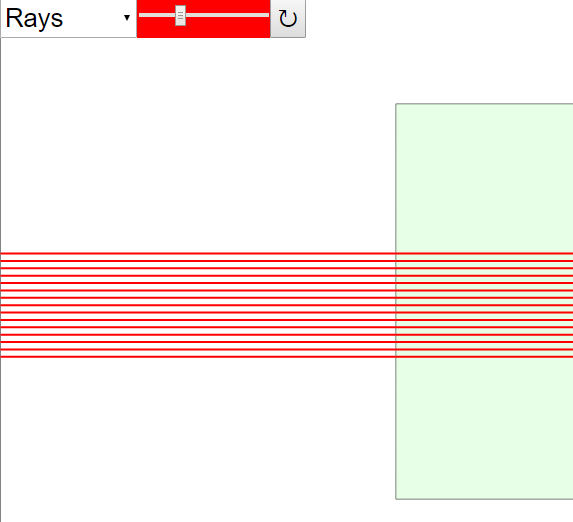
- "Simply drag the rays on the left (Default)" - Illustrates the user-friendly interface.
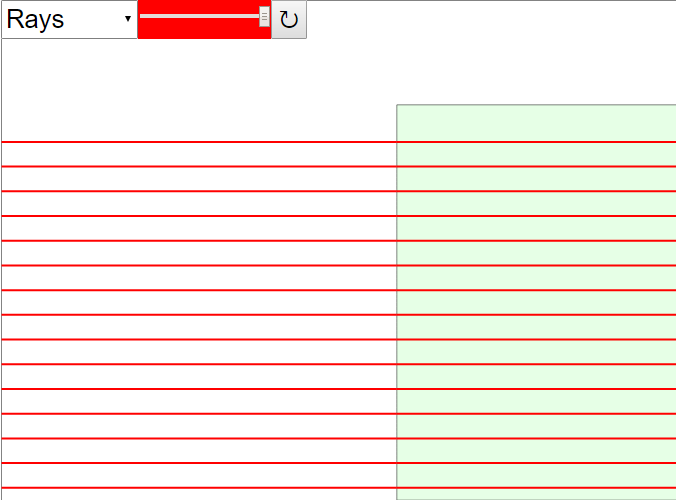
- "(Moving the ray slider to the left - compresses the rays)" - Shows an example of the user-controlled parameters.
- "Resets the simulation." - Describes the function of the Reset button.
- "Contents are licensed Creative Commons Attribution-Share Alike 4.0 Singapore License." - Confirms the open nature of the resources.
Potential Use Cases:
- Physics education (high school/ introductory college)
- Online learning modules
- Interactive textbooks
- Classroom demonstrations
Areas for Further Investigation (based on limited source material):
- Specific learning goals and pedagogical approach of the simulation.
- Details of the "Research" and "Video" resources mentioned.
- Technical requirements (beyond HTML5) and browser compatibility.
- Accessibility features for users with disabilities.
- The exact integration mechanism with the Student Learning Space (SLS).
Lens and Mirror Simulation Study Guide
I. Quiz
Instructions: Answer the following questions in 2-3 sentences each.
- What type of resource is the Lens and Mirror simulation applet?
- What is the primary function of the "reset" button within the simulation?
- Besides dragging, what is another way to manipulate the rays in the simulation?
- What are some of the "options" that you can select using the combo box?
- Name three other physics-related simulation applets listed on the page.
- What JavaScript library may require a separate license for commercial use?
- What is one way to view the applet in full screen?
- Who are the credited developers of the Lens and Mirror JavaScript Simulation Applet HTML5?
- Under what license are the contents of the Open Educational Resources / Open Source Physics @ Singapore website licensed?
- For what level of education are the resources in the Open Educational Resources / Open Source Physics @ Singapore website primarily geared?
Quiz Answer Key
- The Lens and Mirror simulation applet is an interactive, open-source educational resource designed to help users understand the principles of optics related to lenses and mirrors. It is built using JavaScript and HTML5, making it accessible through web browsers.
- The "reset" button returns the simulation to its initial state, undoing any changes made by the user, such as adjustments to the rays or modifications to the lens/mirror properties.
- Besides dragging the rays, the ray slider can be used to compress or expand the rays, and doing so will reset the position of the rays.
- The combo box allows you to select display, curvature, n, polygon, and ray options.
- Three other physics-related simulation applets listed on the page are "Bus in Garage Relativity Length Lorentz Transformation JavaScript Simulation Applet HTML 5", "🚚Drag the Monster Truck JavaScript Simulation Applet HTML5", and "⚡Where To Connect The Voltmeter JavaScript Simulation Applet HTML5".
- EasyJavaScriptSimulations Library may require a separate license for commercial use.
- You can view the applet in full screen by double-clicking anywhere on the screen.
- The credited developers of the Lens and Mirror JavaScript Simulation Applet HTML5 are Fu-Kwun Hwang, Fremont Teng, and lookang.
- The contents of the Open Educational Resources / Open Source Physics @ Singapore website are licensed under the Creative Commons Attribution-Share Alike 4.0 Singapore License.
- The resources are geared toward physics instruction at the Primary, Secondary, Junior College and Teacher UG (University Graduate) level.
II. Essay Questions
Instructions: Address the following prompts in essay format, demonstrating your understanding of the source material.
- Discuss the benefits and limitations of using interactive simulations, like the Lens and Mirror applet, in physics education. Consider factors such as accessibility, engagement, and potential for misuse.
- Explain how the Lens and Mirror simulation applet can be used to illustrate key concepts in geometric optics, such as reflection, refraction, focal length, and image formation. Provide specific examples of how the applet's features can be utilized to demonstrate these principles.
- Analyze the role of open educational resources (OER) in promoting equitable access to quality physics education. Discuss the advantages of using OER compared to traditional textbooks and proprietary software.
- Describe how the Lens and Mirror simulation applet can be integrated into a lesson plan for teaching geometric optics. Include specific learning objectives, activities, and assessment methods.
- Critically evaluate the design and functionality of the Lens and Mirror simulation applet. Suggest potential improvements to enhance its usability, educational value, and overall effectiveness.
III. Glossary of Key Terms
- Applet: A small application, often written in Java or JavaScript, that runs within another application, typically a web browser.
- HTML5: The latest evolution of the standard that defines HTML. It is used for structuring and presenting content on the World Wide Web.
- JavaScript: A programming language commonly used to add interactivity to websites and web applications.
- Simulation: A computer-based model of a real-world system or process, used to explore its behavior and predict outcomes.
- Open Educational Resources (OER): Teaching, learning, and research materials that are freely available for anyone to use, adapt, and share.
- Geometric Optics: The branch of optics that deals with light as rays and uses geometrical methods to analyze the formation of images by lenses and mirrors.
- Reflection: The bouncing back of light from a surface.
- Refraction: The bending of light as it passes from one medium to another.
- Focal Length: The distance from a lens or mirror to its focal point (the point where parallel rays of light converge after passing through the lens or reflecting off the mirror).
- Image Formation: The process by which a lens or mirror creates an image of an object by converging or diverging light rays.
- Creative Commons Attribution-Share Alike 4.0 Singapore License: A public copyright license that allows free distribution of an otherwise copyrighted work, provided that credit is given to the original author and that derivative works are licensed under identical terms.
Sample Learning Goals
[text]
For Teachers
Lens and Mirror JavaScript Simulation Applet HTML5
Instructions to using Simulation Applet
Combo Box, Sliders and Checkboxes





Drag-able Rays
Toggling Full Screen
Reset Button
Research
[text]
Video
[text]
Version:
Other Resources
[text]
FAQ: Lens and Mirror JavaScript Simulation Applet HTML5
- What is the Lens and Mirror JavaScript Simulation Applet HTML5?
- It is an interactive, web-based simulation designed to help users explore the properties of lenses and mirrors in optics. It allows for visualization and experimentation without the need for physical equipment. The simulation can be embedded in webpages and is accessible through a browser.
- What can I do with this simulation?
- You can manipulate various parameters such as the curvature of the lens or mirror, the refractive index (n), and the position of light rays. By adjusting these variables, you can observe how the image is formed and understand the underlying principles of reflection and refraction.
- How do I use the simulation applet?
- The applet features combo boxes, sliders, and checkboxes to control the different simulation parameters. You can select options from the combo boxes, drag rays, use sliders to adjust ray positions, and toggle options using the checkboxes. The simulation also has a reset button to return to the default settings. Double-clicking on the screen toggles full-screen mode.
- What are the different controls available in the simulation?
- The simulation offers various controls, including combo boxes for display, curvature, refractive index (n), polygon, and ray options. There are also sliders to control ray positioning and a reset button to revert to the initial state. The light rays are draggable.
- Is this simulation free to use?
- Yes, this simulation is part of the Open Educational Resources / Open Source Physics @ Singapore project. It is made available under the Creative Commons Attribution-Share Alike 4.0 Singapore License, making it free to use and share for educational purposes. Commercial use of the EasyJavaScriptSimulations Library requires a separate license and direct contact with This email address is being protected from spambots. You need JavaScript enabled to view it..
- Can I embed this simulation in my own website or learning platform?
- Yes, the simulation can be embedded in webpages using the provided iframe code. This allows educators and website owners to easily integrate the simulation into their own resources.
- Who created this simulation?
- The simulation was created by Fu-Kwun Hwang, Fremont Teng, and lookang.
- Besides the lens and mirror simulation, what other resources are available on the Open Educational Resources / Open Source Physics @ Singapore website?
- The website offers a wide range of physics simulations and interactive resources covering topics such as kinematics, mechanics, waves, electromagnetism, and quantum physics. Many of these resources are designed to be used within the Singapore Student Learning Space (SLS) and are built using Easy JavaScript Simulations (EJS). Other resources include virtual labs and interactive games.