{source}
<?php  require_once JPATH_SITE.'/TTcustom/TT_contentparser.php';\(parameters = array("topicname" => "05electricitynmagnetism_11efield", "modelname" => "ejss_model_sharpellipsecharge");echo generateSimHTML(\)parameters, "EJSS");
?>
{/source}
1. Executive Summary:
This document provides an overview of the "Charge Distribution Simulator JavaScript Simulation Applet HTML5" available on the Open Educational Resources / Open Source Physics @ Singapore website. The resource is an interactive simulation designed for educational purposes, specifically focusing on electric fields and charge distributions. It aims to help students visualize and understand the relationship between charge distribution and electric fields through a hands-on, interactive approach. The document also lists many other simulations available on the site.
2. Main Themes and Key Ideas:
- Interactive Physics Learning: The core theme is the use of interactive simulations to enhance physics education. The simulator allows students to manipulate variables and observe the resulting effects on electric fields.
- Charge Distribution and Electric Fields: The simulation specifically focuses on the concept of charge distribution and its influence on electric fields. The description mentions the ability to adjust the height of an ellipse, implying that the simulation deals with the electric field generated by a charged ellipse or similar shape.
- Open Educational Resources: The resource is part of a larger collection of Open Educational Resources (OER), emphasizing free and accessible educational materials. The resource is built upon the Easy JavaScript Simulations Library which requires a separate license for commercial use.
- Accessibility and Embeddability: The simulation is designed to be easily embedded into webpages using an <iframe> tag, making it readily accessible for teachers and students.
- Customizable Parameters: The simulation includes a control panel with features like toggling visibility of velocity and force, and a slider to adjust the height of the ellipse. Users can also drag the particle to adjust its velocity.
3. Key Facts and Features:
- Title: Charge Distribution Simulator JavaScript Simulation Applet HTML5
- Platform: HTML5 (indicating cross-platform compatibility and accessibility in modern web browsers)
- Authors/Credits: Fu-Kwun Hwang, Fremont Teng, lookang
- Functionality:Visualizes electric fields generated by charge distributions.
- Allows users to manipulate the velocity of a charged particle within the field.
- Includes controls to adjust ellipse height and toggle visibility of velocity and force vectors.
- Offers Play/Pause and Reset buttons for controlling the simulation.
- Embeddable: Can be embedded in webpages using an iframe: <iframe width="100%" height="100%" src="https://iwant2study.org/lookangejss/05electricitynmagnetism_11efield/ejss_model_sharpellipsecharge/sharpellipsecharge_Simulation.xhtml " frameborder="0"></iframe>
- Other simulations listed: Includes simulations for mechanics, electromagnetism, quantum physics, optics, waves, and more. A variety of math simulations are also listed.
4. Quotes from the Source:
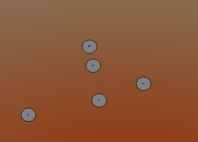
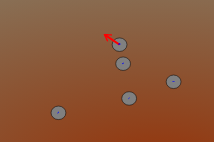
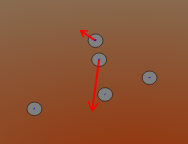
- "(Default) By dragging the particle, you can adjust the velocity of it. It can also change the velocity's magnitude and direction as well." (Describes a key interactive element of the simulation).
5. Analysis:
The Charge Distribution Simulator Applet appears to be a valuable tool for physics education. Its interactive nature allows students to explore abstract concepts in a more concrete way. The HTML5 format ensures broad accessibility. The availability of instructions is helpful for users. The extensive list of related simulations on the website points to a rich collection of OER for physics and mathematics education.
6. Potential Uses:
- Classroom demonstrations of electric field concepts.
- Interactive assignments for students to explore charge distributions.
- Self-study tool for students learning about electromagnetism.
- Integration into online courses or learning management systems.
7. Further Investigation:
- Explore the "Sample Learning Goals" and "Research" sections (although they contain "[text]" placeholders in the provided excerpt).
- Review any available video demonstrations of the simulator in action.
- Test the simulator on different devices and browsers to assess its compatibility and performance.
- Investigate the Easy JavaScript Simulations Library for licensing restrictions.
8. Conclusion:
The Charge Distribution Simulator Applet is a promising educational resource that leverages interactive simulation to improve understanding of electromagnetism. Its accessibility, embeddability, and customizable parameters make it a useful tool for educators and students alike. The Open Source Physics @ Singapore website is a valuable repository of such resources.
Charge Distribution Simulator Study Guide
Quiz
- What is the primary function of the Charge Distribution Simulator JavaScript Simulation Applet HTML5?
- How can you adjust the velocity of the particle within the simulator?
- What does toggling the velocity and force check boxes do within the simulation?
- How can you access the full-screen mode of the simulation applet?
- Besides English, what do the translation tags indicate about this resource?
- What is EJS, as mentioned in the text?
- What is the Creative Commons Attribution-Share Alike 4.0 Singapore License?
- List three topics that the linked applets cover.
- Why would a teacher use this simulation in the classroom?
- What kinds of devices can run the simulator?
Quiz Answer Key
- The simulator allows users to visualize and interact with the electric field generated by a charge distribution, specifically a sharp ellipse charge.
- By dragging the particle, you can adjust the velocity, changing both its magnitude and direction.
- Toggling these check boxes makes the velocity and force vectors visible or invisible on the simulation display.
- Double-clicking on the panel toggles the full-screen mode.
- The tags indicate that translations of the resource exist in other languages.
- EJS stands for Easy Java Simulation, a tool used to create interactive physics simulations.
- The Creative Commons Attribution-Share Alike 4.0 Singapore License means that others can share and adapt the work, provided they give appropriate credit and license their new creations under identical terms.
- Kinematics, electromagnetism, and optics.
- The simulator can help students visualize abstract physics concepts, conduct experiments virtually, and explore different parameters affecting charge distributions.
- The simulator can run on any device with a web browser as it is written in HTML5.
Essay Questions
- Discuss the potential benefits and limitations of using the Charge Distribution Simulator as a tool for teaching electromagnetism in a high school physics class.
- Analyze the role of interactive simulations, like the Charge Distribution Simulator, in promoting active learning and student engagement in physics education.
- Evaluate the accessibility and usability of the Charge Distribution Simulator based on the information provided, considering factors like language support, platform compatibility, and user interface design.
- Compare and contrast the traditional methods of teaching electromagnetism with the approach that incorporates interactive simulations, such as the Charge Distribution Simulator. What are the advantages of each method?
- Design a lesson plan that incorporates the Charge Distribution Simulator, outlining specific learning objectives, activities, and assessment strategies to maximize student learning outcomes.
Glossary of Key Terms
- Charge Distribution: The arrangement of electric charges in a given space, which determines the electric field generated.
- Electric Field (eField): A region of space around an electrically charged object in which a force would be exerted on other electrically charged objects.
- JavaScript Simulation Applet: A small, self-contained application written in JavaScript, designed to simulate a specific process or phenomenon.
- HTML5: The latest version of HTML, the standard markup language for creating web pages, enabling interactive and multimedia content.
- Open Educational Resources (OER): Teaching, learning, and research materials that are freely available for anyone to use and redistribute.
- Kinematics: The branch of mechanics concerned with the motion of objects without reference to the forces that cause the motion.
- Simulation: A computer-based model of a real-world system or process, used to study its behavior and predict its outcomes.
- Applet: A small application that is designed to be executed within another application, such as a web browser.
- Interactive Resource: A digital tool or material that allows users to actively engage with the content and receive immediate feedback.
- Electromagnetism: The interaction between electric currents or fields and magnetic fields.
Sample Learning Goals
[text]
For Teachers
Charge Distribution Simulator JavaScript Simulation Applet HTML5
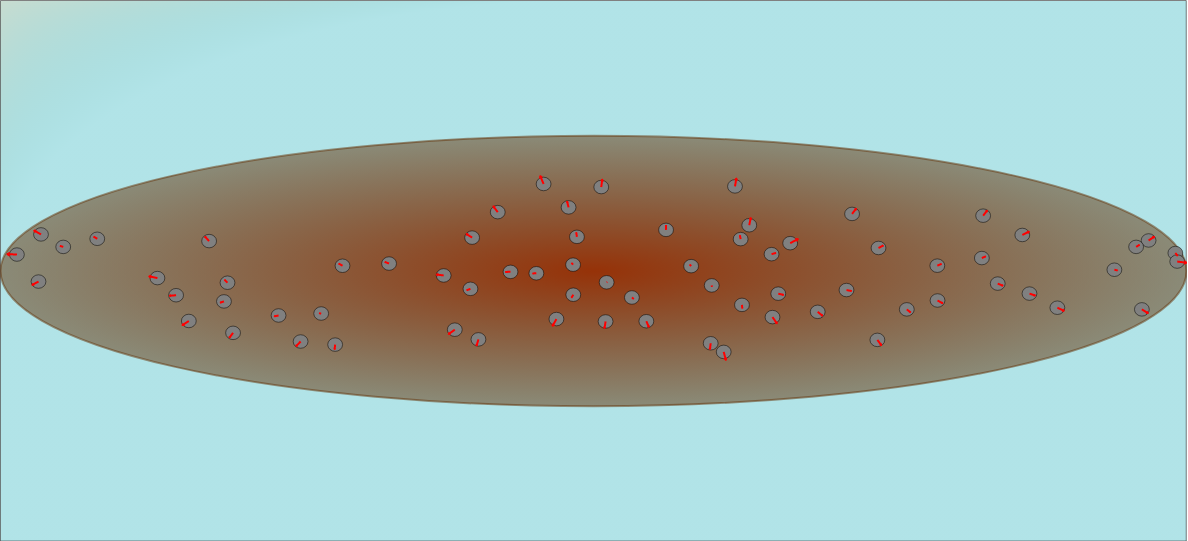
Instructions to using Simulation Applet
Control Panel

Drag-able Velocity
Toggle Full Screen
Play/Pause and Reset Buttons

Research
[text]
Video
[text]
Version:
Other Resources
[text]
FAQ
- What is the Charge Distribution Simulator JavaScript Simulation Applet HTML5?
- It's an interactive simulation tool, likely designed for educational purposes, that allows users to explore electric fields created by different charge distributions, specifically involving an ellipse. It's built using JavaScript and HTML5, making it accessible in web browsers without requiring additional plugins.
- Where can I find the Charge Distribution Simulator JavaScript Simulation Applet HTML5?
- The simulator can be found at the provided link within the document: https://iwant2study.org/lookangejss/05electricitynmagnetism_11efield/ejss_model_sharpellipsecharge/sharpellipsecharge_Simulation.xhtml. It can also be embedded into other web pages using an iframe.
- What controls are available in the simulation?
- The control panel includes checkboxes to toggle the visibility of velocity and force vectors, and a slider to adjust the height of the ellipse. Users can also drag the particle to adjust its velocity (magnitude and direction). The simulation can be played/paused and reset using dedicated buttons. Double-clicking toggles full-screen mode.
- What are some of the other simulations and resources available on the Open Educational Resources / Open Source Physics @ Singapore platform?
- The platform offers a vast library of interactive simulations and resources covering various physics and math topics. Examples include simulations for kinematics, electromagnetism, optics, mechanics, waves, circuits, and more. There are also resources related to math concepts, such as fractions, symmetry, and data fitting.
- What is the purpose of the Open Educational Resources / Open Source Physics @ Singapore platform?
- The platform's main goal is to provide open-source, interactive resources for physics and other STEM education. It aims to enhance learning through simulations, applets, and other digital tools.
- Who created the Charge Distribution Simulator?
- The simulation was created by Fu-Kwun Hwang, Fremont Teng, and lookang.
- Can I use these simulations for commercial purposes?
- For commercial use of the EasyJavaScriptSimulations Library (EJS), you need to read the license at https://www.um.es/fem/EjsWiki/Main/EJSLicense and contact This email address is being protected from spambots. You need JavaScript enabled to view it. directly. The materials are licensed under the Creative Commons Attribution-Share Alike 4.0 Singapore License.
- What other subjects besides Physics are covered on the platform?
- While the platform emphasizes physics, it also includes simulations and learning tools for mathematics, chemistry and other STEM-related fields. Several virtual labs and interactive games for primary and secondary school levels are also featured.