{source}
<?php  require_once JPATH_SITE.'/TTcustom/TT_contentparser.php';\(parameters = array("topicname" => "05electricitynmagnetism_17AC", "modelname" => "ejss_model_rectifierc");echo generateSimHTML(\)parameters, "EJSS");
?>
{/source}
Overview:
This document provides a briefing on the "Half Wave Rectifier Circuit JavaScript Simulation Applet HTML5" resource available on the Open Educational Resources / Open Source Physics @ Singapore website. This resource offers an interactive simulation of a half-wave rectifier circuit, designed for educational purposes. The briefing will cover the main features, learning goals, target audience (teachers), and context within the broader collection of physics simulations offered by the platform.
{source}<iframe style="border-radius:12px" src="https://open.spotify.com/embed/episode/6ah13OEGVFX8SA4TMrFG13?utm_source=generator" width="100%" height="352" frameBorder="0" allowfullscreen="" allow="autoplay; clipboard-write; encrypted-media; fullscreen; picture-in-picture" loading="lazy"></iframe>{/source}
Main Themes and Important Ideas/Facts:
- Interactive Learning Tool: The core of this resource is a JavaScript-based simulation applet of a half-wave rectifier circuit. Its primary purpose is to provide an interactive way for users to understand the functionality of such a circuit. The "Embed" code provided explicitly encourages integration of this model into other webpages, highlighting its intended use as a readily deployable educational component.
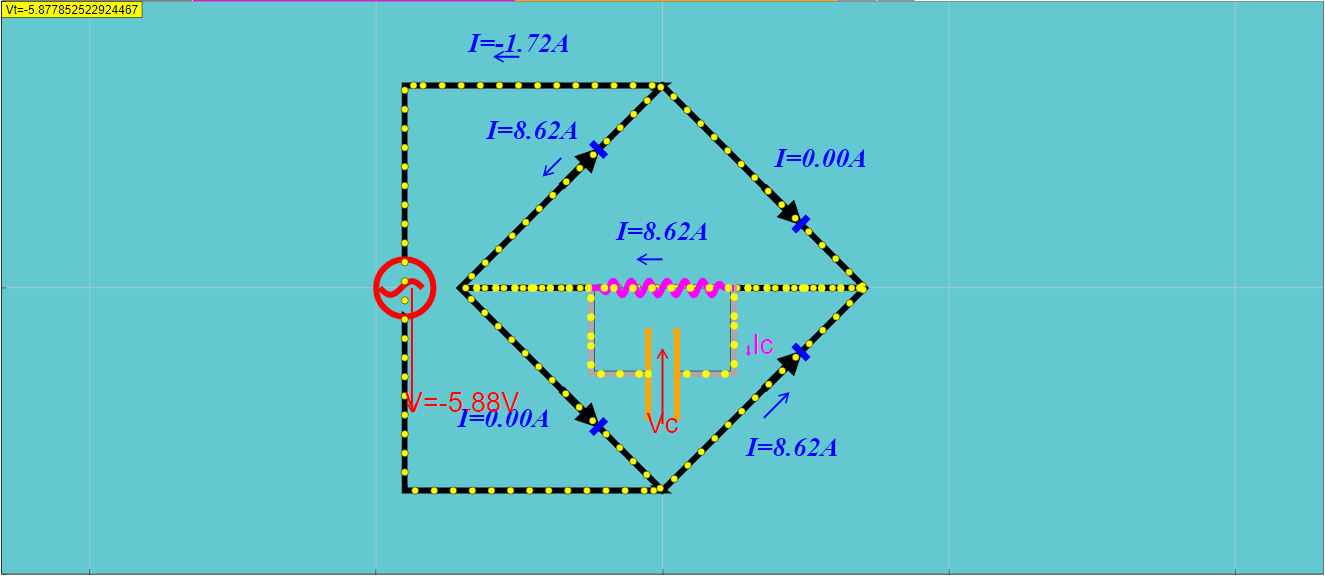
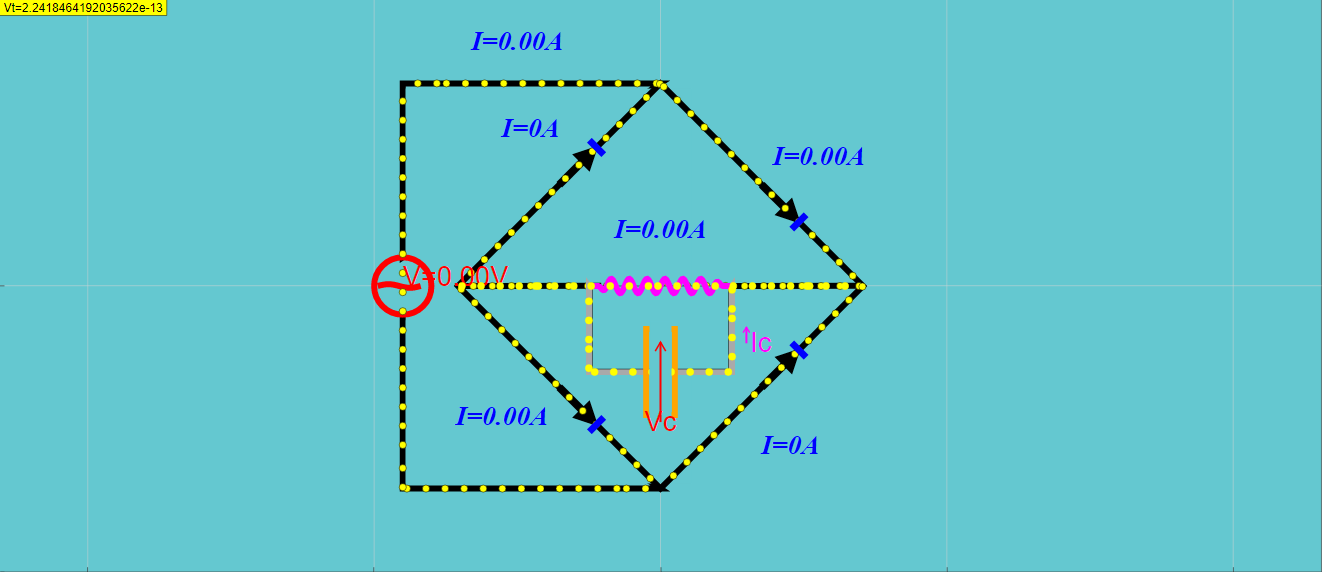
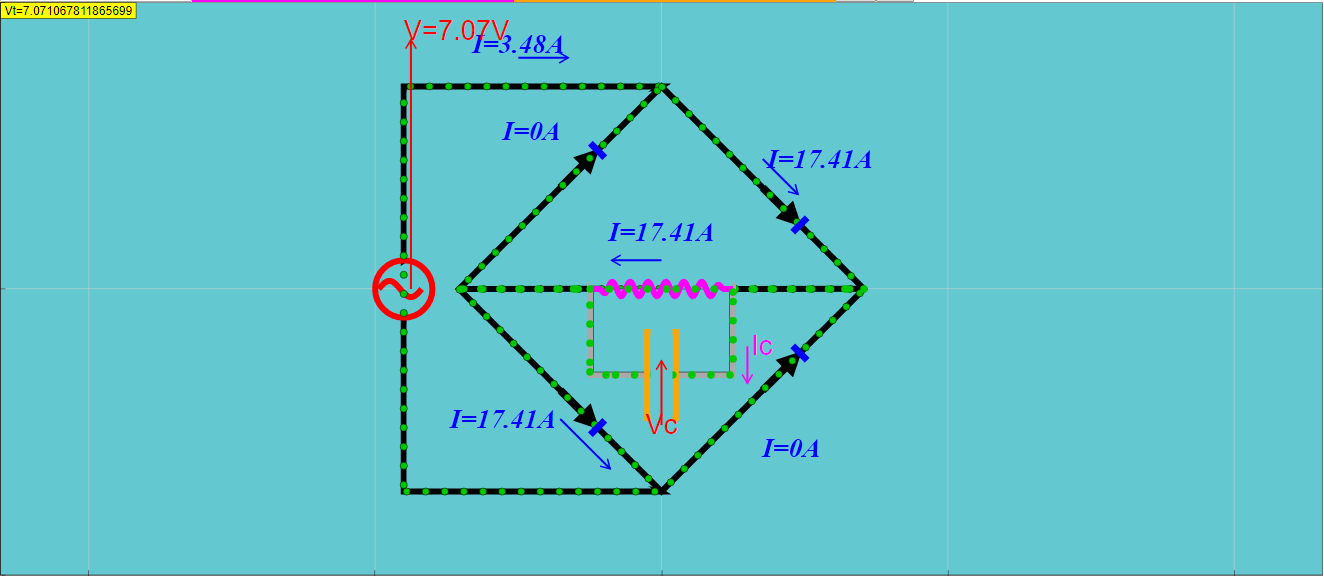
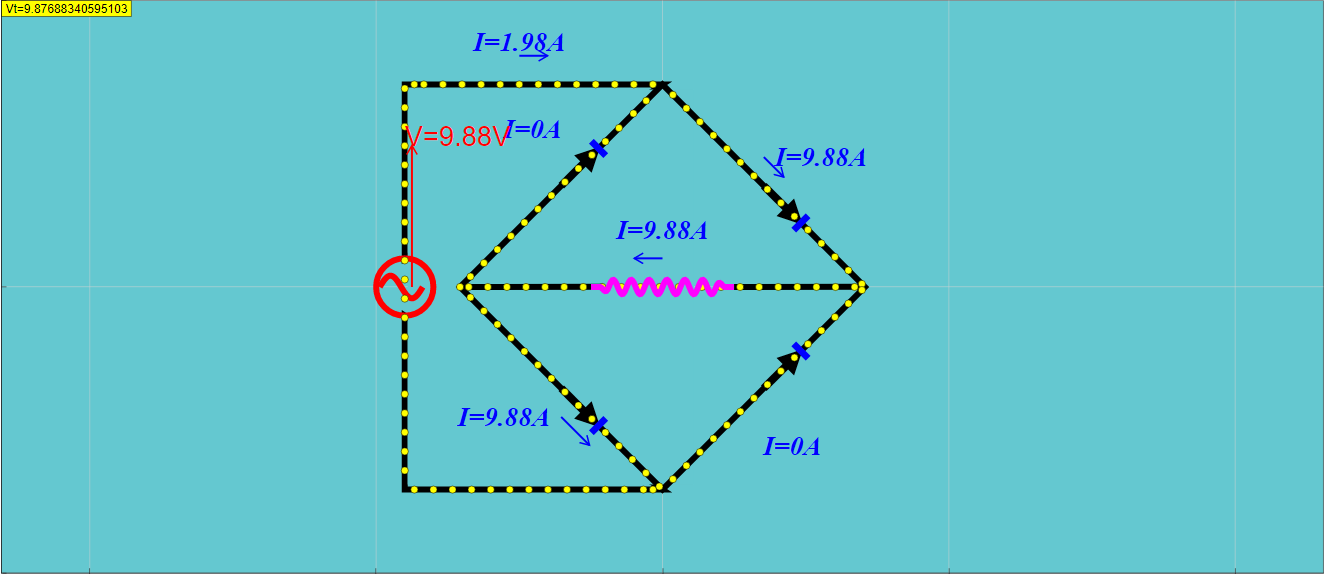
- Visualization of Electron Flow: The simulation includes a visual representation of electron movement within the circuit. The "About" section states, "The moving dots simulate the drift motion of election in the circuit." This feature is crucial for students to develop a conceptual understanding of current flow in a rectifier.
- Demonstration of Filtering with a Capacitor: An important aspect of the simulation is the inclusion of a capacitor to demonstrate its role in reducing the ripple in the rectified output. The "About" section also mentions, "Added a capacitor to filter out the ripple," indicating that the applet allows users to observe the effect of a capacitor on the output waveform.
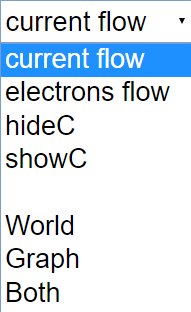
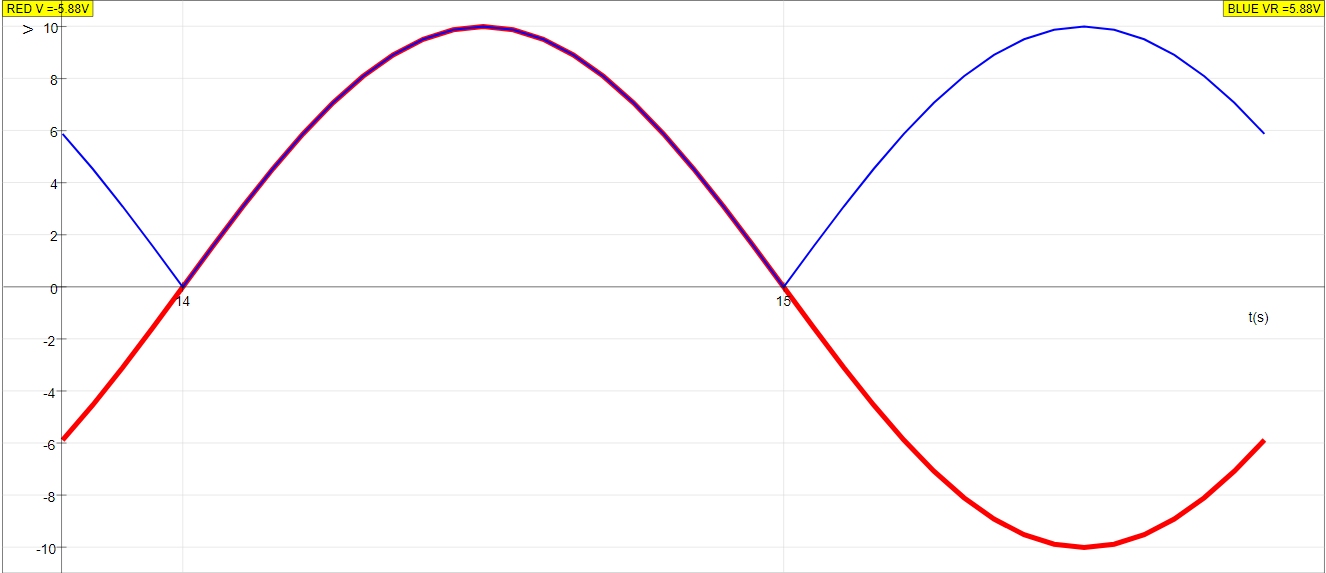
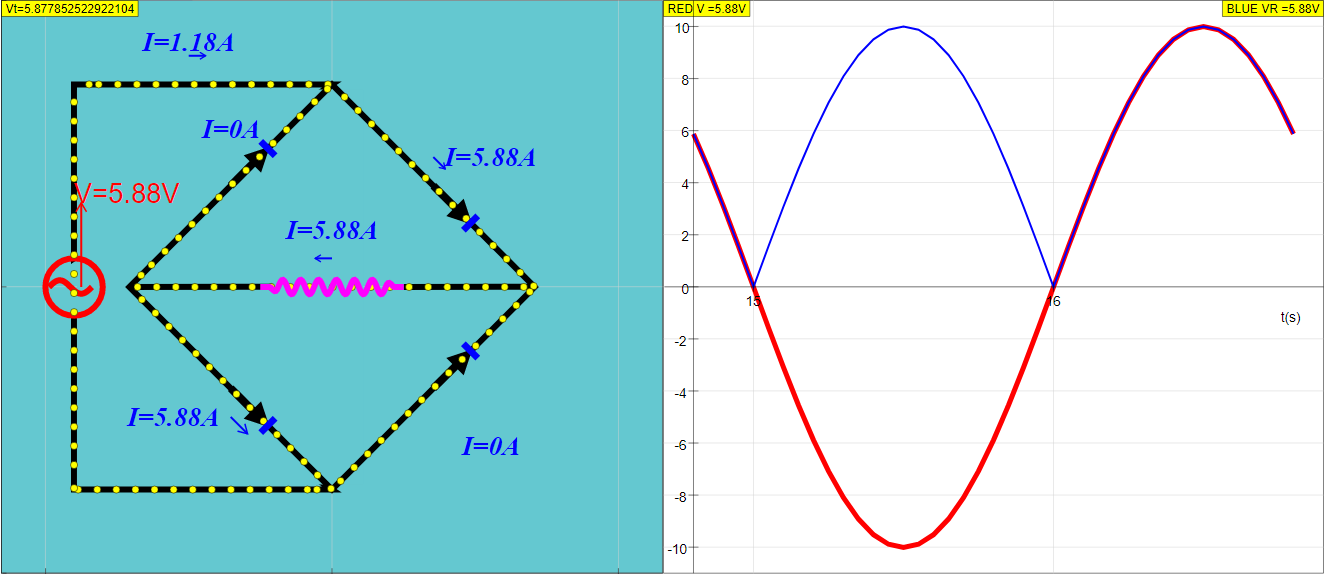
- Multiple Display Options: The applet offers different visual representations of the circuit and its operation through a combo box. The "Instructions" section details these options: "(World, Current Flow and Show C)", "(World, Electron Flow and Show C)", "(World, Current Flow and Hide C)", "(Graph)", and "(Both, Current Flow and Hide C)". This flexibility allows users to focus on different aspects of the circuit's behavior, such as conventional current flow, electron flow, the presence or absence of the capacitor, and the graphical output of the waveforms.
- Adjustable Parameters via Sliders: The simulation allows for manipulation of circuit parameters through sliders, although the specific functions controlled by these sliders are not explicitly detailed in the provided excerpts. The "Instructions" mention, "Toggling the sliders will alter their respective functions," implying a level of user control over the circuit's components or input signals.
- Interactive Controls: The applet includes standard interactive elements like "Play/Pause" and "Reset" buttons for controlling the simulation's progression and returning to the initial state. The ability to toggle full screen by clicking anywhere in the panel enhances the user experience, especially for presentations or focused study.
- Targeted for Teachers: The presence of a dedicated "For Teachers" section suggests that this resource is specifically designed to aid educators in teaching the principles of rectifier circuits. While specific teacher resources are not detailed in the excerpt, their inclusion indicates a pedagogical focus.
- Part of a Larger Collection: This simulation is listed within a vast array of other interactive resources covering various physics topics, as evidenced by the extensive list of "Other Resources." This context highlights the platform's commitment to providing a comprehensive library of open educational tools for physics education. The breadcrumbs navigation ("Home > Interactive Resources > Physics > 05 Electricity and Magnetism > 06 Practical Electricity") clearly categorize this specific applet within the broader subject area.
- Open Educational Resource: The platform is explicitly identified as "Open Educational Resources / Open Source Physics @ Singapore," and the content is licensed under the "Creative Commons Attribution-Share Alike 4.0 Singapore License." This underscores the commitment to free and shareable educational materials. However, the disclaimer regarding commercial use of the "EasyJavaScriptSimulations Library" with a link to a specific license and contact information is important to note.
- Developed by Educators: The "Credits" section acknowledges "Fu-Kwun Hwang; Fremont Teng; Loo Kang Wee" as the creators, indicating that the resource is developed by individuals with expertise in physics education and/or simulation development.
Key Quotes:
- About: "The moving dots simulate the drift motion of election in the circuit. Added a capacitor to filter out the ripple" - Highlights the visualization of electron flow and the inclusion of a filtering capacitor as key features.
- Instructions - Combo Box and Display: "Toggling the combo box will give you their respective display. (World, Current Flow and Show C) (World, Electron Flow and Show C) (World, Current Flow and Hide C) (Graph) (Both, Current Flow and Hide C)" - Details the various visual modes available to the user.
- Instructions - Sliders: "Toggling the sliders will alter their respective functions." - Indicates user control over circuit parameters.
Potential Use Cases:
- Classroom Demonstrations: Teachers can use the interactive simulation to visually explain the operation of a half-wave rectifier circuit and the effect of a capacitor filter.
- Student Exploration: Students can engage with the simulation to observe the movement of charge, the rectification process, and the impact of circuit components.
- Homework and Self-Study: The embedded applet can be integrated into online learning platforms or used by students for independent learning and experimentation.
Conclusion:
The "Half Wave Rectifier Circuit JavaScript Simulation Applet HTML5" is a valuable open educational resource for teaching and learning about basic rectifier circuits. Its interactive nature, visualization of electron flow, demonstration of filtering, and multiple display options enhance understanding and engagement. Being part of a larger collection of physics simulations further increases its utility for educators and students. The clear licensing information promotes the free use and sharing of this educational tool.
Study Guide: Half-Wave Rectifier Circuit Simulation
Overview
This study guide is designed to help you understand the concepts related to a half-wave rectifier circuit as presented in the provided resource from Open Educational Resources / Open Source Physics @ Singapore. The resource features a JavaScript simulation applet illustrating the functionality of such a circuit, including the option to add a capacitor for ripple filtering. This guide will cover the basic principles of AC and DC current, the operation of a half-wave rectifier, the effect of a capacitor as a filter, and the features of the simulation tool.
Key Concepts
- Alternating Current (AC): Electric current that periodically reverses direction and changes its magnitude continuously with time.
- Direct Current (DC): Electric current that flows in only one direction.
- Rectification: The process of converting AC to DC.
- Half-Wave Rectifier: A type of rectifier that allows only one half-cycle of an AC voltage waveform to pass through, blocking the other half-cycle.
- Diode: A semiconductor device that allows current to flow easily in one direction (forward-biased) and restricts the flow in the opposite direction (reverse-biased). This is the key component in a half-wave rectifier.
- Ripple: The residual AC variation in a DC power supply after rectification, often seen as a fluctuating DC voltage.
- Capacitor: An electronic component that stores electrical energy in an electric field. In a rectifier circuit, it can be used as a filter to smooth out the ripple in the DC output.
- Drift Motion of Electrons: The slow, net movement of electrons in a conductor due to an applied electric field. This is visualized in the simulation.
- Simulation Applet: An interactive software application, in this case built with JavaScript and HTML5, that models a real-world system (the rectifier circuit) allowing users to observe and experiment with its behavior.
Review Questions
Short Answer Quiz (2-3 sentences each):
- What is the primary function of a half-wave rectifier circuit?
- Explain the role of a diode in a half-wave rectifier circuit.
- What is meant by the term "ripple" in the context of a rectified AC signal?
- According to the resource, what is the purpose of adding a capacitor to the rectifier circuit?
- Describe what the "moving dots" in the simulation are intended to represent.
- What are some of the display options available in the simulation's combo box?
- How can a user interact with the simulation using the provided sliders?
- What actions do the "Play/Pause" and "Reset" buttons perform in the simulation?
- Based on the resource, what are some other related interactive resources available from Open Source Physics @ Singapore?
- What is the licensing agreement for the content provided by Open Educational Resources / Open Source Physics @ Singapore?
Answer Key:
- The primary function of a half-wave rectifier circuit is to convert alternating current (AC) into direct current (DC) by allowing only one half of the AC waveform to pass through while blocking the other half. This results in a pulsating DC output.
- A diode in a half-wave rectifier acts as a one-way gate for current. It allows current to flow through it only when it is forward-biased (during one half-cycle of the AC input) and blocks the current when it is reverse-biased (during the other half-cycle).
- Ripple refers to the residual AC component present in the DC output of a rectifier circuit. It is the fluctuation in the DC voltage or current due to the incomplete suppression of the alternating waveform.
- Adding a capacitor to a rectifier circuit helps to filter out the ripple in the DC output. The capacitor charges during the conducting half-cycle and discharges during the non-conducting half-cycle, thus smoothing the DC voltage.
- The moving dots in the simulation represent the drift motion of electrons within the circuit. This visualization helps to illustrate how charge carriers move in response to the electric field created by the applied voltage.
- The simulation's combo box offers different display options such as "World," "Current Flow," and "Show C" (presumably showing the capacitor). Different combinations allow users to visualize electron flow with or without the capacitor being explicitly shown.
- Users can interact with the simulation by toggling the provided sliders. The resource indicates that these sliders allow users to alter the respective functions of different components or parameters within the rectifier circuit model.
- The "Play/Pause" button allows the user to start and stop the simulation of the rectifier circuit in operation. The "Reset" button returns the simulation to its initial state, likely with default parameter values.
- The resource lists numerous other interactive resources covering various physics and mathematics topics, including AC/DC comparison, transformer simulation, magnetic fields, wave phenomena, mechanics, and thermodynamics, among others.
- The content provided by Open Educational Resources / Open Source Physics @ Singapore is licensed under the Creative Commons Attribution-Share Alike 4.0 Singapore License, allowing for sharing and adaptation with appropriate attribution and under the same license terms. Commercial use of the EasyJavaScriptSimulations Library requires a separate license.
Essay Format Questions:
- Explain the process of half-wave rectification. Describe the role of the key component and how the input AC waveform is transformed into a pulsating DC output.
- Discuss the limitations of a simple half-wave rectifier for practical DC power supply applications. How does the addition of a capacitor improve the output, and what are the factors that influence the effectiveness of this filtering?
- Analyze the educational value of using a JavaScript simulation applet to learn about half-wave rectifier circuits. What features of the simulation enhance understanding compared to a purely theoretical explanation?
- Based on the provided list of other resources, discuss the broader pedagogical approach of Open Educational Resources / Open Source Physics @ Singapore in using interactive simulations for teaching science and mathematics.
- Compare and contrast the concepts of alternating current (AC) and direct current (DC). Explain why rectification is necessary for many electronic devices and how a half-wave rectifier achieves this conversion, albeit imperfectly.
Glossary of Key Terms
- AC (Alternating Current): Electrical current that periodically reverses direction and changes in magnitude over time, typically in a sinusoidal waveform.
- DC (Direct Current): Electrical current that flows in only one direction, with a relatively constant magnitude.
- Half-Wave Rectifier: An electronic circuit that uses a single diode to allow current flow in only one direction, thus passing only half of an AC waveform and blocking the other half.
- Diode: A two-terminal semiconductor device that conducts current primarily in one direction (forward direction) and has high resistance in the opposite direction (reverse direction).
- Ripple: The AC component that remains in a DC signal after rectification. It represents the unwanted fluctuations around the average DC value.
- Capacitor: An electronic component that stores electrical energy in an electric field between two conductive plates separated by an insulator. In rectifier circuits, it's used to filter ripple.
- Electron Drift: The net movement of electrons in a conductor due to an electric field. This movement is superimposed on the random thermal motion of the electrons.
- Simulation: A model or representation of a real-world system or process, often implemented using computer software, that allows users to observe and interact with its behavior.
- Applet: A small application program, often written in Java or JavaScript, that runs within another application, typically a web browser.
- OER (Open Educational Resources): Teaching, learning, and research materials in any medium – digital or otherwise – that reside in the public domain or have been released under an open license that permits no-cost access, use, adaptation, and redistribution by others with no or limited restrictions.
Sample Learning Goals
[text]
For Teachers
Half Wave Rectifier Circuit JavaScript Simulation Applet HTML5
Instructions
Combo Box and Display
Sliders

Toggling Full Screen
Play/Pause and Reset Buttons

Research
[text]
Video
[text]
Version:
Other Resources
[text]
Frequently Asked Questions: Half Wave Rectifier Circuit Simulation
- What is a half wave rectifier circuit?
- A half wave rectifier circuit is an electronic circuit that converts alternating current (AC) into pulsating direct current (DC) by allowing only one half-cycle of the AC waveform to pass through while blocking the other half-cycle. This results in a DC output that rises and falls with the positive (or negative) halves of the input AC signal.
- What is the purpose of the Half Wave Rectifier Circuit JavaScript Simulation Applet HTML5?
- This interactive simulation applet is designed as an open educational resource to help users understand how a half wave rectifier circuit works. It allows users to visualize the flow of current (or electrons), observe the effect of different components (like a capacitor), and see the resulting waveform. It's a tool for learning about AC to DC conversion in a practical and engaging way.
- How does the simulation illustrate the process of rectification?
- The simulation visually represents the AC input and the resulting pulsating DC output. By observing the "moving dots" that simulate the drift motion of electrons, users can see how current flows through the circuit during one half of the AC cycle and is blocked during the other half. This demonstrates the fundamental principle of half wave rectification.
- What is the role of the capacitor in the context of this simulation?
- The simulation allows users to add a capacitor to the half wave rectifier circuit. The "Show C" option in the combo box likely displays the capacitor, and its inclusion helps to "filter out the ripple" in the pulsating DC output. This means the capacitor smooths the DC waveform, making it more consistent and closer to a pure DC signal by storing charge during the peaks and releasing it during the troughs.
- What are the different viewing options available in the simulation?
- The simulation offers several viewing options through a combo box, including "(World, Current Flow and Show C)", "(World, Electron Flow and Show C)", "(World, Current Flow and Hide C)", "(Graph)", and "(Both, Current Flow and Hide C)". These options allow users to visualize the circuit from different perspectives, focusing on either conventional current flow or electron flow, with or without the capacitor shown, and also displaying a graphical representation of the waveforms.
- How can users interact with the simulation?
- Users can interact with the simulation in several ways. The combo box allows them to select different viewing modes. Sliders are available to alter various functions of the circuit components (though the specific functions are not detailed in the excerpt). Play/Pause and Reset buttons enable control over the simulation's animation. Clicking within the panel also toggles full-screen mode for better visibility.
- Who developed this simulation, and under what license is it available?
- The Half Wave Rectifier Circuit JavaScript Simulation Applet HTML5 was developed by Fu-Kwun Hwang, Fremont Teng, and Loo Kang Wee. The content is licensed under the Creative Commons Attribution-Share Alike 4.0 Singapore License, promoting open access and sharing for educational purposes. Commercial use of the underlying EasyJavaScriptSimulations Library requires a separate license obtained by contacting This email address is being protected from spambots. You need JavaScript enabled to view it..
- Where can this simulation be embedded and what is the underlying technology?
- The simulation can be easily embedded into webpages using the provided iframe code. This makes it a versatile tool for online learning platforms and educational websites. The simulation is built using HTML5 and JavaScript, making it accessible on modern web browsers without the need for additional plugins like Flash or Java applets, ensuring broad compatibility across different devices and operating systems.