{source}
<?php  require_once JPATH_SITE.'/TTcustom/TT_contentparser.php';\(parameters = array("topicname" => "05electricitynmagnetism_18DC", "modelname" => "ejss_model_WhereToConnectTheVoltmeterFrem");echo generateSimHTML(\)parameters, "EJSS");
?>
{/source}
Sample Learning Goals
Briefing Document: Where To Connect The Voltmeter JavaScript Simulation Applet
1. Overview
This document provides a summary of the "Where To Connect The Voltmeter" JavaScript HTML5 simulation applet, an educational resource designed to help users understand the correct way to connect a voltmeter in a circuit. The applet is hosted on the Open Educational Resources / Open Source Physics @ Singapore platform. It’s intended as a tool for teaching basic electrical circuit concepts, particularly the difference between parallel and series connections for voltage measurement.
{source}<iframe style="border-radius:12px" src="https://open.spotify.com/embed/episode/1wZEDEUEuFa6VRxDKe8gYq?utm_source=generator" width="100%" height="352" frameBorder="0" allowfullscreen="" allow="autoplay; clipboard-write; encrypted-media; fullscreen; picture-in-picture" loading="lazy"></iframe>{/source}
2. Main Themes & Key Concepts
- Voltmeter Placement: The core theme of the simulation is to illustrate that a voltmeter must be connected in parallel with the circuit element for which voltage is to be measured. Connecting the voltmeter in series will result in an incorrect or zero reading, a key concept for beginner students of electricity.
- Interactive Learning: The applet emphasizes an interactive approach. Users are not simply presented with information but engage actively by dragging the voltmeter to different parts of the circuit.
- Visual Feedback: The simulation provides visual feedback through changing voltmeter readings as the user moves the voltmeter. This allows users to visually grasp how the voltmeter's position impacts the measured voltage.
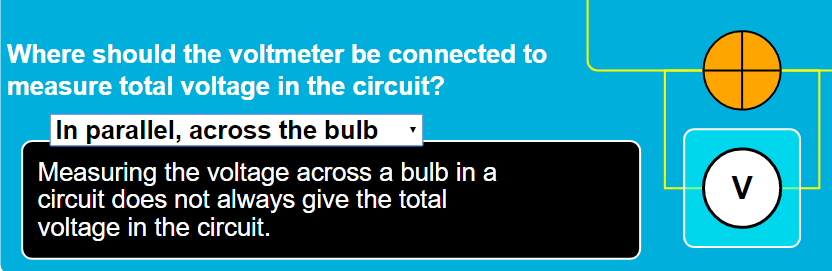
- Guided Exploration: The applet includes guided exploration through a question with drop-down options, each of which has a corresponding explanation. This promotes guided discovery of the concepts.
- Basic Circuit Concepts: The applet involves a basic DC circuit, helping users understand elements like a power source (cell) and a circuit loop. It demonstrates the on/off behavior of a simple circuit with the provided power switch.
3. Key Features & Functionality
- Drag-able Voltmeter: Users can drag the voltmeter icon to different points within the virtual circuit. This allows for free exploration and experimentation.
- "Drag the voltmeter to a cell... The reading will change depending on where you connect the voltmeter to. Anywhere else outside the cells will lead to an automatic 0V."
- Voltmeter Reading: The simulation displays the measured voltage in a digital readout that dynamically changes based on where the voltmeter is connected.
- "Take a look at the voltmeter reading"
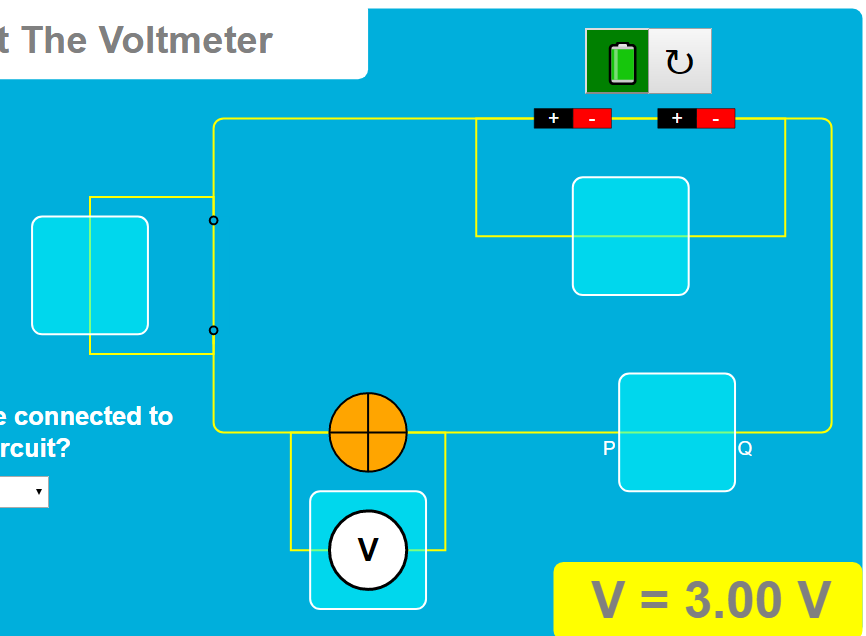
- Power Switch: A toggle button simulates a power switch, allowing users to turn the circuit on or off.
- "Clicking on the power button will toggle the circuit power on/off"
- Question and Combo Box: The simulation includes a question with drop-down options that trigger explanations.
- "Step 1: Select from the combo box an option. A pop-up box with an explanation will then appear for each option. Note that the voltmeter also changes to the positions of the options accordingly."
- Reset Button: Users can reset the simulation to its initial state, facilitating repeated learning attempts.
- "Clicking the reset button will reset the whole Simulation."
4. Intended Audience
- Students Learning about Basic Electricity: This applet is explicitly designed for students learning about basic DC circuits, how to measure voltage, and how to use a voltmeter correctly.
- Teachers: Teachers can use the applet as a visual aid for teaching electrical circuits, particularly for demonstrating parallel connections.
- The section "For Teachers" and other text on the page make it clear the tool is intended for teachers' use.
5. Educational Goals
- Understanding Voltmeter Placement: The primary goal is for users to learn the correct way to connect a voltmeter in a circuit— in parallel— to take an accurate voltage reading.
- Exploration and Discovery: The simulation encourages exploration and discovery by allowing users to experiment with the voltmeter.
- Explanation and Reasoning: Through the explanation box, the tool encourages the user to reason about why certain placements cause particular readings.
- Bridging the Gap between Theory and Practice: The simulation connects the theoretical concept of voltmeter connection with its practical implications.
6. Additional Information
- Author: The applet was created by Fremont Teng, likely in Singapore.
- Technology: The applet is built using JavaScript and HTML5, which means it's easily accessible on modern web browsers without requiring additional plugins.
- Open Educational Resource: This simulation is an open educational resource, meaning that it is freely available and can be embedded within other web pages.
7. Related Resources and Context
The webpage contains a large list of other resources, demonstrating the wide range of simulations and tools developed by the Open Educational Resources / Open Source Physics @ Singapore project. Many of these resources pertain to physics topics such as:
- Other Circuit Simulations: Types of Circuits and Circuitry At Home are examples of other electrical circuit simulations, suggesting the applet is part of a larger library of electricity teaching resources. DC Circuit JavaScript Simulation Applet HTML5 is another directly relevant simulation.
- Other Physics Simulations: A wide variety of topics like kinematics, momentum, electromagnetism, optics, waves, mechanics and other topics are present in the links. This demonstrates a wide focus for this project.
- Related Math Tools: Math tools are included for learning topics such as fractions and 3D shapes, indicating that the broader project includes mathematics education.
- Technology and Pedagogy: Links also touch on pedagogy, the use of AI in teaching, and the technology stack behind the simulations.
8. Conclusion
The "Where To Connect The Voltmeter" simulation applet is a well-designed interactive tool for learning about voltmeter usage in circuits. Its emphasis on exploration, immediate feedback, and guided learning make it a valuable resource for both students and teachers in the context of basic electricity concepts. Its existence within a larger collection of open educational resources suggests a focus on free, interactive STEM learning.
Voltmeter Simulation Study Guide
Quiz
- What is the primary function of the "Where To Connect The Voltmeter" simulation?
- The simulation is designed to demonstrate the proper use of a voltmeter in a circuit, specifically whether it should be connected in series or parallel. It allows users to see how voltmeter placement affects the voltage reading.
- Describe how to interact with the drag-able voltmeter in the simulation.
- The user can click and drag the voltmeter to different parts of the circuit. The voltage reading displayed will change based on the voltmeter's position, but will show zero if the voltmeter is dragged outside of the cells.
- What is the significance of the power button in the simulation?
- The power button toggles the circuit's power supply on or off. When the power is on, the button appears green, and when the circuit is powered off, the button will have a white background.
- What happens to the voltmeter reading when it is not connected to a cell?
- If the voltmeter is dragged to any point outside the cells in the circuit, the voltmeter reading automatically displays a value of zero volts (0V).
- What is the purpose of the question and combo box feature?
- The combo box provides a series of options related to voltmeter connection. Upon selecting an option, a pop-up box will appear providing an explanation, and the voltmeter will adjust accordingly in the simulation.
- How does the simulation address the concept of parallel and series connections?
- The simulation helps users understand parallel and series connections by showing how the voltmeter reading changes based on where it's connected. When placed across a component (parallel), the voltage of that component can be measured, but the reading will be different when placed in-line with a component (series).
- What is the function of the reset button in this simulation?
- The reset button restores the simulation to its initial state, allowing users to start over with the voltmeter, the power state, and the question and answer box.
- Besides the voltmeter simulation, what other resources are mentioned on the website?
- The website mentions numerous other simulations, labs, and tools spanning a wide array of topics, from momentum collisions, to electric fields, to math games.
- Who is credited as the author of the "Where To Connect The Voltmeter" simulation?
- The author is listed as Fremont Teng.
- Is the simulation designed for commercial use?
- The simulation itself is licensed under the Creative Commons Attribution-Share Alike 4.0 Singapore License. However, commercial use of the underlying EasyJavaScriptSimulations Library requires contacting This email address is being protected from spambots. You need JavaScript enabled to view it. directly for permissions.
Quiz Answer Key
- The simulation is designed to demonstrate the proper use of a voltmeter in a circuit, specifically whether it should be connected in series or parallel. It allows users to see how voltmeter placement affects the voltage reading.
- The user can click and drag the voltmeter to different parts of the circuit. The voltage reading displayed will change based on the voltmeter's position, but will show zero if the voltmeter is dragged outside of the cells.
- The power button toggles the circuit's power supply on or off. When the power is on, the button appears green, and when the circuit is powered off, the button will have a white background.
- If the voltmeter is dragged to any point outside the cells in the circuit, the voltmeter reading automatically displays a value of zero volts (0V).
- The combo box provides a series of options related to voltmeter connection. Upon selecting an option, a pop-up box will appear providing an explanation, and the voltmeter will adjust accordingly in the simulation.
- The simulation helps users understand parallel and series connections by showing how the voltmeter reading changes based on where it's connected. When placed across a component (parallel), the voltage of that component can be measured, but the reading will be different when placed in-line with a component (series).
- The reset button restores the simulation to its initial state, allowing users to start over with the voltmeter, the power state, and the question and answer box.
- The website mentions numerous other simulations, labs, and tools spanning a wide array of topics, from momentum collisions, to electric fields, to math games.
- The author is listed as Fremont Teng.
- The simulation itself is licensed under the Creative Commons Attribution-Share Alike 4.0 Singapore License. However, commercial use of the underlying EasyJavaScriptSimulations Library requires contacting This email address is being protected from spambots. You need JavaScript enabled to view it. directly for permissions.
Essay Questions
- Discuss the pedagogical value of interactive simulations like the "Where To Connect The Voltmeter" applet in teaching electrical circuit concepts. How do these simulations enhance learning compared to traditional teaching methods?
- Analyze the design of the simulation, specifically focusing on user interaction features like the drag-able voltmeter, power button, and question/combo box. How do these elements contribute to user understanding of the concepts being taught?
- Based on the resources listed on the website, discuss how Open Educational Resources (OER) can be used to promote STEM learning, especially in the context of physics. Include a discussion of how the simulation in question promotes those educational goals.
- Compare and contrast the "Where To Connect The Voltmeter" simulation to a physical lab activity involving voltmeters and circuits. What are the benefits and limitations of using a virtual simulation versus a hands-on approach?
- Explore the broader context of the OER / Open Source Physics @ Singapore project. How does the project contribute to educational innovation and access to learning resources, both locally and globally?
Glossary of Key Terms
- Voltmeter: A measuring instrument used to measure the electrical potential difference (voltage) between two points in an electric circuit.
- Parallel Connection: An arrangement in an electrical circuit where components are connected along multiple paths, so the current divides between those components, but the voltage is the same across all parallel components.
- Series Connection: An arrangement in an electrical circuit where components are connected end to end so that the same current passes through each component.
- Circuit: A complete path that allows electrical current to flow. Usually involves a power source and electrical components.
- Simulation: A computer program that models real-world phenomena, allowing users to explore concepts and relationships in a dynamic environment.
- Applet: A small application, often embedded within a webpage, designed to perform a specific task, like a simulation.
- Open Educational Resources (OER): Teaching, learning, and research materials that are free of cost and access barriers, and which also carry legal permissions for open use.
- JavaScript: A programming language commonly used to create interactive effects within web browsers, such as the simulation.
- HTML5: The latest version of the standard markup language for creating web pages, that supports embedding interactive elements such as applets.
For Teachers
Where To Connect The Voltmeter JavaScript Simulation Applet HTML5
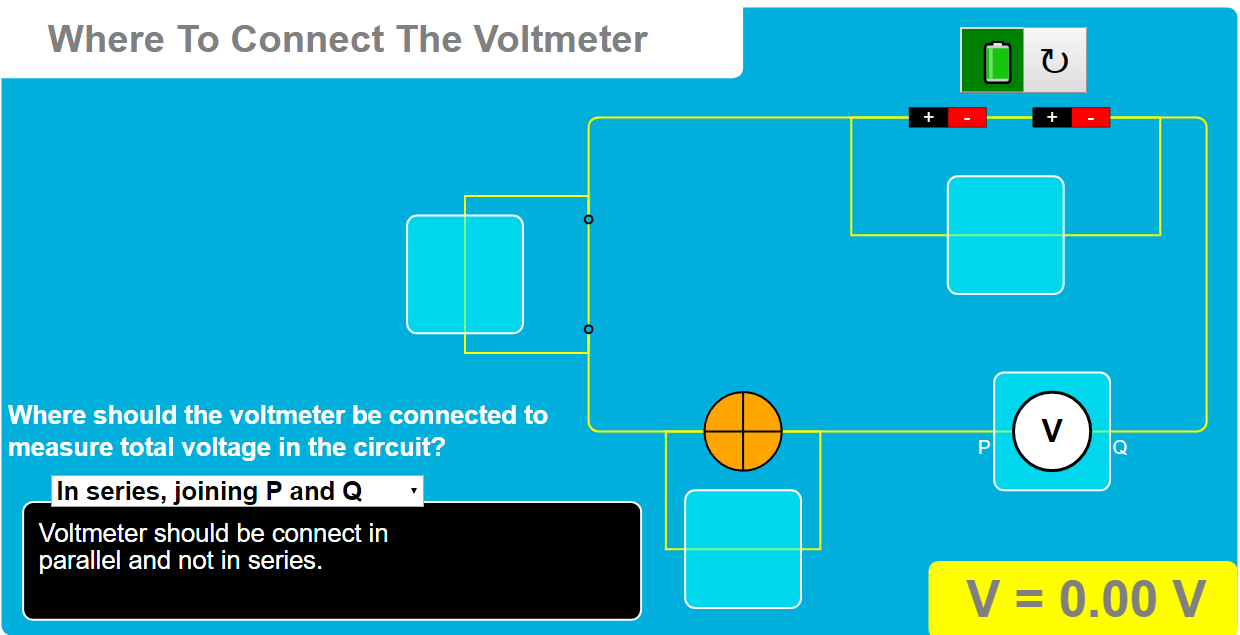
Instructions on how to use the Simulation Applet
Drag-able Voltmeter and Reading




Power Button

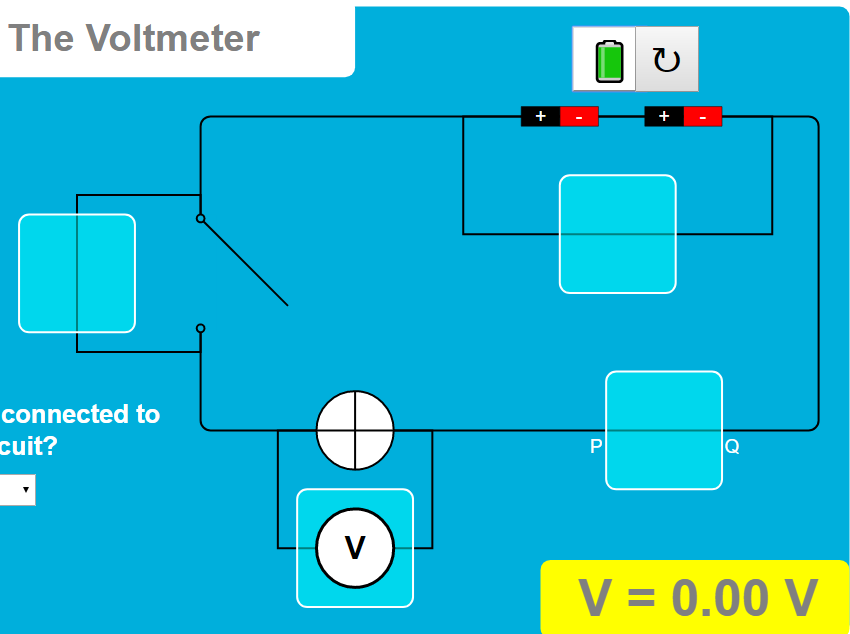
Question and Combo Box

Reset Button

Research
[text]
Video
[text]
Version:
Other Resources
[text]
FAQ
- What is the purpose of the "Where To Connect The Voltmeter" simulation applet?
- This applet is designed to help users understand how to properly connect a voltmeter in a DC circuit. It visually demonstrates whether a voltmeter should be connected in parallel or series by allowing users to drag a virtual voltmeter and see how the reading changes. The simulation aims to teach the fundamental concept of how voltmeters function within a circuit, providing interactive learning and feedback through a question and explanation box.
- How does the drag-and-drop voltmeter work in the simulation?
- The simulation features a draggable voltmeter. When you drag the voltmeter to a cell, the voltmeter reading will display the measured potential difference. If the voltmeter is placed outside of the circuit components, such as cells, the voltmeter automatically displays a reading of 0V. The displayed reading illustrates how a voltmeter must be connected to register the voltage of the measured component.
- What is the function of the power button in the simulation?
- The power button in the simulation acts as a toggle switch, allowing you to turn the circuit on and off. When the button is green, it indicates that the circuit is powered on and current can flow. When the background of the power button is white, it indicates that the circuit is powered off, simulating an open circuit.
- How can I check my understanding using the simulation's interactive features?
- The simulation includes a question with a dropdown combo box. By selecting an option, the voltmeter position will change to match the selected connection type, and a pop-up explanation box will appear, providing feedback on whether the connection is correct or not. This function is important to promote deeper learning by combining visual interaction with written guidance.
- What can I learn about voltage from this simulation?
- By using this applet, you can learn how a voltmeter is used to measure the potential difference, or voltage, between two points in a circuit. The simulation highlights that voltmeters must be connected in parallel to measure the voltage across components accurately and provides feedback via a combination of visual changes and written explanations. The fact that reading is 0V when the voltmeter is not connected correctly reinforces key learnings on the tool and how to read data.
- What other related simulations or resources are mentioned?
- The page references a wide range of interactive simulations and resources, including other circuit-related simulations (e.g. Types of Circuits, Circuitry At Home, Current In Series and Parallel Circuits), simulations relating to momentum and collisions, simulations for mathematics, and many more science based models and labs. This indicates a broader educational resource platform, where the voltmeter simulation is part of a larger collection.
- Who created the simulation and where can I find more information about them?
- The simulation was created by Fremont Teng, as mentioned in the Credits section. It is hosted by Open Educational Resources / Open Source Physics @ Singapore, and can be accessed via the provided iframe embed. This suggests that the resource is part of a larger collection of open-source physics educational materials.
- What are some of the broader aims of the platform hosting the simulation?
- The large collection of interactive simulations and resources demonstrates a focus on making educational materials accessible and interactive. The platform emphasizes utilizing technology, particularly through open source tools and simulations, to enhance learning in physics and other fields like math and biology. The variety of resources available, along with award and research information, suggest that this platform aims to promote innovation, collaboration, and effective educational practice.